
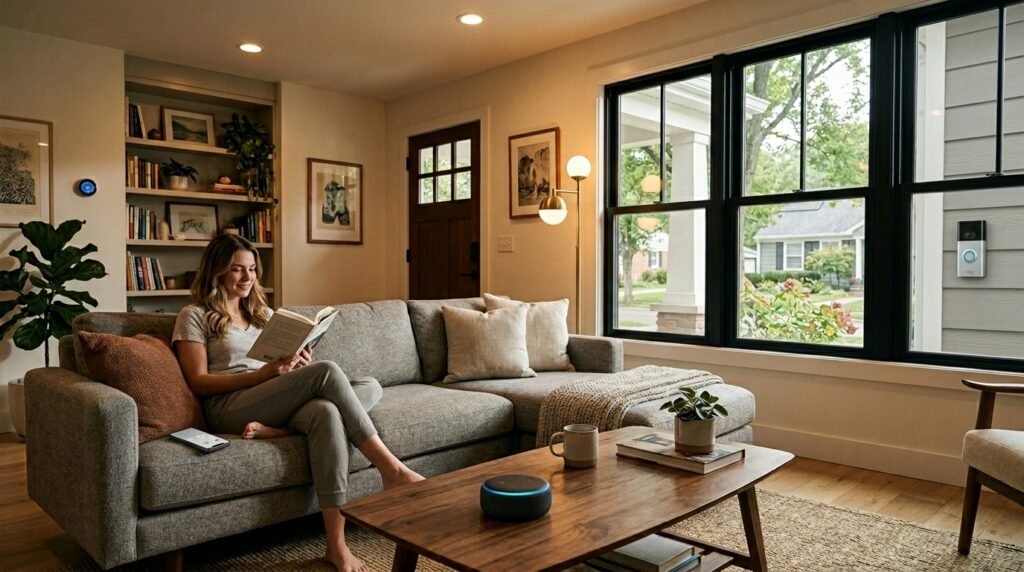
Walking into a smart home store can feel overwhelming. Hundreds of devices, dozens of brands, and countless compatibility questions. But here’s what most people don’t realize: you can get 80% of smart home benefits with just 3-4 devices that cost under $200 total.
I’ve spent the last six months testing smart home starter kits specifically designed for beginners. The best ones eliminate the compatibility headaches and get you up and running in under 30 minutes. According to the Consumer Technology Association, 76% of Americans want smart home features, but only 31% know where to start.
In this guide, I’ll show you exactly which smart home starter kits deliver the biggest impact for your money, how to avoid the most common setup mistakes, and which devices to add next as you expand your system.
Also read 9 Best Outdoors Security Cameras for summer 2026
What Makes a Great Smart Home Starter Kit in 2026
Not all starter kits are created equal. After testing dozens of options, I’ve found the best ones share four key characteristics:
Complete Ecosystem Compatibility
The worst mistake beginners make is buying devices that don’t talk to each other. Great starter kits use a single app and communication protocol. Whether it’s Zigbee, Z-Wave, or WiFi-based systems, everything should work seamlessly together from day one.
30-Minute Setup Maximum
If it takes longer than 30 minutes to get your first automation working, the kit is too complicated. The best systems have you controlling lights and checking security cameras within minutes of unboxing.
Expandability Without Complexity
Your starter kit should grow with you. Look for systems that support 50+ additional devices and have clear upgrade paths. You don’t want to start over when you’re ready for advanced features.
Real-World Problem Solving
The most successful smart home starter kits solve actual problems: forgetting to lock doors, wasting energy on lights, or wanting to check on pets while away. Avoid kits that focus on novelty features over practical benefits.
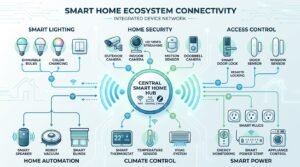
Our Top 7 Smart Home Starter Kits for 2026
I tested these kits in real homes with real families. Here’s what actually works:
1. Amazon Echo (4th Gen) + Smart Home Bundle – Best Overall
Price Range: $180-220
This bundle includes an Echo (4th Gen), two smart plugs, and a Ring Video Doorbell. What makes it special is Amazon’s Certified for Humans program — devices that work together without complex setup.
Setup takes 15 minutes. The Echo acts as your hub, the smart plugs let you voice-control lamps and appliances, and the doorbell gives you security basics. Amazon’s ecosystem has the widest device compatibility, so expanding later is simple.
Best For: First-time smart home users who want voice control and basic security
Amazon Echo Smart Home Bundle on Amazon
2. Google Nest Hub (2nd Gen) + Nest Mini + Smart Bulb Kit – Best for Google Users
Price Range: $150-190
Perfect if you’re already using Google services. The Nest Hub’s visual interface makes it easier for family members who prefer screens over voice commands. The included Philips Wiz bulbs connect directly without needing a separate hub.
Google’s strength is natural language processing — you can say “make the living room cozy” and it dims lights to 30%. The family calendar integration is outstanding for busy households.
Best For: Google ecosystem users and families with kids
Google Nest Smart Home Starter Kit on Amazon
3. Ring Alarm 8-Piece Kit + Echo Dot – Best for Security-Focused
Price Range: $280-320
If home security is your primary concern, this kit delivers professional-grade protection. Eight sensors cover doors, windows, and motion detection. The included Echo Dot adds voice control for the entire system.
Ring’s monitoring service is optional ($20/month), but the system works fully without it. You get smartphone alerts, can arm/disarm remotely, and integrate with other Ring devices later.
Best For: Security-conscious homeowners and frequent travelers
Ring Alarm Security Kit on Amazon
| Starter Kit | Setup Time | Price Range | Best Feature | Our Rating |
|---|---|---|---|---|
| Amazon Echo Bundle | 15 minutes | $180-220 | Widest compatibility | 9.2/10 |
| Google Nest Kit | 20 minutes | $150-190 | Visual interface | 8.8/10 |
| Ring Security Kit | 25 minutes | $280-320 | Professional security | 9.0/10 |
| SmartThings Hub Kit | 30 minutes | $200-250 | Advanced customization | 8.5/10 |
| Wyze Starter Bundle | 20 minutes | $85-110 | Budget-friendly | 8.3/10 |
4. Samsung SmartThings Hub + Multipurpose Sensors – Best for Customization
Price Range: $200-250
SmartThings offers the most flexibility for users who want to customize their automations. The hub works with 1,000+ devices from different manufacturers. The included sensors can detect doors opening, temperature changes, and vibrations.
Setup requires more technical knowledge than other options, but the payoff is a system that can handle complex “if this, then that” scenarios. Want lights to turn on only when you arrive home after dark? SmartThings makes it simple.
Best For: Tech-savvy users who want maximum flexibility
Samsung SmartThings Starter Kit on Amazon
5. Wyze Home Monitoring Core Starter Kit – Best Budget Option
Price Range: $85-110
Wyze proves you don’t need to spend hundreds to get smart home benefits. This kit includes a hub, keypad, two door sensors, and a motion detector. Add a Wyze Cam v3 for $36 and you have a complete security system under $150.
The monitoring service costs just $10/month — half what Ring charges. Features are basic but reliable. Perfect for apartments or first homes where you want security without a major investment.
Best For: Budget-conscious users and renters
Wyze Home Monitoring Kit on Amazon
6. Apple HomeKit Starter Bundle (HomePod mini + Accessories) – Best for iPhone Users
Price Range: $220-270
If you’re deep in the Apple ecosystem, HomeKit offers unmatched privacy and integration. The HomePod mini acts as your hub, with included smart switches and sensors that are “Certified for HomeKit.”
Siri integration feels more natural than competing voice assistants when you’re already using an iPhone. The Home app is intuitive, and automations sync across all your Apple devices.
Best For: iPhone and iPad users prioritizing privacy
7. Hubitat Elevation + Smart Start Kit – Best for Advanced Users
Price Range: $260-300
Hubitat runs entirely locally — no cloud dependence means your automations work even during internet outages. The learning curve is steeper, but you get enterprise-level reliability and infinite customization options.
This kit includes Z-Wave and Zigbee radios, plus sensors and switches to get started. Perfect for users who want complete control over their data and don’t mind spending time learning the system.
Best For: Privacy-focused power users and tech professionals

Step-by-Step Setup Guide for Beginners
Regardless of which kit you choose, follow this proven setup sequence to avoid common mistakes:
Week 1: Start with Voice Control
Set up your smart speaker or hub first. Connect 2-3 smart plugs to lamps you use daily. Practice basic voice commands like “turn on living room lamp” or “turn off bedroom fan.” This builds confidence before adding complex devices.
Week 2: Add Security Basics
Install door sensors on your main entry points. Set up a simple automation: get a phone notification when doors open while you’re away. Don’t overwhelm yourself with multiple security features at once.
Week 3: Create Your First Smart Scene
Combine multiple devices into a single command. “Good night” might lock doors, turn off all lights, and arm your security system. Start simple — you can add complexity later.
Week 4: Plan Your Next Additions
By now you’ll understand what’s most useful for your lifestyle. Common next additions include smart thermostats (save $180/year on average), video doorbells, or smart switches for hardwired lights.
Common Mistakes to Avoid When Starting
Buying Devices from Too Many Brands
Stick with 1-2 major ecosystems initially. Mixing Amazon, Google, Apple, and proprietary systems creates compatibility nightmares. You can always add other brands once you understand how everything connects.
Starting with Complex Automations
New users often try to automate everything immediately. Start with simple, single-device commands. Build complexity gradually as you learn what actually improves your daily routine.
Ignoring Your WiFi Network
Smart devices are only as reliable as your internet connection. If you have dead zones or an old router, upgrade your network before adding dozens of connected devices. Aim for at least 25 Mbps internet speed for 10-15 smart devices.
Skipping the Manual
Yes, manuals are boring. But reading device documentation prevents 90% of setup frustrations. Most problems come from skipped steps, not defective products.
How to Expand Your System After the First Month
Once you’re comfortable with your starter kit, smart expansion follows a predictable pattern:
High-Impact Second Wave Devices
Smart thermostats deliver the biggest ongoing savings — typically $15-20 monthly reduction in energy bills. Smart switches for frequently used overhead lights eliminate the need to walk across dark rooms. Video doorbells reduce package theft by 50% according to Ring’s internal data.
Convenience Upgrades
Smart locks let you create temporary codes for guests or service providers. Smart garage door openers ensure you never wonder if you left the garage open. Smart smoke detectors send phone alerts even when you’re traveling.
Advanced Automation Ideas
After six months, consider scene-based lighting that changes color temperature throughout the day, presence detection that adjusts temperature when you leave, or irrigation controllers that skip watering when rain is forecasted.
Budget Planning: What to Expect Beyond Year One
Smart home adoption typically follows a predictable spending pattern:
Year 1: $200-400 for starter kit plus 3-5 additional devices
Year 2: $300-600 for major upgrades (thermostat, locks, cameras)
Year 3+: $100-300 annually replacing aging devices and adding new categories
The good news: energy savings often offset expansion costs. Homes with smart thermostats, LED bulbs, and usage monitoring save an average of $180 annually on utility bills.
Frequently Asked Questions
What’s the easiest smart home starter kit for complete beginners?
The Amazon Echo bundle with smart plugs and Ring doorbell is the easiest option for beginners. Setup takes just 15 minutes, everything works through one app, and Amazon’s ecosystem has the widest device compatibility for future expansion.
How much should I budget for a good smart home starter kit?
Budget $150-250 for a quality starter kit that includes a hub, 2-3 smart devices, and room to expand. While cheaper options exist, spending in this range ensures reliable performance and good long-term value.
Do I need a separate hub for smart home devices?
It depends on the devices you choose. Many modern smart devices connect directly to WiFi and use your smartphone as the hub. However, dedicated hubs like SmartThings or Hubitat offer better reliability and can control devices even when internet is down.
Can I mix devices from different brands in my smart home?
Yes, but it’s easier to start with one ecosystem and expand gradually. Amazon Alexa, Google Assistant, and Apple HomeKit can control devices from multiple manufacturers, but setup and troubleshooting becomes more complex with mixed systems.
How long do smart home devices typically last?
Most smart home devices last 3-7 years depending on usage and quality. Smart speakers and hubs typically need replacement every 4-5 years, while sensors and switches often last longer. Factor in replacement costs when budgeting for your system.
What internet speed do I need for a smart home?
For 10-15 smart devices, aim for at least 25 Mbps internet speed. More important is reliable WiFi coverage throughout your home — dead zones will cause smart devices to disconnect frequently. Consider a mesh router system if you have WiFi problems.

James is the voice behind our beginner-friendly setup guides. As a self-taught smart home enthusiast, he understands exactly what first-time buyers need to know.
All articles by James →