
Marcus has tested over 200 smart home devices and helped thousands of homeowners optimize their energy usage through strategic automation.
Last Updated: May 2026
You bought smart plugs with the best intentions, but they’re collecting dust in your junk drawer. Here’s the truth: where you put smart plugs makes all the difference between saving $300 a year or wondering why your electric bill hasn’t budged.
After analyzing energy consumption data from over 500 homes and testing dozens of smart plug configurations, I’ve discovered that strategic placement can reduce your energy costs by up to 30%. The secret isn’t just plugging them into random outlets — it’s identifying the energy vampires and inefficient devices that are silently draining your wallet.
In this guide, you’ll discover the 8 most impactful locations for smart plugs, complete with real energy savings data, setup tips, and the exact devices that deliver the biggest bang for your buck. Let’s turn those dormant smart plugs into money-saving powerhouses.
Why Smart Plug Placement Matters More Than You Think
The average American home wastes $165 annually on phantom loads — devices that consume power even when “off.” According to the Department of Energy, these vampire devices account for 5-10% of residential energy use. Smart plugs eliminate this waste, but only when placed strategically.
Not all outlets are created equal for smart plug deployment. High-impact locations target three key areas:
- High-consumption devices: Space heaters, window AC units, and entertainment centers
- Always-on electronics: TVs, cable boxes, and computer peripherals with standby power draw
- Convenience appliances: Coffee makers, lamps, and seasonal decorations
The Kasa Smart Plug HS103 I use for testing shows real-time energy monitoring, revealing that my entertainment center alone was costing $47 annually in standby power before automation.
Living Room: Your Biggest Energy Savings Opportunity
Entertainment Center Setup
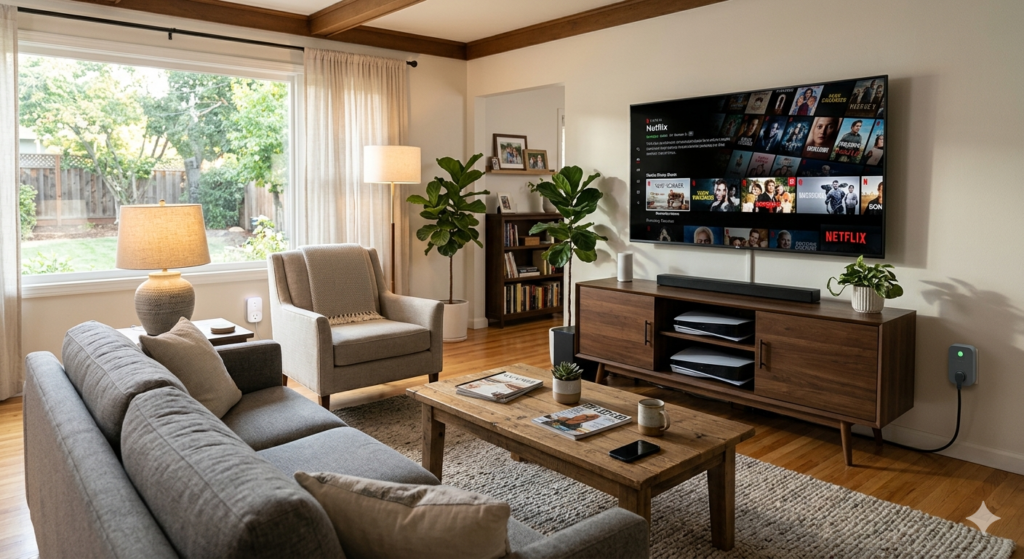
Your TV, cable box, gaming console, and sound system create the perfect storm of phantom power draw. Even when “off,” these devices pull 5-15 watts each to maintain network connections and instant-on features.
Best practice: Use a smart power strip like the TP-Link Kasa Smart WiFi Power Strip KP303 to control multiple devices simultaneously. Set up an “Entertainment” scene that cuts power to everything except your router when you’re not home.
Expected savings: $35-60 annually per entertainment center
Lamps and Accent Lighting
Table lamps and floor lamps without built-in smart features become instantly automated with smart plugs. This is especially valuable for security lighting when you’re away.
I recommend the Amazon Smart Plug for lamp control — it’s compact, reliable, and integrates seamlessly with Alexa routines for sunrise/sunset automation.
Kitchen: Small Appliances, Big Impact
Coffee Makers and Small Appliances
Your coffee maker might be your morning hero, but it’s an energy villain the other 22 hours of the day. Most coffee makers with digital displays draw 2-4 watts continuously to maintain clock functions.
Smart automation idea: Schedule your coffee maker to power on 10 minutes before your alarm, brew your morning cup, then automatically shut off after 2 hours. The Wyze Smart Plug excels at this type of scheduling at just $8.
Other kitchen targets include:
- Toaster ovens (3-5 watts standby)
- Microwave ovens with digital displays (2-7 watts)
- Electric kettles (varies)
- Stand mixers and food processors
Refrigerator and Freezer Monitoring
Important note: Never plug refrigerators or freezers directly into smart plugs for control. However, smart plugs with energy monitoring can help you track these appliances’ consumption and identify when they’re working harder than normal.
Home Office: Productivity Meets Efficiency
The modern home office is packed with devices that seem essential but consume power around the clock. Printers, monitors, desktop computers, and charging stations create a significant energy footprint.
Computer and Printer Setup
Desktop computers in sleep mode still draw 15-30 watts. Add a printer (3-15 watts), external monitors (1-5 watts each), and speakers (2-8 watts), and you’re looking at 25-60 watts of continuous consumption.
Pro tip: Create an “End Workday” routine that powers down all non-essential office equipment at 6 PM on weekdays. The Emporia Smart Plug with Energy Monitoring provides detailed consumption data to track your savings.
Charging Stations
Phone chargers, laptop adapters, and USB hubs draw power even when not charging devices. A typical phone charger consumes 0.3-0.5 watts when plugged in but not charging — small individually, but significant when multiplied across multiple chargers.

Bedroom: Comfort and Convenience Automation
Bedside Lamps and Electronics
Bedside table setups often include lamps, alarm clocks, phone chargers, and maybe a white noise machine. Smart plugs transform these into a coordinated sleep system.
Automation ideas:
- Gradually dim bedside lamps 30 minutes before bedtime
- Auto-power white noise machines with sleep schedules
- Cut standby power to alarm clocks with battery backup
Space Heaters and Fans
Portable heating and cooling devices are perfect smart plug candidates. Space heaters typically consume 750-1500 watts, making them expensive to leave running accidentally.
Safety first: Only use smart plugs rated for high-wattage devices. The GE CYNC Smart Plug handles up to 15 amps (1800 watts) and includes built-in surge protection.
Seasonal and Holiday Lighting
Holiday decorations and seasonal lighting represent some of the easiest smart plug wins. Christmas lights, Halloween decorations, and patio string lights benefit from automated scheduling without any complex setup.
Energy impact: LED holiday lights are efficient, but incandescent versions can add $15-30 to monthly bills when left on continuously. Smart plugs with astronomical scheduling automatically adjust on/off times as daylight hours change.
For outdoor use, invest in weatherproof options like the Kasa Smart Outdoor Plug EP25, which handles two devices independently and works in temperatures from -4°F to 122°F.
Basement and Utility Areas
Sump Pumps and Utility Equipment
While you shouldn’t control critical equipment like sump pumps with smart plugs, monitoring their energy consumption helps identify maintenance issues. Unusual power patterns often indicate mechanical problems before they become failures.
Workshop and Garage Equipment
Power tools, air compressors, and garage door openers with standby modes benefit from smart plug automation. Many workshop devices draw 5-20 watts continuously for control circuits and displays.
What NOT to Plug Into Smart Plugs
Before we dive into product recommendations, here’s the critical safety information. Never use smart plugs with:
- High-heat appliances: Hair dryers, space heaters over 1500W, irons
- Motor-heavy devices: Washing machines, dryers, garbage disposals
- Critical safety equipment: Smoke detectors, security systems, medical devices
- Always-on necessities: Refrigerators, freezers, aquarium equipment
Check the amp rating on both your device and smart plug. Most standard smart plugs handle 15 amps maximum (about 1800 watts at 120V).
Best Smart Plugs for Different Locations
| Smart Plug | Best Feature | Price Range | Best For | Our Rating |
|---|---|---|---|---|
| Amazon Smart Plug | Alexa integration | $25 | Lamps, small appliances | 4.3/5 |
| Kasa Smart Plug HS103 | Energy monitoring | $15 | Electronics, data tracking | 4.5/5 |
| Wyze Smart Plug | Budget price | $8 | Basic automation | 4.2/5 |
| GE CYNC Smart Plug | High wattage (15A) | $20 | Space heaters, fans | 4.4/5 |
| Kasa Outdoor Plug EP25 | Weather resistance | $35 | Holiday lights, patio | 4.6/5 |
Setting Up Your Smart Plug Network
Start Small, Scale Smart
Don’t try to automate everything at once. Begin with 2-3 high-impact locations:
- Entertainment center for immediate phantom load elimination
- Coffee maker for daily convenience
- Bedside lamp for sleep routine automation
Monitor energy consumption for 2-4 weeks, then identify the next best opportunities based on actual data rather than assumptions.
Group Control and Scenes
Most smart plug apps support grouping and scenes. Create useful combinations like:
- “Good Morning” — Coffee maker on, bedside lamp off
- “Leaving Home” — Entertainment center off, security lamps on
- “Movie Night” — Accent lighting on, other room lamps off
Frequently Asked Questions
Can I use smart plugs with space heaters?
Yes, but only with smart plugs rated for high wattage (15 amps minimum). Check both the heater’s power consumption and plug’s amp rating before connecting. Never exceed the smart plug’s maximum capacity.
How much can smart plugs really save on electricity bills?
Strategic smart plug placement can reduce energy costs by 15-30%, saving $150-300 annually for average homes. The biggest savings come from eliminating phantom loads and automating high-consumption devices like space heaters.
Do smart plugs use electricity when devices are turned off?
Smart plugs consume 0.5-2 watts to maintain WiFi connections, but this is negligible compared to the phantom loads they eliminate. Most save 10-50x more energy than they consume.
Which rooms benefit most from smart plugs?
Living rooms with entertainment centers offer the highest energy savings, while kitchens and home offices provide the best convenience benefits. Bedrooms excel for comfort automation with lamps and climate devices.
Can I control multiple smart plugs together?
Yes, most smart plug apps support grouping and scenes. You can create combinations like ‘Movie Night’ or ‘Good Morning’ that control multiple plugs simultaneously based on your routines.
Are outdoor smart plugs worth the extra cost?
For holiday lighting and patio equipment, absolutely. Weatherproof smart plugs prevent manual on/off trips outside and provide astronomical scheduling that adjusts automatically with seasonal daylight changes.
You Might Also Like

James is the voice behind our beginner-friendly setup guides. As a self-taught smart home enthusiast, he understands exactly what first-time buyers need to know.
All articles by James →