
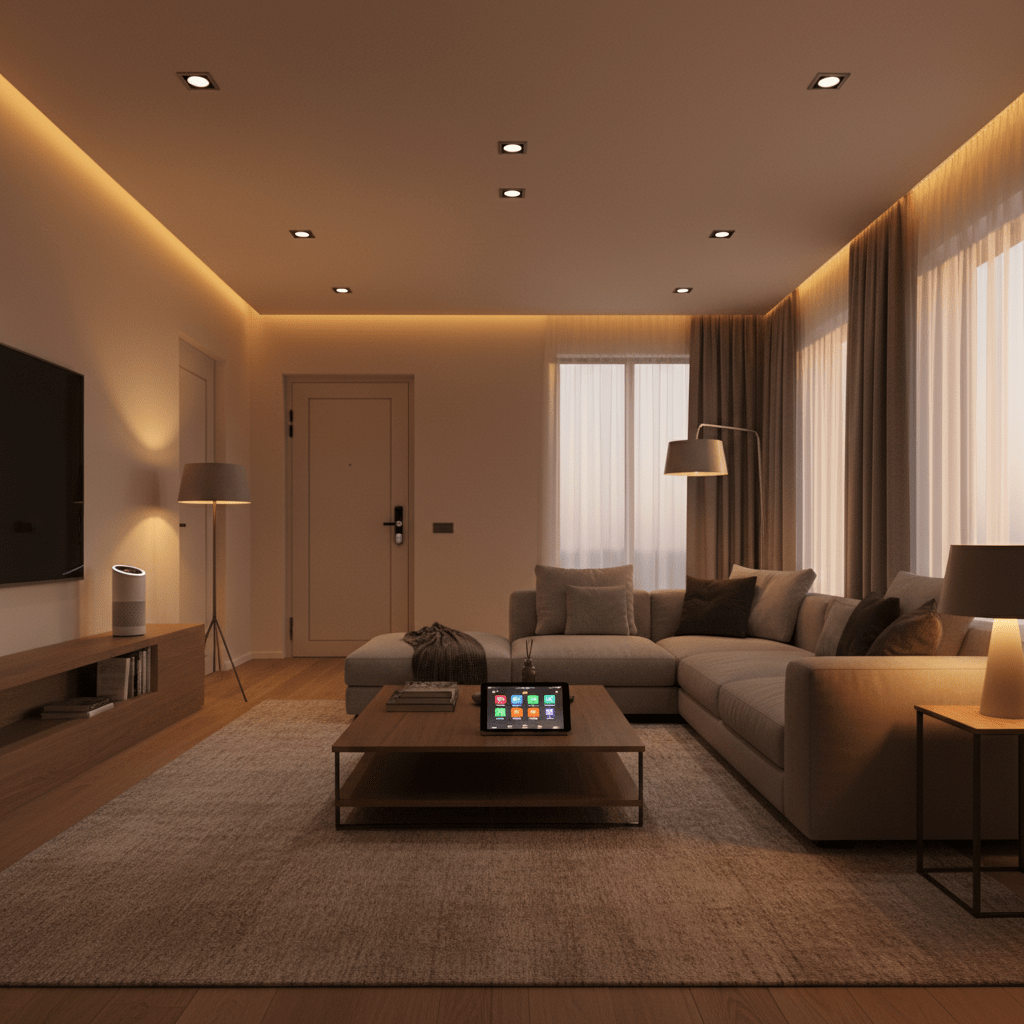
Quick Answer: A smart home is any home where devices can be controlled via an app, voice assistant, or automated schedule — instead of only by physical switches. You do not need to do everything at once. Most people start with a smart speaker ($35-50) and 4 smart bulbs ($55-65) and build from there. Total starter cost: under $100.
There is a version of the smart home that is intimidating. Hubs, bridges, Zigbee meshes, Z-Wave frequencies, Matter commissioning, Thread Border Routers, ecosystem lock-in, compatibility matrices. If you have tried to research smart home technology before, you have probably encountered this version. And you have probably closed the browser tab.
This guide is the other version. The beginner version. The one that tells you what to actually buy, in what order, at what cost, and how to set it up without a background in network engineering.
The honest truth: a smart home in 2026 is significantly simpler to set up than the coverage suggests. Most devices take under 10 minutes to install. Most genuinely useful features require no technical knowledge. And most people who build a smart home incrementally — one device at a time — are surprised by how quickly it comes together and how much it improves daily life.
This is your complete starting point.
1. What Is a Smart Home?
A smart home is a home where some or all of the devices in it — lights, locks, cameras, thermostats, plugs, speakers — can be controlled digitally rather than only physically.
“Digitally” means via a smartphone app, a voice command to a smart speaker, or an automated schedule that runs without you doing anything. Instead of walking to a light switch to turn off the living room lights, you say “Alexa, turn off the lights.” Instead of checking that you locked the door when you are already ten minutes down the road, you open an app and see the lock status in real time. Instead of coming home to a cold house, your thermostat learns your routine and has the heating at the right temperature before you arrive.
One of the biggest advantages of a smart home is reducing energy costs using devices like a smart thermostat that automatically adjusts temperature to save money
That is the practical reality of a smart home in 2026. Not robots. Not artificial intelligence deciding what you want for dinner. Not a science fiction interface. Just devices that respond to you differently — via apps, voice, and automation rather than only physical switches and manual adjustment.
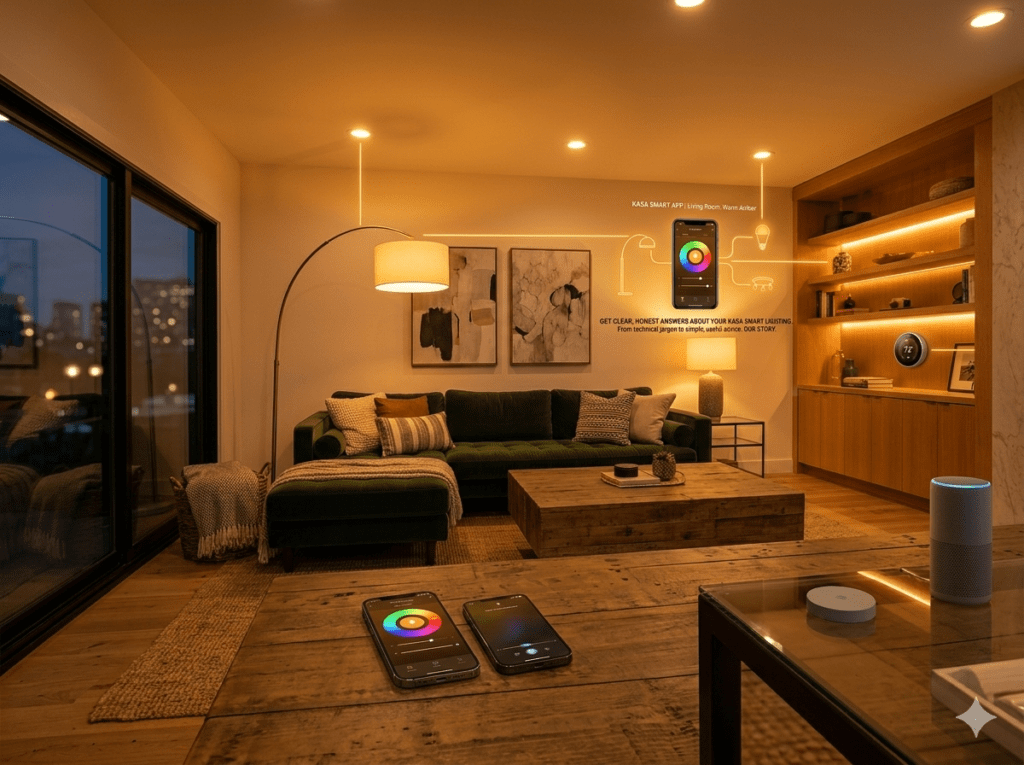
What a Smart Home Is NOT: A smart home is not all-or-nothing. You do not need to make every device in your home smart. Most people smart-enable 5-10 specific devices that improve their daily routine and leave the rest unchanged. A single smart lock and three smart bulbs is a smart home. It does not have to be everything.
2. What Do You Actually Need to Get Started?
The minimum viable smart home setup requires exactly three things:
1. A Smartphone
You already have this. Every smart home device is controlled via a companion app. iOS and Android are both fully supported by every major smart home brand.
2. A Wi-Fi Router
You almost certainly already have this too. Smart home devices connect to your home Wi-Fi network. The only requirement is that your router broadcasts a 2.4GHz network — which virtually all routers manufactured in the last decade do automatically.
3. The Devices Themselves
This is the only thing you need to purchase. Everything else you already own.
Optional but recommended: a smart speaker (Amazon Echo or Google Nest). This adds voice control to everything and acts as the central hub for your whole setup. At $35-50 for an Echo Dot, it is the most cost-effective way to unlock hands-free control of every smart device in your home.
Amazon Echo Dot (5th Gen) — Most popular smart home starting point — ~$35-50 —
Google Nest Mini (2nd Gen) — Best for Android / Google users — ~$25-35 —
3. How Much Does a Smart Home Cost? (2026 Realistic Numbers)
One of the biggest misconceptions is that smart homes are expensive. Here are the real 2026 numbers at every budget level:
| Budget Tier | Approx. Cost | What You Get | Best For |
| Starter | $100-200 | 1 smart speaker + 4 smart bulbs + 1 smart plug | First-timers testing the concept |
| Mid-range | $300-500 | Starter + smart lock + 2 cameras + doorbell | Most households — covers all main needs |
| Comprehensive | $600-1000 | Mid-range + thermostat + sensors + more bulbs | Whole-home setup over several months |
| Premium | $1000-2000 | Full coverage + premium brands + solar cameras | Enthusiasts building a long-term setup |
The important nuance: most people do not spend this all at once. They start at the Starter tier and add devices over 6-12 months as they discover what they actually want. A smart home built incrementally over a year costs the same total as a comprehensive package but with much less risk of buying devices that do not suit your lifestyle.
Real Cost Comparison: A professionally installed smart home system from ADT or Vivint typically costs $500-2,000 in installation fees plus $30-60 per month in monitoring contracts. A self-installed DIY smart home achieves the same capability for $300-600 in hardware with no ongoing monthly contracts required.
4. The Best Starting Point for Every Household Type
The right first smart home purchase depends on your specific situation:
| Your Situation | Start With | Why |
| Renter in apartment | Smart bulbs + echo dot | No installation needed. Everything portable. Move with you. |
| Homeowner, one person | Smart lock + smart speaker | Security and convenience — immediate daily impact |
| Family with children | Smart locks + cameras | Safety, monitoring, keyless entry for kids |
| Tech-cautious beginner | Echo Dot + smart plug | Lowest learning curve. Immediate useful result. |
| Apple ecosystem (iPhone) | LIFX bulbs + HomePod mini | Native HomeKit. No compromise. Seamless. |
| Energy-conscious household | Smart thermostat + plugs | Direct energy savings visible on monthly bills |
| Elderly parents | Echo Show + smart lock | Voice control, welfare check, keyless entry for family |
| Holiday / second home | Cameras + smart lock | Remote monitoring and access management from anywhere |
5. The 6 Essential Smart Home Device Categories
Every smart home is built from some combination of these six categories. You do not need all of them — but understanding what each one does helps you prioritise. Many homeowners combine multiple devices like lighting, thermostats, and locks to create a fully connected system.
1. Smart Speakers and Displays
The central control point of most smart homes. An Amazon Echo, Google Nest Hub, or Apple HomePod sits in your main living area and responds to voice commands to control every other device. It is also a music player, timer, weather checker, and news briefing device.
Key feature: the Drop In function on Echo devices allows family members to check in via audio from anywhere — genuinely useful for elderly relatives or children.
Amazon Echo (4th Gen) — Best overall smart speaker — ~$90-100 —
Google Nest Hub (2nd Gen) — Best display device with screen — ~$90-100 —
2. Smart Lighting
The highest-impact and most immediately noticeable smart home upgrade. Smart bulbs allow voice control, scheduling, colour changing, and automation. Lights that turn on at sunset, off at midnight, and dim to movie mode on command transform how your home feels every evening.
No hub required for most brands in 2026. Screw in the bulb, download the app, done.
TP-Link Kasa KL135 4-Pack — Best all-round starter smart bulbs — ~$55-65 —
Govee Smart LED Strip Lights M1 — Best TV backlighting strip — ~$25-40 —
3. Smart Locks
Replace your front door deadbolt with a smart lock and you eliminate key hunting forever. Code entry, fingerprint, auto-lock, remote locking from anywhere, and a log showing exactly when each family member comes home.
Retrofit smart locks install over your existing deadbolt in 5 minutes without modifying the door — ideal for renters.
Wyze Lock — Best budget smart lock ($90-110) — ~$90-110 —
Schlage Encode Plus — Best premium smart lock (Grade 1 security) — ~$200-250 —
4. Smart Security Cameras
Outdoor cameras with AI detection that distinguish between a person at your door and a cat in the garden. Instant phone notification when someone approaches, local footage storage with no subscription required, and live view from anywhere.
Reolink Argus 4 Pro — Best no-subscription outdoor camera (4K) — ~$90-110 —
Eufy SoloCam S340 — Best built-in storage solar camera — ~$130-150 —
5. Smart Thermostats
Replace your existing thermostat with a smart one and your heating and cooling adjusts automatically based on your schedule, location, and preferences. Most households save $150-300 per year in energy costs — enough to pay for the thermostat within 6-12 months.
Google Nest Thermostat (2020) — Best value smart thermostat — ~$100-130 —
Ecobee Smart Thermostat Premium — Best overall smart thermostat — ~$180-220 —
6. Smart Plugs
The easiest and cheapest smart home device. Plug into any existing wall socket to make any connected device (lamp, fan, coffee maker, TV) smart — controllable by app and voice, schedulable, and energy-monitorable. Under $15 each. Works in 2 minutes.
Kasa Smart Plug EP25 (with energy monitoring) — Best overall smart plug — ~$15-20 —
6. Which Voice Assistant Should You Choose?
This is the most common beginner question and the answer is simpler than most guides suggest:
| Factor | Amazon Alexa | Google Assistant |
| Device compatibility | Widest — works with most brands | Wide — most major brands |
| Voice recognition | Best for varied accents | Best for conversational queries |
| Smart home features | More automation options | Better Google services integration |
| Apple HomeKit support | No | No (use Apple HomePod for this) |
| Music integration | Amazon Music, Spotify, Apple | YouTube Music, Spotify, others |
| Display option | Echo Show range | Google Nest Hub range |
| Best for | Most beginners, pure smart home | Android users, Google services users |
For pure smart home control, Amazon Alexa has the widest device compatibility and the most mature automation system. If you use Android and are deeply integrated into Google services (Gmail, Google Calendar, Google Photos), Google Assistant integrates more naturally with your existing setup.
If you use iPhone and want everything to work in the Apple Home app — buy a HomePod mini ($99) as your starting device. It serves as an Apple HomeKit hub and a Thread Border Router simultaneously.
Apple HomePod Mini — Best for iPhone / Apple ecosystem households — ~$90-100 —
7. Step-by-Step: How to Set Up Your First Smart Home Device
This process applies to any smart home device — bulb, plug, lock, camera, or speaker. The pattern is always the same:
- Download the manufacturer app from the App Store or Google Play and create a free account
- Plug in, screw in, or mount the device following the physical installation instructions
- Open the app and tap “Add Device” or the plus (+) icon
- Select your device model from the list and follow the pairing wizard
- When asked for Wi-Fi, always select your 2.4GHz network (not 5GHz)
- Name the device descriptively: “Front Door Lock”, “Living Room Ceiling”, “Kitchen Plug” — these names are how you will control it by voice
- Link to Alexa or Google Home: open your voice assistant app, go to Skills/Settings, find your device brand, enable it, and “Discover Devices”
- Test every function before considering setup complete
The 2.4GHz Rule: Almost every smart home device connects exclusively to 2.4GHz Wi-Fi — NOT 5GHz. If your router broadcasts both under the same name, this is the most common cause of setup failures. Give each band a different name in your router settings before buying any smart home devices.
8. The 3 Ecosystems Explained: Amazon, Google, Apple
You will hear these three names constantly in smart home discussions. They are the three major platforms that smart home devices integrate with:
Amazon Alexa
The most widely compatible smart home ecosystem. Over 100,000 device types work with Alexa. Voice commands work well, the Alexa Routines automation system is powerful, and Echo devices range from $35 to $250. Best choice for most beginners.
Google Home
Strong integration with Android phones, Google services, and YouTube. Google Assistant is particularly good at conversational responses and information queries. The Google Home app has improved significantly in 2025-2026 and now rivals Alexa for smart home management.
Apple HomeKit
The premium option for iPhone users. HomeKit operates locally on your network — commands do not go through cloud servers, giving faster response and better privacy. The trade-off: fewer devices support HomeKit versus Alexa or Google. Matter is closing this gap in 2026.
You do not need to choose one exclusively. Most smart home devices support multiple ecosystems. You can have Alexa as your primary voice assistant and still use Apple HomeKit for devices that support it.
9. Matter: Why 2026 Is the Best Year to Start
If you have done any smart home research recently, you have seen the word “Matter” appearing on product packaging and in articles. It is worth understanding because it directly affects your buying decisions.
Matter is a universal connectivity standard — a shared language that allows smart home devices from any brand to work together on any platform. A Matter-certified smart lock works with Alexa, Google Home, and Apple HomeKit simultaneously, without any bridging apps or workarounds.
Before Matter, you were essentially locked into one ecosystem. A device that worked with Alexa might not work with Google Home, and HomeKit compatibility was rare. Matter eliminates this problem.
In 2026, Matter-certified devices are available across every major category — lights, locks, thermostats, plugs, sensors, and cameras. When you are choosing between two otherwise equivalent products, always choose the Matter-certified one. Your future flexibility is worth the occasional small price premium.
Practical Advice: Look for the Matter logo on device packaging. Any device carrying it will work with Alexa, Google Home, Apple HomeKit, and Samsung SmartThings simultaneously and locally. This is the most important single piece of buying advice for smart home beginners in 2026.
10. Building Your Smart Home in Phases (The Right Way)
The most successful smart homes are built in phases. Here is the approach that produces the best results:
Phase 1 (Week 1-2): The Foundation
- Buy one smart speaker (Amazon Echo Dot or Google Nest Mini)
- Buy one 4-pack of smart bulbs for your main living area
- Set up both, link them together, configure the 5 essential automations from our smart lighting guide
- Budget: $90-115. Time: 1-2 hours.
- Goal: experience what smart home control actually feels like before committing further
Kasa Smart Lighting Starter Bundle (bulbs + echo dot recommendation) — Kasa 4-pack ~$55-65 + Echo Dot ~$35-50 —
Phase 2 (Month 1-2): Security
- Add a smart lock to your front door
- Add 1-2 outdoor cameras with AI detection
- Optional: add a video doorbell at the main entrance
- Budget: $200-350. Time: 2-3 hours spread across a weekend.
- Goal: complete entry point security with remote monitoring
Phase 3 (Month 2-4): Comfort and Efficiency
- Add smart bulbs to bedroom, kitchen, and hallway
- Add a smart thermostat
- Add smart plugs to frequently used appliances
- Budget: $200-300. Time: a few hours over several weeks.
- Goal: whole-home automation with energy savings
Phase 4 (Month 4+): Expansion and Refinement
- Add smart bulbs to remaining rooms
- Add smart sensors (door, motion, water leak)
- Create whole-home automation routines (“Good morning”, “Leaving home”, “Good night”)
- Budget: $100-200 as needed
- Goal: a genuinely cohesive smart home where devices work together automatically
11. What Beginners Always Get Wrong
Buying Everything at Once
The most common expensive mistake. Buying a hub, 12 bulbs, 3 cameras, a lock, a thermostat, and two smart speakers in the same order — before knowing which features you actually use — results in a complicated setup that often never gets fully configured, and devices that gather dust. Start with Phase 1. It costs $90-115 and teaches you everything.
Not Checking Compatibility Before Buying
Smart home devices from different brands do not automatically work together. Before buying any device, check: does it work with your voice assistant (Alexa, Google, or Apple)? Does it use the same app as your other devices? Does it require a hub you do not have? The Matter logo is the easiest shortcut — if both devices are Matter-certified, they will work together.
Using the 5GHz Wi-Fi Network During Setup
Covered earlier but worth repeating because it causes the majority of failed smart home setups. Every smart home device connects to 2.4GHz Wi-Fi. If your router uses one name for both bands, you must separate them before setting up smart devices. This is a 5-minute task in your router settings and prevents hours of frustrating troubleshooting.
Buying Smart Devices for Rooms You Rarely Use
Smart lighting in the spare bedroom sounds useful but provides zero daily value. Buy smart devices for the rooms and functions that affect your routine every day first: the living room, the front door, the bedroom. The utility room can wait.
Ignoring Auto-Lock on Smart Locks
The most important feature of a smart lock is auto-lock — the setting that automatically locks the door after a set time period. Without it, a smart lock offers keyless entry but not the constant security that should come with it. Configure auto-lock within the first 5 minutes of smart lock setup.
Choosing a Platform Based on Brand Loyalty Rather Than Compatibility
Some households buy Ring cameras because they already have Amazon Echo devices and assume the whole Amazon ecosystem is best. Then they discover their preferred smart lock does not support Alexa well. Check device compatibility for each specific purchase rather than assuming all devices from one ecosystem work well together.
12. Frequently Asked Questions
How long does it take to set up a smart home?
A basic starter setup (smart speaker + 4 smart bulbs) takes 1-2 hours including app downloads and initial automation configuration. A mid-range setup covering lighting, security, and door access takes a dedicated Saturday afternoon — approximately 4-6 hours for first-time installation. Complex setups covering every room and multiple device categories are better spread across a few weekends to avoid overwhelm.
Do smart home devices work during a power cut?
Battery-powered devices (cameras, sensors, smart locks with backup batteries) continue functioning during power cuts. Mains-powered devices (smart plugs, wired cameras, smart speakers) go offline. Wi-Fi routers typically also lose power, which disconnects all Wi-Fi-dependent devices from app and voice control. Battery backup power banks connected to your router ($20-30) keep it running during brief outages.
Can smart home devices be hacked?
The realistic risk is low for properly configured setups. Standard security practices apply: strong unique passwords for every manufacturer account, two-factor authentication where available, regular firmware updates, and optionally placing smart devices on a separate IoT Wi-Fi network. The most significant security risk is not hacking but physical theft of devices or using default factory passwords that were never changed.
Will my smart home still work if a manufacturer shuts down?
This is a legitimate concern. Cloud-dependent devices could lose remote access functionality if the manufacturer ceases cloud operations. Matter-certified devices are the most resilient — they operate locally and continue functioning regardless of manufacturer cloud status. For devices without Matter, local network control often persists even if remote access is lost.
Do I need to tell my landlord about smart home devices?
For non-invasive devices — smart bulbs, smart plugs, smart speakers — no disclosure is required in most lease agreements. These devices plug into existing sockets and screw into existing fittings with no permanent modification. For smart locks that replace the deadbolt, check your lease. Retrofit smart locks that install over the existing thumb-turn (August, Wyze, Level Bolt) do not modify the door and typically do not require disclosure. Full deadbolt replacements should be discussed with your landlord first.
What happens to my smart home when I move house?
DIY smart home devices are designed to be portable. Smart bulbs unscrew and move with you. Smart plugs unplug. Retrofit smart locks uninstall in 10 minutes. Cameras unmount from their brackets. The entire setup is transferable to a new property. When you move, reinstall everything at the new address and reconnect to the new Wi-Fi network through the respective apps.
Is a smart home worth it for a single person living alone?
Arguably more valuable than for a larger household. Auto-lock eliminates the constant anxiety about whether you locked the door. Smart cameras provide visibility of your front door from anywhere. Smart lighting that turns on at sunset means you never return to a dark home. Smart speakers provide companionship and utility throughout the day. The safety benefits — smart lock, cameras, and smart speakers with emergency calling capability — have particular value for single-occupant homes.
How do I get started if I know nothing about technology?
Start with one Amazon Echo Dot and one 4-pack of Kasa smart bulbs. These two products have the easiest setup of any smart home devices, the most comprehensive beginner documentation, and the largest online help communities. Configure them, use them for two weeks, and you will understand smart home technology well enough to make every subsequent purchase decision confidently. The technology will teach itself to you through use.
13. Your First 30 Days: A Complete Action Plan
Here is the exact sequence that produces the best first-month smart home experience:
Day 1: Foundation
- Buy: Amazon Echo Dot (5th Gen) + TP-Link Kasa KL135 4-pack
- Set up: Echo Dot in your living room, 4 Kasa bulbs in your main living area
- Configure: link Kasa to Alexa, create a “Living Room” group in Alexa
- Test: “Alexa, turn off the living room”
- Automate: set sunset on schedule and midnight off schedule in the Kasa app
Days 2-7: Learn and Discover
- Use the setup daily — app control, voice control, schedule
- Notice what you actually use versus what you thought you would use
- Add one Alexa Routine: “Alexa, movie time” dims all lights to 15%
- Notice any gaps or frustrations — these are your Phase 2 purchase signals
Week 2-3: Security Layer
- Buy: one smart lock for your front door (recommendation based on your rental/ownership situation from Section 4)
- Install and configure: enable auto-lock (3 minutes), set unique codes for each household member
- Link to Alexa: “Alexa, lock the front door” should work within 24 hours of setup
- Optional: add one outdoor camera at the front of the property
Week 4: Review and Plan
- Review: which devices have genuinely improved your daily routine?
- Identify: which room should get smart lighting next?
- Plan: Phase 3 purchase list based on actual experience, not guesswork
- Share: if a family member is sceptical, invite them to try it for a week before expanding
The 30-Day Principle: The best smart home is built from real experience, not research. After 30 days of living with a starter setup, your Phase 2 purchase decisions will be sharper, more targeted, and more likely to improve your daily life than any amount of pre-purchase research. Start small. Learn quickly. Expand confidently.
Final thought: the smartest thing about a smart home is how quickly it stops feeling like technology and starts feeling like how your home just works. Lights that behave the way you want. A door that is always locked. A camera that only alerts you when it matters. The technology fades into the background and the convenience remains. That is the smart home in 2026.
You Might Also Like

Marcus spent 8 years as a residential technology consultant before founding Smart Home Advisor Hub in 2024. He has personally tested over 200 smart home devices.
All articles by Marcus →