
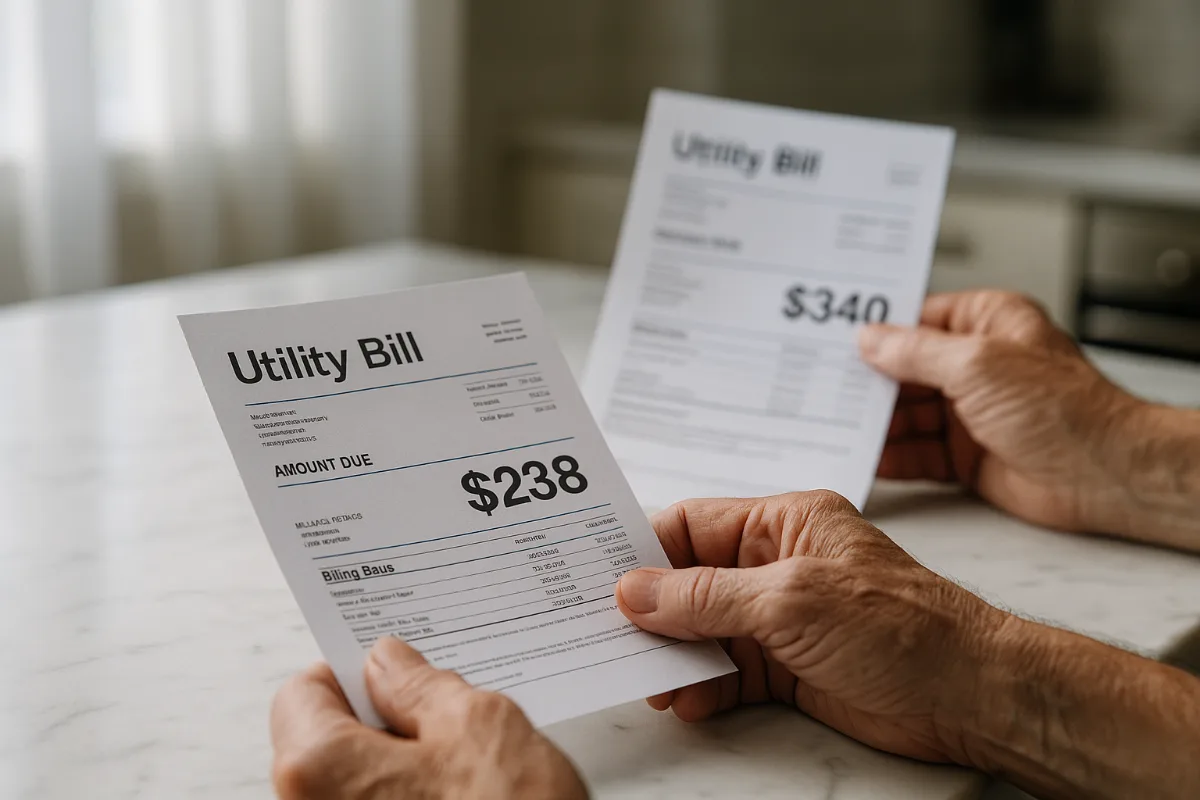
Last month, my neighbor Jim knocked on my door, practically bouncing with excitement. His electricity bill had dropped from $340 to $238. In one month. Without changing his lifestyle at all.
What changed? He’d finally gotten serious about smart home energy optimization.
Look, I used to roll my eyes at those “save money with technology” articles. They always seemed to promise the moon but deliver pocket change. But after seeing Jim’s results (and diving deep into the data myself), I’m convinced: the right smart home tweaks can genuinely slash your energy costs by 30% or more.
The trick isn’t buying every gadget on the market. It’s making strategic moves that compound over time.
Here are ten proven strategies that actually move the needle on your energy bills.
Why Smart Home Energy Savings Actually Work Now
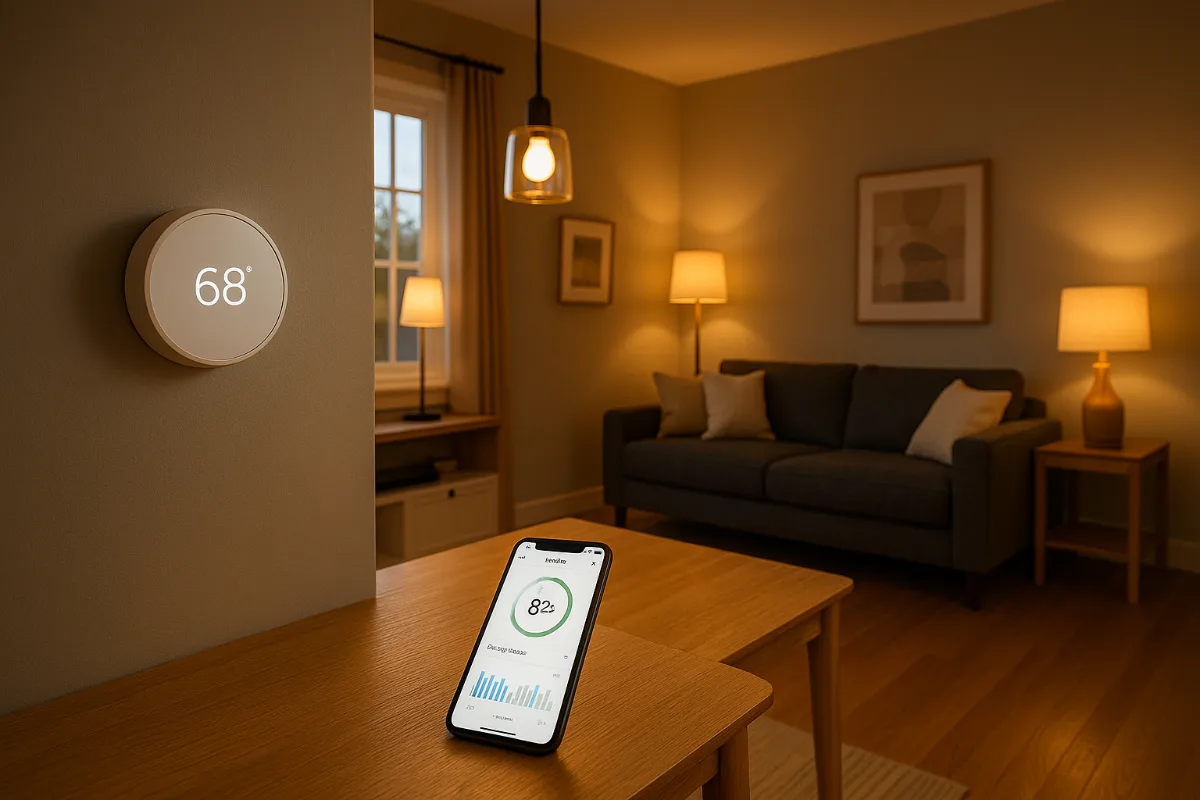
Smart home technology has hit what tech folks call the “sweet spot” — prices have dropped dramatically while effectiveness has skyrocketed. The programmable thermostat your dad installed in 1995? That saved maybe 5-8% on heating costs. Today’s smart thermostats learn your patterns, adjust for weather forecasts, and optimize energy usage 24/7.
But here’s what most people miss: it’s not about individual devices. It’s about creating an ecosystem where your home practically manages itself.
The compound effect is where the magic happens. When your thermostat, water heater, lighting system, and major appliances all work together, you start seeing those eye-popping 30-40% reductions in energy costs.
1. Master Your Thermostat Game (The Big Kahuna)
Heating and cooling eat up roughly 50% of your energy bill. Which means this is where you make or break your savings goals.
I’ll be honest — I was skeptical about smart thermostats. Seemed like expensive overkill for something as simple as adjusting temperature. Boy, was I wrong.
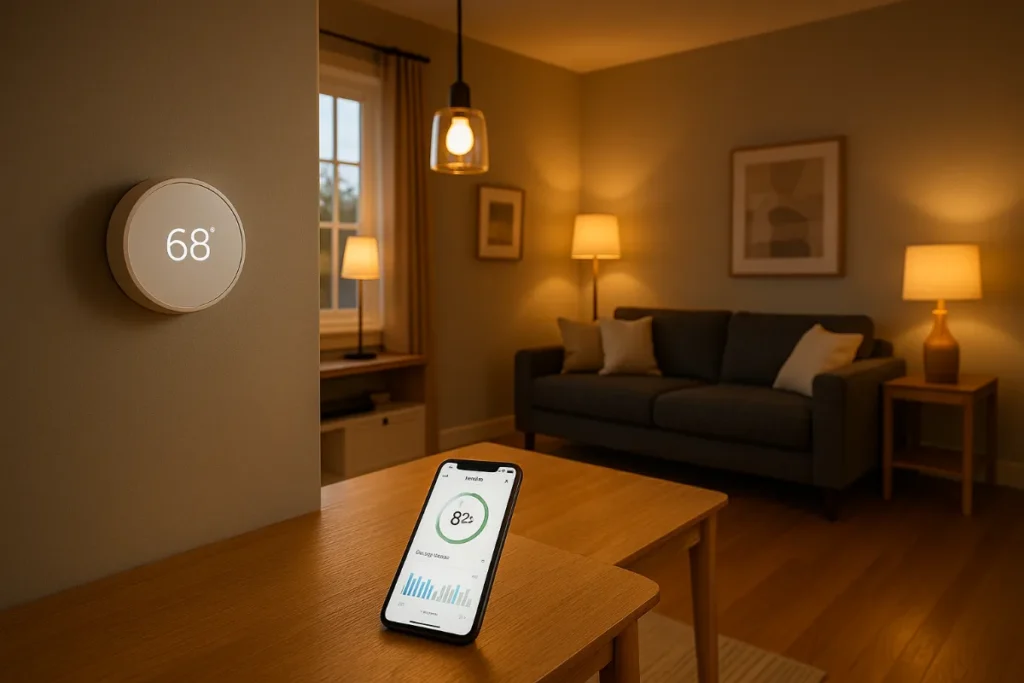
The Nest Learning Thermostat doesn’t just let you program schedules. It learns when you’re home, when you’re asleep, even when you’re likely to return from vacation. The geofencing feature automatically adjusts temperature when your phone leaves a certain radius.
But here’s the real kicker: it analyzes your local weather patterns and preemptively adjusts to minimize energy waste. If it knows a cold front is coming, it’ll gradually warm your house earlier when energy rates are lower, then coast through peak pricing hours.
Most users see 10-15% savings on heating and cooling costs within the first month. That alone can add up to $200-400 annually for the average household.
The Seven-Degree Rule
Here’s a tidbit that blew my mind: every degree you lower your thermostat in winter (or raise it in summer) saves about 7% on your heating and cooling costs. Set your winter temperature to 68°F instead of 75°F? You’re looking at roughly 50% savings on heating.
Smart thermostats make this painless by automatically adjusting when you’re not home and gradually returning to comfortable temps before you arrive.
2. Smart Water Heater Control (The Sneaky Energy Vampire)
Water heating accounts for about 18% of your home’s energy use, but most people completely ignore it. Big mistake.
Traditional water heaters are like having a pot of coffee on all day, every day, whether you’re drinking it or not. Smart water heater controllers change that dynamic entirely.
The Rheem Smart Water Heater Controller learns your usage patterns and only heats water when you actually need it. Going on vacation? It automatically switches to vacation mode. Know you won’t need hot water until 6 AM? It lets the temperature drop overnight and reheats just before you wake up.
But the real genius is in the scheduling. Most people use hot water during predictable windows — morning showers, evening dishes, weekend laundry marathons. Smart controllers heat water just before these windows and let it coast the rest of the time.
Average savings? About 12-18% on water heating costs, which translates to $50-120 annually for most homes.
The Temperature Sweet Spot
Most water heaters are set to 140°F from the factory. But 120°F is plenty hot for most households and uses significantly less energy. Smart controllers make it easy to experiment with different temperatures and find your family’s comfort zone.
(Pro tip: if you have a dishwasher, check if it has a built-in booster heater. If so, you can definitely drop your water heater to 120°F without any performance issues.)
3. Smart Lighting That Actually Makes Sense
Smart bulbs get a lot of hype, but honestly? Most people use them wrong.
The energy savings don’t come from the bulbs themselves — LED bulbs already use 75% less energy than incandescent. The savings come from automation.
Think about it: how many times have you left lights on in empty rooms? Or forgotten to turn off the porch light after sunrise? Smart lighting systems eliminate this waste entirely.
I use Philips Hue throughout my house, but here’s the key — I didn’t replace every bulb at once. Started with the rooms where lights get left on most often: kids’ bedrooms, basement, garage.
The motion sensors are game-changers. Lights come on when you enter a room, automatically dim after a few minutes of no movement, and turn off completely when you leave. No more “Did I leave the basement light on?” moments.
The Circadian Rhythm Bonus
Here’s where smart lighting gets interesting beyond energy savings. These systems can gradually dim lights in the evening to help your body produce melatonin naturally. Better sleep means less late-night TV watching, fewer midnight snack runs to the kitchen, less overall energy use.
Small detail, but it adds up.
4. Power Strip Intelligence (Kill Those Vampire Loads)
Phantom power draws are the silent budget killers in most homes. Your TV, cable box, computer, coffee maker — they’re all sipping electricity 24/7, even when “off.”
According to the Department of Energy, phantom loads account for 5-10% of residential energy use. For the average home, that’s $100-200 per year. Just sitting there. Doing nothing.
Smart power strips solve this elegantly. The Kasa Smart Power Strip lets you control individual outlets from your phone. More importantly, you can set schedules and rules.
My entertainment center automatically shuts down at midnight and doesn’t come back on until 5 PM the next day. My home office equipment powers down at 7 PM on weekdays and stays off until 8 AM. These aren’t big individual savings, but they compound over time.
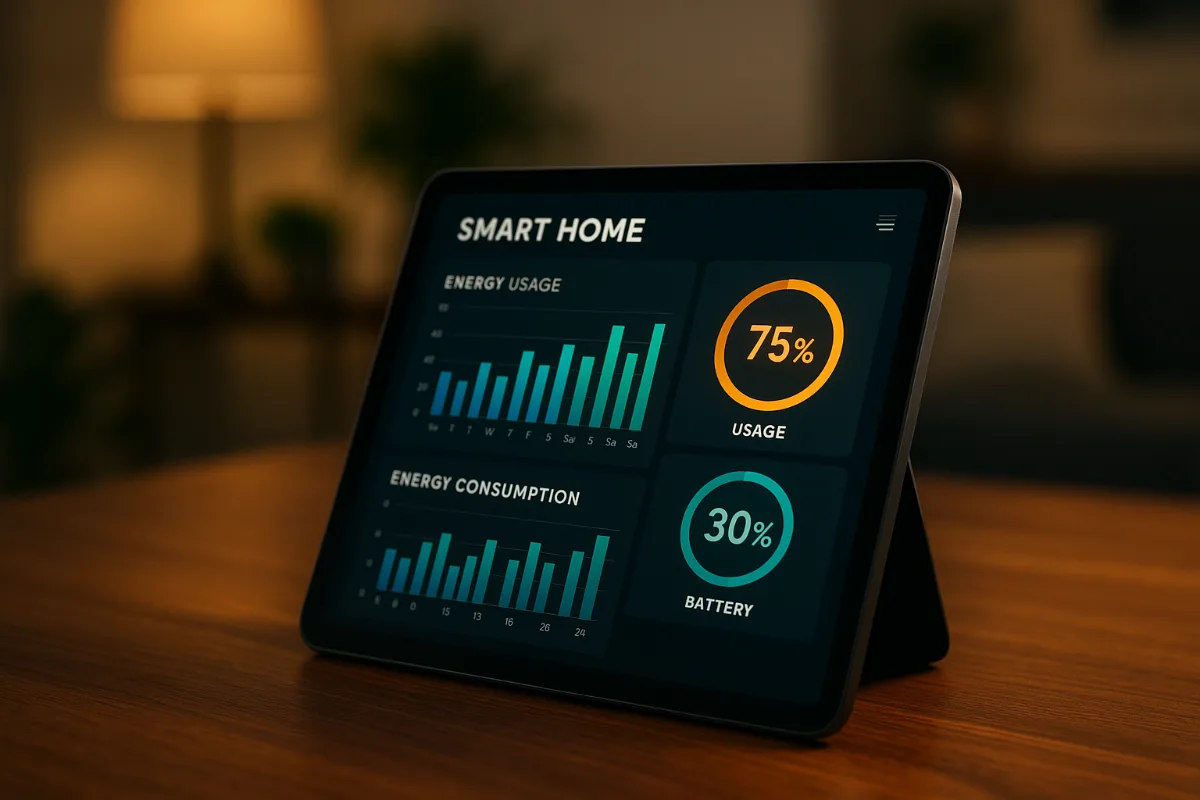
The really smart move? Use the energy monitoring features to identify which devices are the worst phantom power offenders. You might be surprised — older cable boxes and gaming consoles are often the biggest culprits.
5. Smart Appliance Scheduling (Timing Is Everything)
If your utility company offers time-of-use pricing (and most do now), smart appliance scheduling can save serious money.
Electricity costs dramatically more during peak hours — typically 3-8 PM on weekdays. Running your dishwasher at 7 PM might cost twice as much as running it at 11 PM.
Smart appliances let you take advantage of these rate differences automatically. My dishwasher runs at 10 PM. Washing machine starts at 6 AM. Dryer runs at noon when solar production is highest (and electricity is cheapest in my area).
The LG Smart Washer even connects to my utility’s grid data and automatically delays cycles during peak pricing periods. Set it and forget it.
Honestly, this one change alone cut my laundry-related energy costs by about 35%. And I didn’t change how much laundry I do or when I start loads — the appliances just run at optimal times automatically.
The Grid Reality Check
Here’s something most energy articles don’t mention: the electrical grid is getting more dynamic and unpredictable as renewable energy scales up. Prices fluctuate more than they used to. Smart scheduling helps you ride these waves instead of getting crushed by them.
6. Smart Plugs for Big Energy Users
Not everything needs to be “smart” right out of the box. Sometimes the smartest move is making dumb devices smarter with smart plugs.
Space heaters, window AC units, dehumidifiers — these devices can be energy hogs, but smart plugs give you precise control without replacing the entire appliance.
I use TP-Link Kasa Smart Plugs on my basement dehumidifier and garage space heater. The dehumidifier only runs when humidity goes above 50%. The space heater only runs when I’m actually working in the garage.
Before smart plugs, these devices ran constantly during their respective seasons. Now they run maybe 30% as often with zero impact on comfort.
The energy monitoring feature is gold, too. You can see exactly how much each device costs to operate and make informed decisions about usage patterns.
7. Window Treatment Automation (Nature’s Air Conditioning)
Most people think of window treatments as decoration. But they’re actually one of your home’s most powerful energy tools.
Properly timed window coverings can reduce cooling costs by up to 33% in summer and heating costs by 10% in winter. The key word is “timed.”
Smart blinds and shades automatically open and close based on sun position, outside temperature, and your preferences. Soma Smart Shades can retrofit most existing blinds without replacement.
In summer, they close automatically when direct sunlight hits windows, reducing heat gain. In winter, they open during sunny periods to capture free solar heating, then close at sunset to insulate against heat loss.
It’s like having a personal assistant managing your home’s thermal dynamics all day.
The South-Facing Window Strategy
If you can only automate one set of windows, choose south-facing ones. They get the most direct sunlight and have the biggest impact on your home’s temperature. Start there and expand over time.
8. Smart Home Energy Monitoring (Knowledge Is Power)
You can’t manage what you don’t measure. And most people have no idea which devices and habits are actually driving their energy costs.
Whole-home energy monitors like the Sense Energy Monitor break down your electricity usage device by device, in real-time. It’s eye-opening.
When I first installed mine, I discovered my hot tub was using $47 per month in electricity — even though I only used it twice that month. The pump was running 24/7 for no good reason. One timer switch later, that dropped to $12 per month.
The behavioral insights are just as valuable as the technical ones. Seeing exactly how much your habits cost in real dollars changes behavior fast. That extra load of laundry doesn’t seem so necessary when you know it costs $1.50 in peak-hour electricity.
But the real power is in trend spotting. Energy monitors can alert you when appliances start using more electricity than usual — often the first sign of impending failure. Catching issues early prevents both high repair bills and the energy waste of declining efficiency.
9. Smart Pool and Hot Tub Management
If you have a pool or spa, you already know they’re energy hogs. But smart controls can dramatically reduce their impact without sacrificing enjoyment.
Pool pumps are typically the second-highest energy user in homes that have them (after HVAC). But they don’t need to run 12 hours a day like most people think.
Variable speed pumps with smart controls can reduce pool energy consumption by 50-75%. The Pentair IntelliFlo automatically adjusts pump speed based on pool needs — high speed for vacuuming, medium for normal filtration, low speed for circulation.
Smart spa controllers are even more impactful. They can preheat your spa using off-peak electricity, maintain temperature only when needed, and automatically adjust heating based on weather forecasts.
The seasonal scheduling features alone can save hundreds per year. Why heat a spa to 104°F when you’re not using it for three months?
10. Smart Integration and Automation Rules
Here’s where the magic happens: when all these systems work together instead of as isolated gadgets.
The real energy savings come from creating rules and automations that optimize your entire home’s energy usage. When your smart thermostat knows you’re away (from your phone’s location), it can trigger your smart water heater to go into eco mode, turn off unnecessary lights, and adjust pool pumps to minimum speed.
Platforms like Samsung SmartThings or Hubitat-Elevation-Automation-Pro-Compatible/dp/B0CR4G1G8M?crid=3BBVNPQQRJEUF&dib=eyJ2IjoiMSJ9.9JgFJMF8VBpLCuHQdFmWYZTfhk84jF8hoQXAd9h4KyzlK64p4dAdBMJaCBGF7zdUfv2vYNBWWKsgE3JZ8guyGVPuRoOhkWkZqbtpAWYFbDENZWvuuBGpNGoIH2FuwFq5P3MTHbDjLN6DTvHJG9Iq3bfeV6jHOKsIHEmuxImviLvDhOGJ5bgjMYS1_tw0k9jwZQMaaj5Q4qVNgxJIe7OA3r4c_LmdyV-pjEDWkbkSx1_TDIiM3LLPLZDR9qlfxyOIcq7akZFl21aOSbtvGTnypDFESgF4aYbC35edZeccjJE.MfN1Z7Wwowmay37S-mCuQYD_mWXHLCIF2rTT9Srx0Hc&dib_tag=se&keywords=Hubitat&qid=1774859526&sprefix=hubitat%2Caps%2C747&sr=8-1&linkCode=ll2&tag=boladale21-20&linkId=c5d5f0f8912eabac50e72c4b6ee4c711&language=en_US&ref_=as_li_ss_tl" target="_blank" rel="nofollow noopener sponsored">Hubitat let you create these complex automation rules without programming knowledge.
My favorite rule: “Away Mode.” When the last person leaves the house, the thermostat adjusts by 5 degrees, all non-essential lights turn off, the water heater switches to eco mode, and entertainment devices shut down. When the first person comes home, everything gradually returns to normal settings.
This single automation probably saves me $30-40 per month during peak seasons.
The Compound Effect in Action
Individual smart devices might save 5-15% each on their specific energy categories. But when they work together, the savings multiply. Your smart thermostat works less hard when smart blinds are managing solar heat gain. Your water heater uses less energy when smart scheduling shifts usage to off-peak hours.
That’s how you get from 15% savings to 30-40% savings.
Tools Worth Checking Out
If you’re ready to start your smart home energy journey, here are the tools I’d recommend based on impact and reliability:
- Energy Monitoring: Sense Energy Monitor — Start here to understand your baseline
- Thermostat: Nest Learning Thermostat — Biggest single impact
- Smart Plugs: TP-Link Kasa Smart Plugs — Great for testing and retrofitting
- Power Strips: Kasa Smart Power Strip — Perfect for entertainment centers
- Automation Hub: Samsung SmartThings Hub — Brings everything together
Remember, you don’t need to buy everything at once. Start with energy monitoring to understand your usage patterns, then add devices based on where you’ll see the biggest impact.
The Reality Check: What to Expect Timeline-Wise
Look, I’m not going to sugarcoat this — you won’t see 30% savings overnight. Smart home energy optimization is more like compound interest than winning the lottery.
Month 1: You’ll probably see 5-10% savings just from basic automation and eliminating obvious waste.
Month 3: As you optimize settings and add more devices, expect 15-20% savings.
Month 6: This is when the compound effects really kick in. 25-30% savings become realistic as all systems work together.
Year 1: Fine-tuning and seasonal adjustments can push savings even higher. Some households hit 35-40% reductions.
The key is patience and continuous optimization. Every few months, review your energy data and look for new opportunities to improve.
Common Mistakes That Kill Your Savings
After helping dozens of friends optimize their homes, I’ve seen the same mistakes over and over:
Mistake #1: Buying smart versions of everything instead of focusing on the biggest energy users first. Start with HVAC, then water heating, then major appliances.
Mistake #2: Setting automation rules once and forgetting about them. Your usage patterns change seasonally — your automation should too.
Mistake #3: Ignoring time-of-use rates. If your utility offers different pricing throughout the day, not taking advantage is like leaving money on the table.
Mistake #4: Over-complicating the automation. Simple rules that work 95% of the time beat complex rules that fail 20% of the time.
The biggest mistake? Perfectionism. You don’t need a fully automated smart home to see significant savings. A few strategic devices with smart scheduling can get you 80% of the benefits for 20% of the cost.
FAQ: Smart Home Energy Savings
How much should I expect to invest upfront for 30% energy savings?
Most households can achieve 25-30% energy savings with an initial investment of $500-1,200. Start with a smart thermostat ($200-300), energy monitor ($200-300), and a few smart plugs/power strips ($100-200). Add devices gradually based on your energy data insights.
Do smart home devices use energy themselves?
Yes, but minimally. A smart thermostat uses about $2-4 per year in electricity. Smart plugs use roughly $1-3 annually. The energy they save far outweighs their own consumption — typically by a factor of 10-50.
Will smart home devices work during power outages?
Most smart devices need power to operate, but many have battery backups for basic functions. Smart thermostats typically maintain schedules during brief outages. For longer outages, devices will resume normal operation when power returns, though you may need to reconfigure some settings.
How long do smart home devices typically last?
Quality smart home devices generally last 5-10 years, similar to traditional electronic devices. Smart thermostats often last 10+ years. Smart plugs and switches typically last 5-7 years. The energy savings usually pay for device replacement costs well before failure.
Can renters benefit from smart home energy savings?
Absolutely. Focus on devices you can take with you: smart plugs, smart power strips, smart bulbs, and portable smart thermostats (if your landlord allows thermostat changes). These can provide 15-25% energy savings without permanent modifications.
What’s the single most impactful smart home device for energy savings?
A smart thermostat, hands down. Since heating and cooling account for about 50% of home energy use, a quality smart thermostat can single-handedly reduce your total energy bill by 8-15%. Everything else is secondary.
Do I need technical skills to set up smart home automation?
Not anymore. Most modern smart home devices are designed for DIY installation with smartphone apps that walk you through setup step-by-step. If you can install a phone app and follow instructions, you can handle basic smart home setup. Complex automation rules might require some learning, but basic scheduling is intuitive.
How do I know if my utility offers time-of-use rates?
Check your utility’s website or call customer service. Many utilities now offer time-of-use rates as an optional billing structure. If available, switching to time-of-use billing combined with smart scheduling can boost your savings significantly — sometimes doubling the impact of smart home automation.
Smart home energy optimization isn’t about buying the latest gadgets or turning your house into a science experiment. It’s about making strategic investments in technology that quietly works in the background, optimizing your energy usage without changing your lifestyle.
The families seeing 30%+ energy savings aren’t doing anything magical. They’re just letting technology handle the details while they go about their daily lives. Their homes automatically adjust to weather patterns, utility rates, and occupancy schedules.
Your energy bill doesn’t have to be a monthly surprise. With the right smart home setup, it can become predictable, manageable, and significantly smaller. The technology exists today. The savings are real. The only question is when you’ll start.
Ready to join Jim in celebrating dramatically lower energy bills? Start with an energy monitor to understand your baseline, add a smart thermostat for immediate impact, then expand from there based on what your data tells you.
Your future self — and your bank account — will thank you.
Read Next Article: Voice Assistant Compactible Smart Home Devices
You Might Also Like

James is the voice behind our beginner-friendly setup guides. As a self-taught smart home enthusiast, he understands exactly what first-time buyers need to know.
All articles by James →