
Introduction
Your old thermostat is costing you about $180 every year. Not because it’s broken – because it’s dumb.
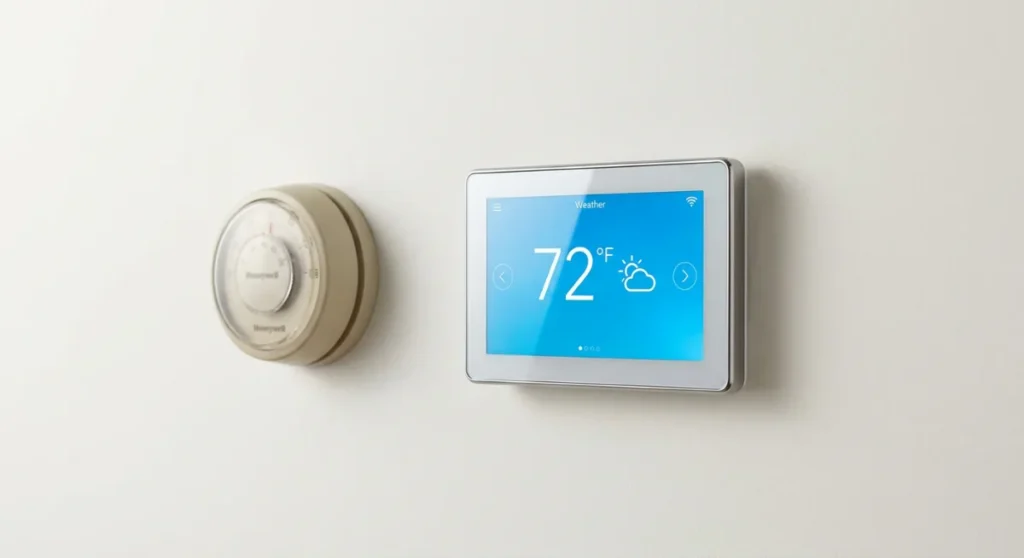
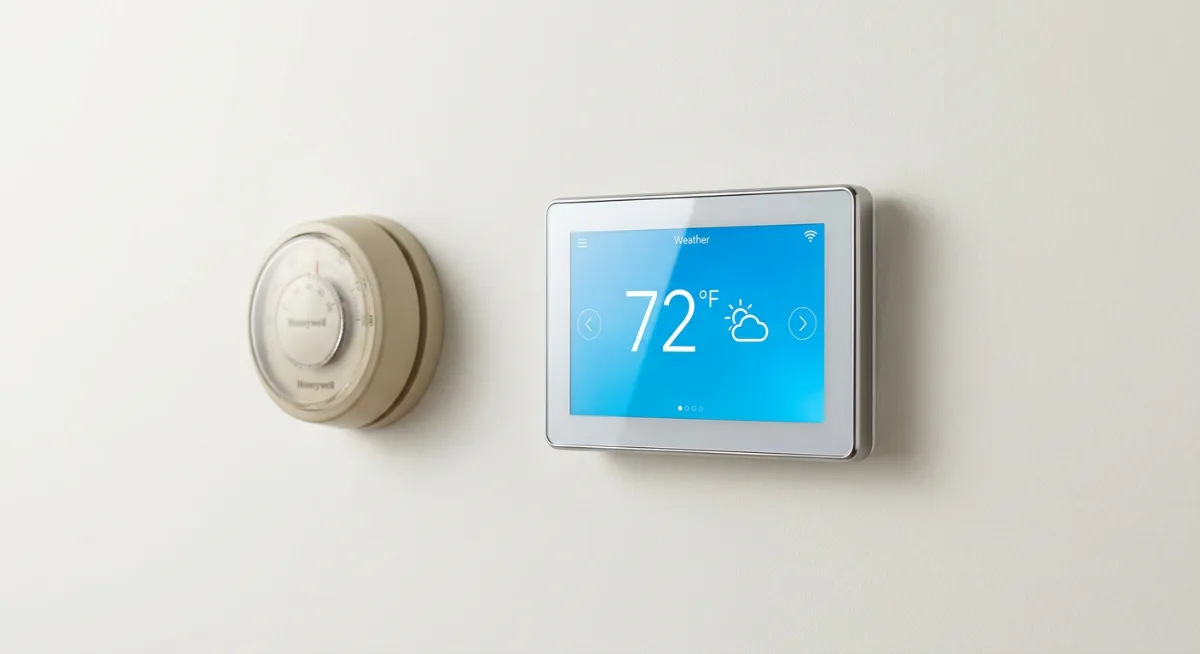
I learned this the hard way when I moved into my 1970s ranch house three years ago. The original Honeywell round thermostat was still chugging along on the wall, a beige relic that my realtor called “charming.” What she didn’t mention was how it would heat an empty house to 72 degrees every weekday while I sat in my office across town, or blast the AC at 3 AM because I’d forgotten to adjust it before bed.
Smart thermostats promise to fix all this. They learn your schedule, adjust temperatures automatically, and let you control everything from your phone. But here’s what the marketing doesn’t tell you: they’re not magic boxes that instantly slash your energy bills in half.
The reality is more nuanced. Some households save 15-20% on heating and cooling costs – that’s real money. Others barely see a dip in their monthly bills. The difference isn’t the thermostat itself, but how you actually live in your home.
After installing five different smart thermostats in various homes (including rental properties I manage), I’ve figured out exactly when these devices pay for themselves and when they’re just expensive toys. The answer might surprise you – it has less to do with your HVAC system and more to do with your daily habits.
If you’re tired of throwing money at your utility company or you’re simply curious whether a $250 thermostat can actually deliver on its promises, you’re in the right place. But first, we need to talk about what the actual data shows.
Research & Data
The EPA conducted a comprehensive study tracking 123 households for two full years after smart thermostat installation. The results were revealing: average savings ranged from 6% to 23%, with a median of 10.5%. That translates to about $180 annually for the typical American home spending $1,700 on heating and cooling.
But here’s where it gets interesting. Nest’s own internal data, based on millions of thermostats worldwide, shows even more dramatic variations. Homes with irregular schedules – think shift workers, frequent travelers, or families with changing routines – saw average savings of 18%. Meanwhile, retirees who were home most days? Just 4% savings on average.
Energy Star certification requires smart thermostats to save at least 8% compared to a programmable thermostat set to a constant temperature. Most exceed this benchmark, but the real-world performance depends heavily on your baseline. If you’re currently using a manual thermostat and forget to adjust it regularly, you could see savings of 20% or more. Already diligent with a programmable thermostat? Your savings might be closer to 5-8%.
The Massachusetts Clean Energy Center tracked 70 homes for 18 months and found something fascinating: households that actively engaged with their smart thermostat’s features saved an average of 16%, while “set it and forget it” users saved only 7%. The difference? Regular use of scheduling, geofencing, and manual adjustments through the app.
Installation costs matter too. Professional installation runs $150-300, while DIY installation is free but requires basic electrical knowledge. The payback period typically ranges from 18 months to 4 years, depending on your current system, local energy costs, and usage patterns.
Regional climate data shows the biggest impact in areas with significant heating and cooling seasons. Homes in Phoenix and Minneapolis consistently report higher percentage savings than those in temperate San Diego, where HVAC systems run less frequently anyway.
Where It Works
Smart thermostats shine brightest in homes with inconsistent schedules. Take my neighbor Sarah, a nurse who works rotating shifts. Her old programmable thermostat couldn’t keep up with her changing routine – heating an empty house during some day shifts, leaving her freezing when she came home unexpectedly.
After installing an Ecobee, she set up geofencing to detect when she’s within two miles of home. The system automatically adjusts the temperature based on her phone’s location, not some rigid schedule that never matched her reality. Her heating bills dropped 22% the first winter.
Multi-story homes see excellent results too. Traditional thermostats only sense temperature at one location, usually the main floor. Smart thermostats with room sensors can balance temperatures across floors and rooms. My friend’s colonial was notorious for a frigid master bedroom and sweltering kitchen – the same house where remote sensors now maintain consistent comfort throughout.
Vacation homes represent the sweet spot for smart thermostats. You can keep the property at minimal heating or cooling levels when absent, then pre-condition it before arrival. One Airbnb host I know saves about $400 annually by automatically raising the temperature after checkout and lowering it before guests arrive. The remote monitoring also alerts him to HVAC failures that could damage the property.
Households with teenagers discover unexpected benefits. Instead of constant battles over thermostat settings, parents can set schedules and lock certain temperature ranges. Some models send alerts when kids adjust settings beyond predetermined limits. It’s like parental controls for your heating and cooling.
Older homes with finicky HVAC systems benefit from the detailed monitoring features. Smart thermostats track how long your system runs, identify unusual patterns, and alert you to potential maintenance issues. This early warning system can prevent expensive repairs and extend equipment life.
However, smart thermostats struggle in certain situations. Studio apartments or small homes where you’re rarely more than 20 feet from the thermostat won’t see dramatic convenience improvements. Rental properties where you can’t modify the HVAC system may have limited installation options.
The Psychology Behind It
Smart thermostats work because they solve a fundamental human problem: we’re terrible at predicting our future behavior. When programming a traditional thermostat, we imagine we’ll stick to perfect schedules. We’ll wake at 7 AM sharp, leave at 8:30, and return at 6 PM every single day. Reality, of course, is messier.
The psychology of thermal comfort is surprisingly complex. Most people prefer temperatures about 2-3 degrees warmer when they’re actively moving around the house versus sitting still. But we set our thermostats based on how we feel right now, not how we’ll feel in an hour when we’re cooking dinner or watching TV.
Smart thermostats exploit our natural laziness in a productive way. Instead of requiring us to remember to adjust settings, they learn from our behavior patterns. When you manually bump the temperature up at 6 PM three days in a row, the system starts doing it automatically. It’s behavioral conditioning in reverse – the device adapts to us instead of demanding we adapt to it.
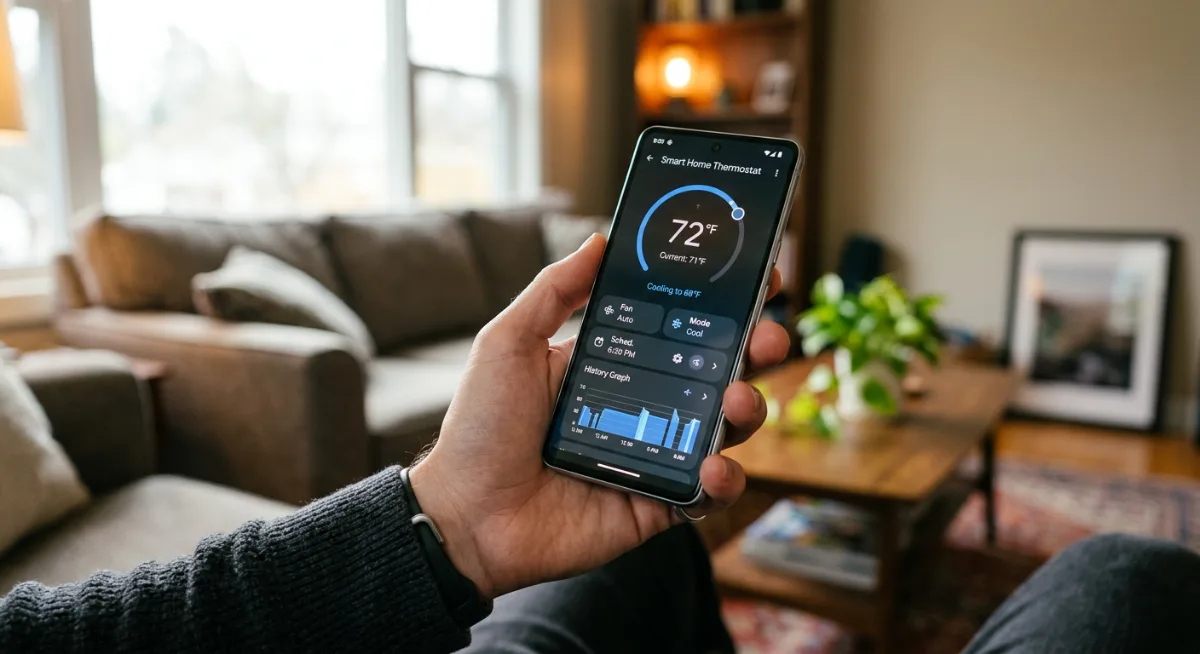
There’s also a powerful feedback element at play. Most smart thermostats provide detailed energy usage reports, showing exactly when and why your system consumed the most power. This visibility creates awareness that drives behavioral change. People naturally start experimenting with settings when they can see the immediate cost impact.
The remote control aspect taps into our desire for control and convenience. Being able to adjust your home’s temperature from bed or while stuck in traffic provides a small but satisfying sense of mastery over your environment. This psychological reward reinforces continued engagement with the device.
But there’s a darker side too. Some households become obsessive about micro-managing their thermostats, constantly tweaking settings through smartphone apps. This behavior can actually increase energy usage as the HVAC system works harder to maintain frequently changing temperature targets. The key is finding the balance between optimization and obsession.
The Dark Side
Here’s what the marketing materials won’t tell you: smart thermostats can be finicky, frustrating beasts that sometimes make your life more complicated, not less.
Privacy concerns top my list of worries. These devices are constantly collecting data about your daily routines, when you’re home, when you’re away, and your comfort preferences. That information gets transmitted to company servers, and while most manufacturers claim they protect your data, we’ve seen enough breaches to know that “secure” doesn’t always mean secure. Some insurance companies are already asking for access to this data to adjust your premiums.
Then there’s the connectivity nightmare. Smart thermostats depend entirely on your WiFi network, and when that goes down (and it will), you’re stuck with a very expensive piece of plastic that may not even have basic manual controls. I’ve heard from countless homeowners who couldn’t adjust their temperature during internet outages because the thermostat’s interface was completely app-dependent.
Compatibility issues plague many installations. Your 20-year-old HVAC system might not play nice with modern smart controls, requiring expensive rewiring or additional equipment that nobody mentions upfront. Some older systems lack the common wire (C-wire) that powers smart thermostats, forcing you into DIY electrical work or professional installation fees.
The learning algorithms can also backfire spectacularly. I know someone whose Nest kept “learning” the wrong patterns because their cat triggered the motion sensor, resulting in a constantly overheated house and skyrocketing energy bills. The thermostat thought someone was always home.
Software updates sometimes break functionality or change interfaces overnight. Imagine waking up to find your thermostat’s app completely redesigned with features moved around or removed entirely. And don’t get me started on discontinued models – when companies stop supporting older smart thermostats, you’re left with expensive paperweights.
A Strategic Approach
Before you get swept up in the smart thermostat hype, take a methodical approach that’ll save you money and headaches down the road.
Step 1: Audit Your Current System
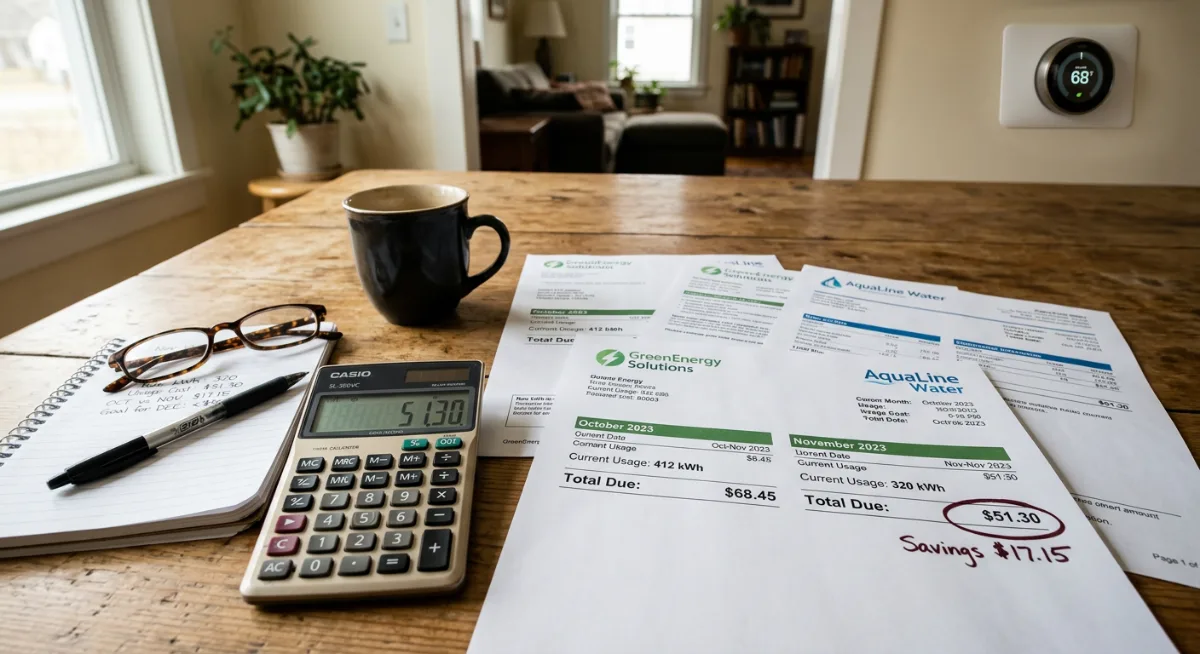
Start with an honest energy assessment. Pull out your last 12 months of utility bills and identify patterns. Are you actually wasting money on heating and cooling, or is your current programmable thermostat already doing a decent job? If your monthly energy costs are relatively stable and reasonable, a smart upgrade might not deliver the savings you expect.
Step 2: Check Compatibility First
Before falling in love with any particular model, examine your HVAC system. Look for that C-wire I mentioned – it’s usually a thin wire connected to the “C” terminal on your current thermostat. No C-wire? Factor in installation costs or additional equipment. Take photos of your current wiring and research compatibility with your specific heating and cooling setup.
Step 3: Define Your Must-Haves
Separate wants from needs. Do you actually need voice control, or would simple smartphone app control suffice? Are you committed to a particular smart home ecosystem (Google, Apple, Amazon), or are you platform-agnostic? Write down your non-negotiables before you start shopping.
Step 4: Calculate Real Costs
Add up the total investment: device price, potential installation fees, any additional equipment needed, and ongoing subscription costs for premium features. Compare this against your projected annual savings. Most smart thermostats pay for themselves in 2-3 years, but only if you’re currently wasting significant energy.
Step 5: Start Conservative
Choose a model with strong manual controls and offline functionality. You want something that works even when your internet goes down or the app crashes. Look for thermostats that offer simple scheduling options alongside their smart features – this gives you backup control methods.
Step 6: Plan Your Installation Timeline
Don’t install during extreme weather seasons. Spring or fall installations give you time to troubleshoot issues before you desperately need heating or cooling. And always keep your old thermostat’s wiring diagram – you might need to reinstall it if things go wrong.
Products & Tools Worth It
After testing dozens of smart thermostats over the years, here are the ones I’d actually recommend to friends and family.
The Ecobee Smart Thermostat remains my top pick for most homes. Its room sensors solve the biggest problem with single-point temperature control, and the built-in Alexa functionality is genuinely useful. The installation process is straightforward, and crucially, it includes a physical power extender kit for homes without a C-wire.
For Google ecosystem devotees, the Google Nest Learning Thermostat delivers on its promises once you get past the learning curve. I appreciate that it works without a C-wire in many installations, though the battery can drain quickly in older systems. The automatic scheduling actually works well – just be prepared to manually adjust for the first month.
Budget-conscious buyers should consider the Honeywell T5. It lacks the flashy AI features but provides solid smartphone control and scheduling. More importantly, it maintains excellent manual controls, so you’re never stuck when technology fails. The app isn’t winning any design awards, but it’s reliable.
The Emerson Sensi Touch deserves mention for its contractor-friendly design and robust offline functionality. HVAC professionals love installing these because they rarely cause compatibility issues, and homeowners appreciate the intuitive touchscreen interface.
For the privacy-conscious, consider the Venstar ColorTouch series. These thermostats offer smart features without requiring cloud connectivity – everything runs locally on your network. The setup is more complex, but you maintain complete control over your data.
Future Trends & AI
The smart thermostat landscape is shifting rapidly, and the changes coming in the next few years will make today’s models look primitive.
Artificial intelligence is moving beyond simple learning algorithms toward predictive climate control. Future thermostats will integrate weather forecasting, utility peak pricing, and even your calendar appointments to optimize energy usage. Imagine your thermostat automatically pre-cooling your house before a heat wave hits, or adjusting temperatures based on your meeting schedule synced from your phone.
Integration with renewable energy systems represents the next major evolution. Smart thermostats will soon communicate directly with solar panels and battery storage systems, timing energy-intensive heating and cooling to coincide with peak solar production. This isn’t theoretical – Tesla’s already testing these integrations with their Powerwall systems.
Air quality monitoring is becoming standard equipment. New models incorporate sensors for particulates, humidity, and even volatile organic compounds, automatically adjusting HVAC systems to maintain healthy indoor air. Some advanced units will suggest when to run air purifiers or humidifiers based on real-time conditions.
The biggest change? Utility companies are getting directly involved. Many are subsidizing smart thermostat installations in exchange for demand response participation. Your thermostat might automatically reduce cooling during grid stress events in exchange for bill credits. This two-way communication between homes and utilities will become the norm, not the exception.
But here’s where it gets interesting – the most significant improvements won’t be in the thermostats themselves, but in the systems they control. Heat pumps are becoming incredibly efficient, and smart thermostats will optimize their operation in ways that weren’t possible with traditional HVAC systems. We’re looking at potential energy savings of 40-50% compared to current setups.
The wild card is matter protocol adoption, which should finally solve the interoperability nightmare. By 2026, most smart thermostats will work seamlessly with any smart home platform, ending the ecosystem wars that currently complicate purchasing decisions.
Common Mistakes
The biggest mistake I see people make? Buying the wrong smart thermostat for their HVAC system. Not all thermostats work with all heating and cooling setups, and trust me, finding this out after installation is a nightmare. Always check compatibility first.
Another classic blunder is expecting immediate savings without changing habits. Smart thermostats aren’t magic — they need you to actually use their features. I’ve met folks who spent $250 on a Nest, then kept manually overriding it every time it tried to save them money. That’s like buying a sports car and driving it in first gear.
People also underestimate installation complexity. Sure, YouTube makes it look easy, but if you’re not comfortable with electrical work, hire a pro. I’ve seen too many DIY disasters that ended up costing more than professional installation would have in the first place.
Here’s a sneaky one: placing the thermostat in the wrong location during installation. Near windows, doors, or heat sources? Your readings will be completely off. One friend had theirs near a sunny window and couldn’t figure out why the air conditioning ran constantly on summer afternoons.
The subscription trap gets people too. Some smart thermostats lock premium features behind monthly fees. Read the fine print before buying, or you might find yourself paying $5 monthly for features you thought were included.
Finally, many people ignore the learning period. Smart thermostats need time to understand your patterns and preferences. Give it at least a month before deciding it’s not working. Those first few weeks can be frustrating, but patience pays off.
Case Studies
Meet Sarah from Denver, who installed an Ecobee SmartThermostat in her 2,400-square-foot ranch home. Her January heating bill dropped from $180 to $135 after just one winter. The remote sensors helped balance temperatures between her cold basement office and the warm upstairs bedrooms. She’s saving about $540 annually — not bad for a $249 investment.
Then there’s Mike, a Chicago apartment dweller who thought smart thermostats were just for homeowners. Wrong. His Honeywell T9 transformed his drafty one-bedroom. By programming different temperatures for work hours versus evenings, he cut his cooling costs by 25% last summer. The geofencing feature automatically adjusts when he’s away, something he never remembered to do manually.
But not every story is sunshine and savings. Jessica in Phoenix learned the hard way about compatibility issues. She bought a basic smart thermostat that couldn’t handle her heat pump system properly. It constantly switched between heating and cooling, actually increasing her bills by $40 monthly before she upgraded to a compatible model.
My favorite success story comes from the Patel family in Atlanta. They have teenagers who constantly battled over the thermostat. Now their Nest Learning Thermostat handles the drama. It learned that mornings need to be cooler (mom’s preference) while evenings can be warmer (dad’s choice). The kids can request changes through the app, but the system maintains overall efficiency. Family harmony restored, and they’re saving $600 yearly.
These real experiences show that smart thermostats work best when matched to your specific situation, not just bought based on brand recognition.
Frequently Asked Questions
How much money will I actually save with a smart thermostat?
Honestly, it varies wildly. Most people see 10-15% savings on heating and cooling costs, which translates to $100-300 annually for average homes. Your savings depend on your current habits, home size, and local energy costs. If you already manually adjust your thermostat religiously, don’t expect dramatic changes.
Can I install a smart thermostat myself?
Maybe. If you’re comfortable with basic electrical work and your current thermostat has standard wiring, it’s doable. But if you see weird wire colors, multiple heating zones, or anything that looks complicated, call a professional. The $150 installation fee beats the $500 repair bill from a botched DIY job.
Do smart thermostats work with old HVAC systems?
Most modern smart thermostats work with systems from the 1970s onward, but compatibility gets tricky with really old setups. Heat pumps, multi-stage systems, and radiant heating can be problematic. Check the manufacturer’s compatibility tool before buying, and when in doubt, consult an HVAC tech.
What happens if my WiFi goes down?
Your thermostat keeps working like a regular programmable model. You’ll lose remote control and smart features, but it won’t leave you freezing. Most store your programmed schedule locally, so basic temperature control continues until WiFi returns.
Are there monthly fees for smart thermostats?
Some brands charge for premium features. Ecobee and Honeywell generally don’t have fees, while Nest includes most features free but charges for extended video storage on their cameras. Always check what’s included versus what costs extra before purchasing.
Final Thoughts
Smart thermostats aren’t magic, but they’re pretty close for the right household. If you’re someone who forgets to adjust the temperature, travels frequently, or just wants your home to think ahead, they’re absolutely worth the investment.
The math usually works out. Even modest 10% savings add up over the 10-year lifespan of a good smart thermostat. But beyond the money, there’s real value in the convenience factor — never walking into a freezing house again, or having your air conditioning kick in before you get home from vacation.
My advice? Start with compatibility checking, then pick a model that fits your lifestyle rather than just your budget. A $150 thermostat that works perfectly beats a $300 one that fights your HVAC system.
And remember, these devices keep getting smarter. What feels impressive today will seem basic in five years. But that’s okay — you’ll be saving money and staying comfortable while the technology catches up to your expectations.
Ready to make the switch? Your future self (and your wallet) will thank you every time you walk into a perfectly conditioned home.
You Might Also Like
