
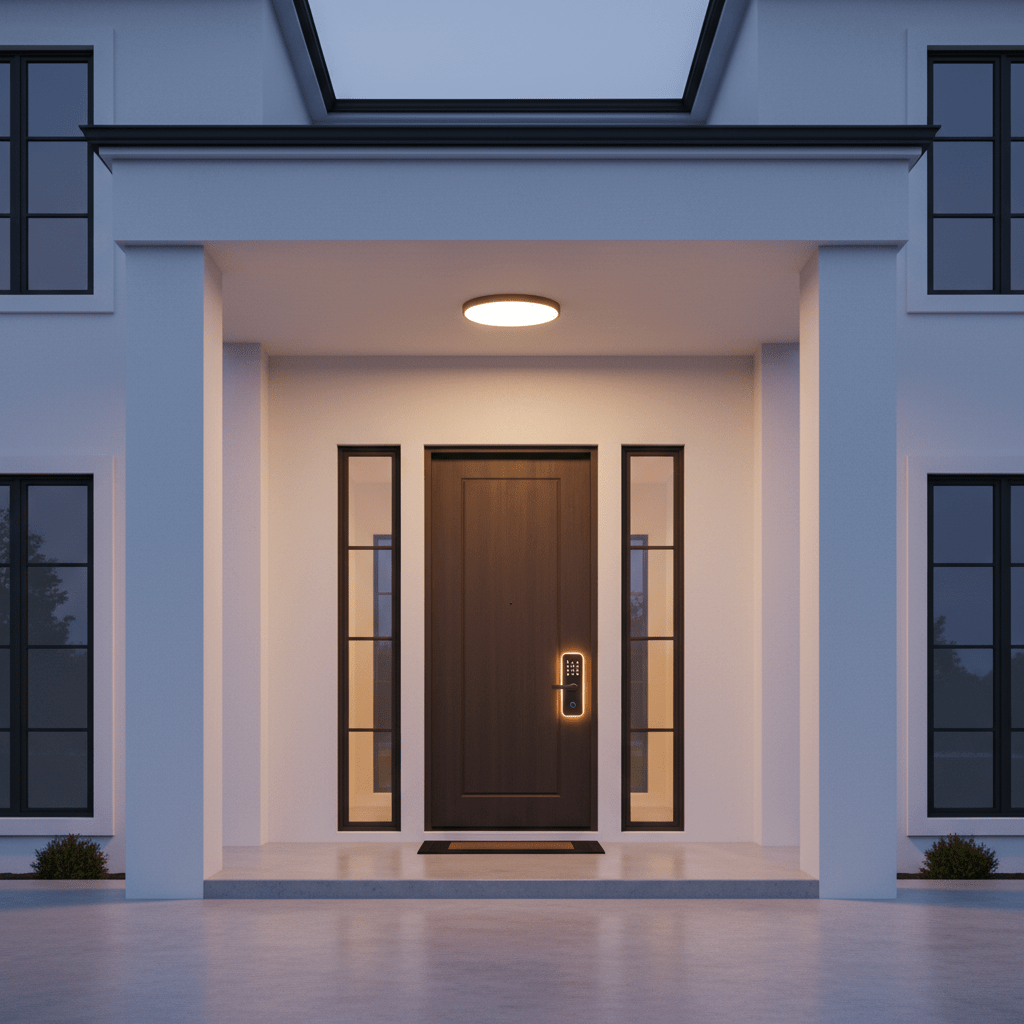
Standing at your front door with both hands full of shopping bags, fumbling for your keys in the dark, is a frustration that has existed since the invention of the lock. Keyless entry smart locks eliminate it entirely — and they add a layer of access control and security that traditional locks simply cannot provide. Smart locks are a key part of any modern smart home setup for beginners.
A keyless front door lock allows you to enter with a code, a fingerprint, an app tap, or your voice. It locks automatically after a set time so you never have to wonder whether you locked it. It lets you give a delivery driver a temporary code that expires in 4 hours. It shows you a log of every entry and exit. And it does all of this without replacing anything about how your door works mechanically — your existing keys remain functional as a backup.
This guide covers the five best keyless entry smart locks for front doors in 2026, with honest pros and cons for every pick and a clear final recommendation based on your specific situation.
1. Why Keyless Entry Is Worth Switching To
The case for keyless entry is strongest for the situations that happen most often in real life:
- Coming home with hands full — no key hunting required
- Children arriving home from school — no key to lose or forget
- Dog walkers, cleaners, or tradespeople who need access on specific days and times
- Guests staying over — give them a code that expires when they leave
- Never being locked out by a forgotten key
- Auto-lock means the door is always secured even when you forget
- Activity log shows you exactly when your teenager came home
The security upgrade is also real. Modern smart lock deadbolts are as physically strong as traditional deadbolts — the Grade 1 security rating on the best models is the same certification used in commercial and government buildings. The addition of app monitoring means you know your door is locked in real time rather than wondering from across town.
Important Clarification: A keyless entry smart lock does NOT eliminate your physical key. All locks on this list retain full mechanical key backup. Your existing keys continue to work at all times — keyless entry is an additional entry method, not a replacement for the physical option.
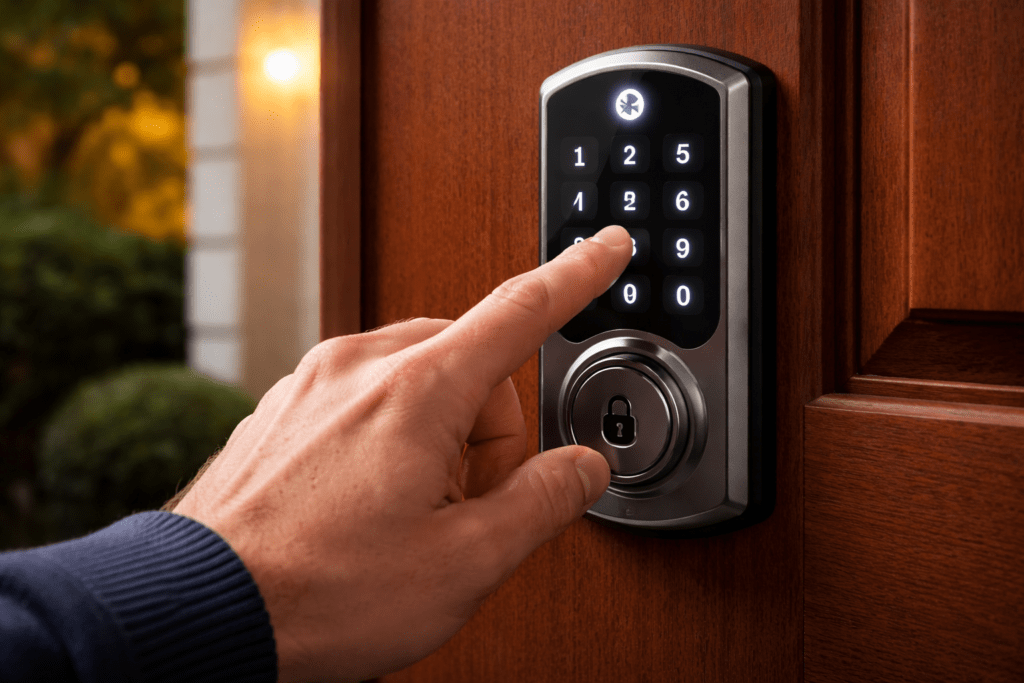
2. Keypad vs Fingerprint vs App Entry: Which Is Best?
| Factor | Keypad Code | Fingerprint | App/Bluetooth |
| Setup time | 2 minutes | 3-5 minutes per person | 5-10 mins for Wi-Fi |
| Works without phone | Yes | Yes | No |
| Speed to enter | 3-4 seconds | 0.3-1 second | 1-3 seconds |
| Guest access | Share the code | Must register at lock | Send digital key |
| Fails when… | Forgotten code | Wet or cold fingers | Phone battery dead |
| Best for | Households, renters | Speed and convenience | Remote control |
| Privacy concern | Code observable | Biometric data stored | App data |
For a front door, keypad is the most universally reliable entry method. It works without a phone, without internet, and without biometric data. Most households benefit most from having keypad as the primary method with app access as the remote management layer. Fingerprint adds speed for frequent users and is worth having on locks that include it.
3. The 5 Best Keyless Entry Smart Locks in 2026
Best Overall Keyless Front Door Lock| Rating: 4.8/5
The Schlage Encode Plus is the most complete front door keyless entry lock available in 2026. ANSI/BHMA Grade 1 security rating — the highest residential certification — combined with a built-in alarm that detects forced entry attempts, built-in Wi-Fi for direct app connectivity without any hub, Matter certification for universal ecosystem compatibility, and a keypad that stores up to 100 access codes locally. This is the lock for people who take front door security seriously.
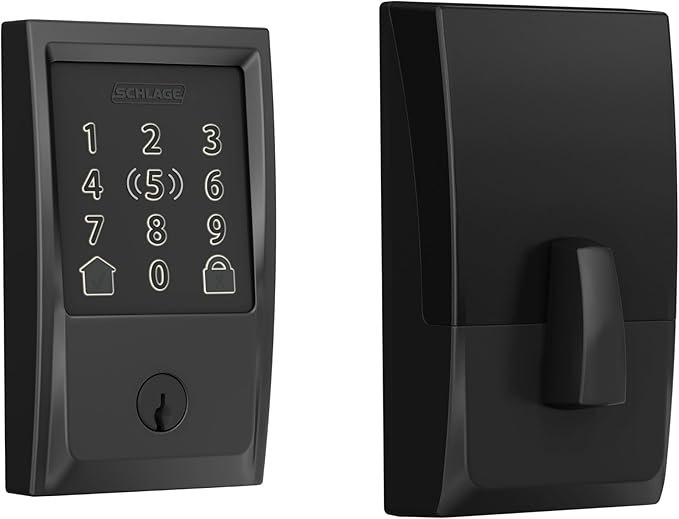
The keypad backlight activates with a touch and the anti-pick, anti-drill construction is the same specification used in commercial installations. The built-in tamper alarm triggers an audible alert if anyone attempts to force the lock — a feature extremely rare at any price in the residential market.
Matter certification means the Encode Plus works natively with Apple HomeKit via Thread (no hub required), Amazon Alexa, Google Home, and Samsung SmartThings simultaneously. For households building a unified smart home, this is the most future-proof lock available.
What We Like
- ANSI/BHMA Grade 1 security rating — the highest standard available for residential locks
- Built-in tamper alarm triggers audible alert on forced entry attempts
- Matter and Thread certified — works with all four major ecosystems simultaneously
- Apple HomeKit via Thread without any hub or bridge required
- Stores 100 access codes directly on the lock hardware without cloud dependency
- Built-in Wi-Fi — no hub purchase needed for remote access
- Auto-lock configurable from 15 seconds to 4 minutes
Honest Drawbacks
- Most expensive lock on this list at $200-250
- Keypad only — no fingerprint reader
- Larger and heavier than other options — noticeable on lighter doors
- Matter commissioning adds complexity to initial setup versus simpler locks
- No built-in camera or doorbell integration
Best For: Homeowners for whom front door security is the primary priority. The Grade 1 rating, tamper alarm, and Matter certification make this the most serious residential front door lock available. Worth every penny for permanent homes. Less practical for renters due to full deadbolt replacement required.
Best Multi-Method Keyless Lock | Rating: 4.7/5
The Ultraloq U-Bolt Pro offers six ways to unlock your front door: fingerprint, keypad code, smartphone app, physical key, geofencing auto-unlock, and Shake to Unlock. For a front door used by multiple family members with different preferences, this breadth of entry methods makes it the most universally accommodating lock available.
The fingerprint reader reads in 0.3 seconds with 360-degree orientation — you do not need to position your finger precisely, you simply touch the pad and the door unlocks. Up to 100 fingerprints can be stored, making it practical for families and households sharing the home with trusted individuals.
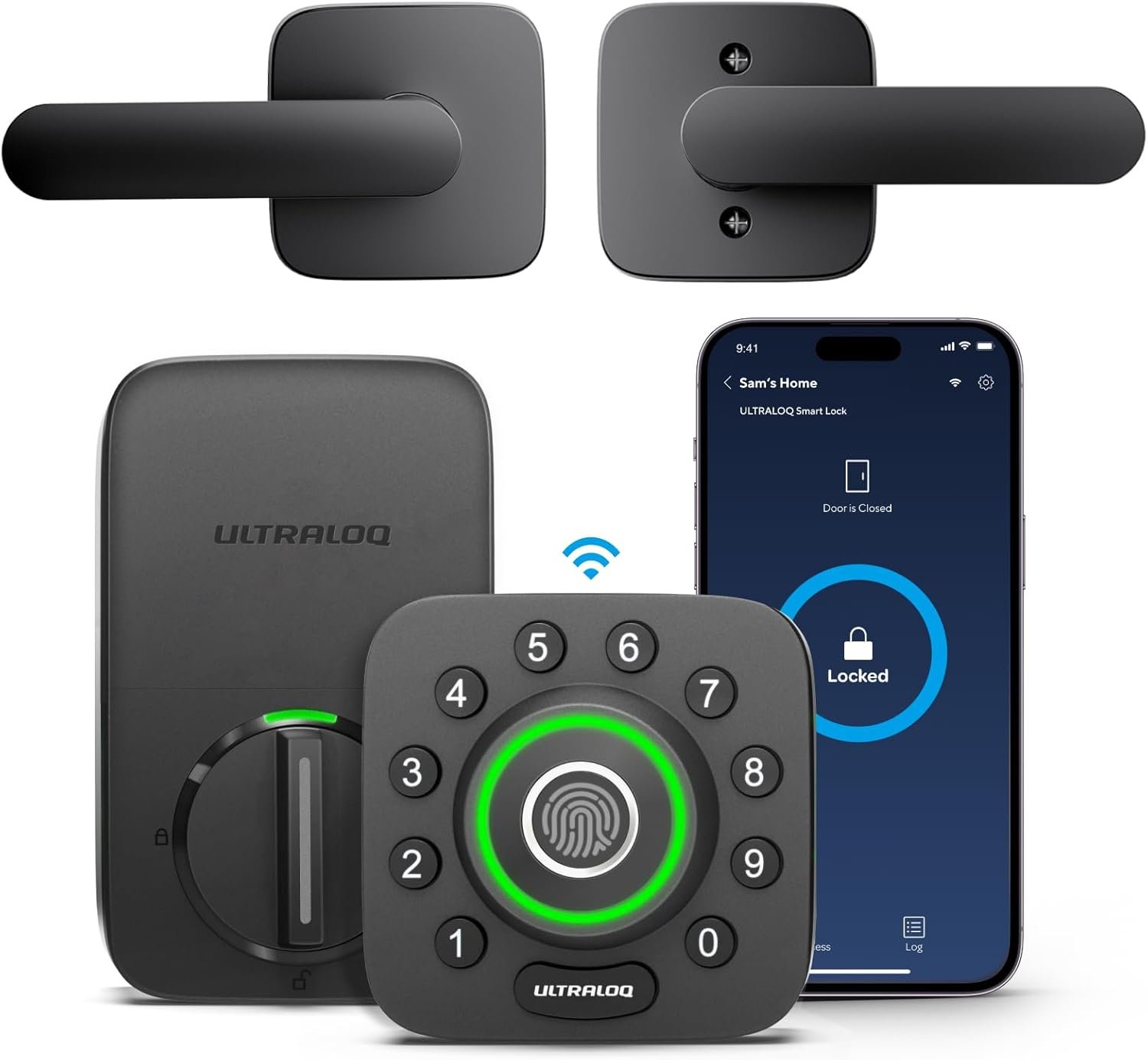
The anti-peep keypad scrambles the digit positions randomly each time it activates, preventing anyone from observing your code through your finger movements. Built-in Wi-Fi provides remote access and app control without any additional hub purchase.
What We Like
- Six entry methods — most versatile keyless lock on this list
- Fingerprint reader: 100 prints, 0.3 second read time, 360-degree orientation
- Anti-peep keypad scrambles number positions on every use
- Built-in Wi-Fi for full remote access without hub purchase
- Works with Alexa and Google Home
- Strong anti-pry protection on the deadbolt bolt itself
Honest Drawbacks
- No Apple HomeKit support
- U-tec companion app is less polished than Yale or Schlage apps
- Shake to Unlock can trigger accidentally in a bag — disable if not used
- Larger physical profile — more visible on the door than minimalist alternatives
- Customer support response times have been inconsistent based on user reports
Best For: Families with members of different ages and technology preferences. The fingerprint option removes the need for codes or phones for children and elderly family members, while app users get full remote management.
Best for Design and Slim Profile | Rating: 4.7/5
Yale has produced locks for over 180 years and the Assure Lock 2 reflects that legacy — it is the most aesthetically refined smart lock on this list. The slim touchscreen keypad is elegant and unobtrusive, making it genuinely difficult to distinguish from a premium traditional lock from street level. Available in satin nickel, oil-rubbed bronze, and matte black finishes to match existing door hardware.
The keypad is a full touchscreen rather than physical buttons, which some users prefer for its clean look and others find less tactile than physical keys. Yale offers modules that add Wi-Fi, Bluetooth, Z-Wave, or Zigbee connectivity — meaning you can configure the lock for your specific ecosystem without paying for connectivity you do not need.
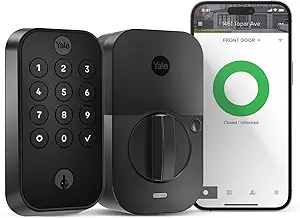
Matter certified via Yale Connect bridge (sold separately) for full multi-ecosystem support. Works natively with Apple HomeKit in the base configuration via Bluetooth — a rare HomeKit feature in the mid-range category.
What We Like
- Most elegant design of any lock on this list — genuinely beautiful on a front door
- Touchscreen keypad with backlit digits for nighttime use
- Available in multiple finishes to match existing door hardware
- Native Bluetooth Apple HomeKit without any additional hardware
- Modular connectivity — add only the wireless protocol you need
- Yale 180-year reputation for lock quality and security
Honest Drawbacks
- Wi-Fi module sold separately — adds $30-50 to get full remote access
- Touchscreen keypad less tactile than physical buttons in cold weather with gloves
- Higher price once Wi-Fi module added ($180-250 total)
- No fingerprint reader option
Best For: Design-conscious homeowners for whom the aesthetic of the lock matters as much as functionality. If your front door is a design statement, the Assure Lock 2 is the only smart lock that matches that intention.
#4 — August Wi-Fi Smart Lock (4th Gen) + Keypad
Best for Renters Who Want Keyless Entry | Rating: 4.6/5
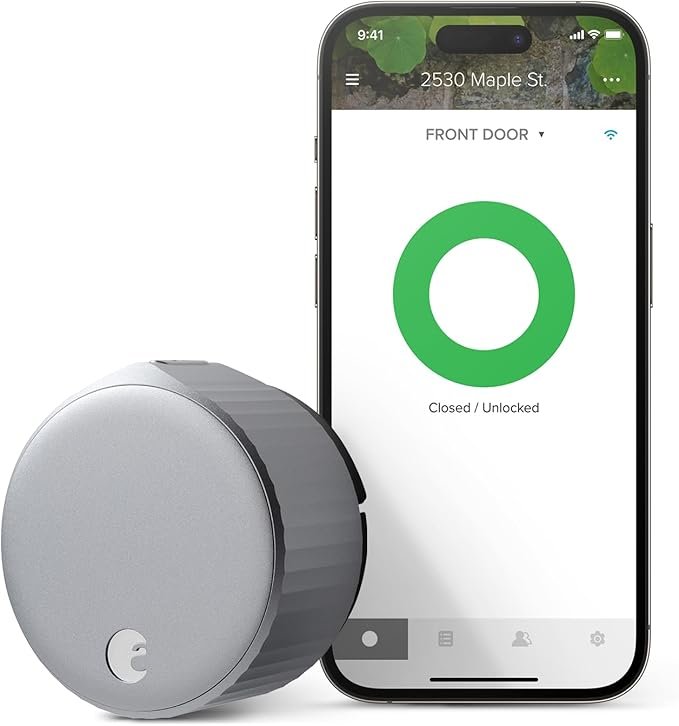
The August Wi-Fi Smart Lock is a retrofit lock — it installs over your existing deadbolt interior thumb-turn with no modifications to the door or exterior hardware. This makes it unique on this list as the only genuinely renter-friendly keyless entry option that adds a keypad. The August Smart Keypad (sold separately for approximately $60) attaches to the exterior of the door and connects to the lock wirelessly, providing code entry from outside without any permanent modification.
The result is a complete keyless entry system that uninstalls in under 10 minutes when you move, leaves no permanent marks, and returns the door to its exact original condition. Time-limited digital guest codes, the industry-leading August app, and DoorSense door position detection are all included.
What We Like
- Retrofit installation — installs over existing deadbolt with zero permanent modifications
- August Smart Keypad adds physical code entry from outside
- DoorSense detects whether door is fully closed before auto-lock engages
- Time-limited digital guest codes via August app — revocable instantly
- Works with Apple HomeKit, Alexa, Google Home, and SmartThings
- Removes completely in under 10 minutes when moving
Honest Drawbacks
- Total cost with keypad is $180-220 — competitive but not budget
- Keypad is wireless and battery-powered — requires separate battery management
- Lock body visible on door interior — not as discreet as Level Bolt
- Battery life 3-6 months with Wi-Fi active
Best For: Renters who want the complete keyless entry experience — keypad, app, auto-lock, guest codes — without modifying their rental property. The retrofit installation means everything comes with you when you move.
#5 — Wyze Lock + Wyze Lock Keypad
Best Budget Keyless Entry System | Rating: 4.5/5
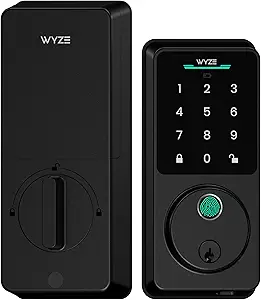
The Wyze Lock combined with the Wyze Lock Keypad creates a complete keyless entry system for under $130 — the best value on this list by a significant margin. Built-in Wi-Fi provides full remote access without a hub, the magnetic mounting plate makes removal effortless, and the companion Wyze app handles scheduling, guest codes, and activity logging reliably.
The keypad attaches to the exterior with 3M adhesive and connects to the lock via Bluetooth. It supports up to 100 unique entry codes and has a backlit numeric pad for nighttime use. For households making the switch to keyless entry for the first time without wanting to commit to a premium investment, this system lets you experience the complete functionality at an accessible price.
What We Like
- Best value complete keyless system on this list at $90-130
- Built-in Wi-Fi for full remote access without hub
- Magnetic mounting plate makes removal under 2 minutes
- Wyze Lock Keypad supports up to 100 unique user codes
- Works with Alexa and Google Home
- Good Wyze app with scheduling, activity log, and guest access
Honest Drawbacks
- No Apple HomeKit support
- No fingerprint reader
- Keypad is adhesive-mounted — not as robust as bolted keypad alternatives
- Wyze has a historical privacy incident record worth noting
- Keypad sold separately — confirm availability before purchasing the lock
Best For: First-time smart lock buyers who want complete keyless entry functionality at the most accessible price. If you later decide to upgrade, the experience on the Wyze system gives you a clear informed basis for choosing your next lock.
4. Head-to-Head Comparison Table
| Lock | Price | Grade | Fingerprint | HomeKit | Wi-Fi | Keypad | Rating |
| Schlage Encode+ | $200-250 | Grade 1 | No | Yes | Built-in | Yes (built-in) | 4.8/5 |
| Ultraloq U-Bolt | $130-160 | Grade 2 | Yes | No | Built-in | Yes (built-in) | 4.7/5 |
| Yale Assure 2 | $150-200 | Grade 2 | No | Yes | Add-on | Yes (built-in) | 4.7/5 |
| August Wi-Fi 4 | $180-220 | Grade 2 | No | Yes | Built-in | Yes (separate) | 4.6/5 |
| Wyze + Keypad | $90-130 | Grade 2 | No | No | Built-in | Yes (separate) | 4.5/5 |
5. Installation Guide: What to Expect
Full deadbolt replacement (Schlage, Ultraloq, Yale) follows this general process:
- Remove existing deadbolt exterior rosette and interior thumb-turn using the provided removal tool
- Insert new deadbolt cylinder from exterior side of door
- Attach interior mounting plate using the screws provided
- Connect the smart lock body to the mounting plate and confirm it engages the deadbolt smoothly
- With door OPEN, test the lock manual operation before proceeding
- Download the manufacturer app and follow the Wi-Fi or Bluetooth pairing wizard
- Test all entry methods with the door open before closing it for the first time
- Test your physical key from the exterior before finishing
Total installation time: 20-45 minutes depending on the complexity of the existing hardware.
Non-Negotiable Safety Step: Always test every entry method — code, fingerprint, app, and physical key — with the door held open before closing and locking it. A misconfigured lock on a closed door requires a locksmith. This step takes 5 minutes and cannot be skipped.
6. How to Manage Guest Codes and Access Safely
The access management capability is where smart locks genuinely improve on traditional keys. Here is best practice for each scenario:
Dog Walker or Cleaner
Create a time-limited code valid only for the days and hours they work. Set it to expire automatically. If the arrangement ends, delete the code remotely — no key to retrieve. Review the activity log after each visit to confirm access times match expectations.
Delivery or Tradespeople
Create a one-time use code that expires after a single use or after 4 hours. Enable activity notifications so you receive an alert when the code is used. Never give the same code you use personally — always create a separate temporary code.
Family Members
Give each family member their own unique code rather than a shared code. This allows individual activity log entries per person and allows any single code to be changed or revoked without affecting others.
Overnight Guests
Create a guest code on arrival and set an expiry time for their checkout. This eliminates the awkward key return conversation and ensures access automatically ends.
7. Common Mistakes With Keyless Locks
Choosing a Simple or Guessable Code
The most common keyless lock security mistake. Avoid birth years, sequential digits (1234), repeated digits (1111), and any number with personal significance that could be guessed. Use a random 6-8 digit code and store it in your phone notes if you need a reminder. Change the code annually as standard practice.
Not Setting Up Auto-Lock
Auto-lock is the feature that eliminates the “did I lock the door” anxiety entirely. Configure it during setup — most users choose 1-3 minutes as the auto-lock delay. Without it, the keyless entry convenience exists but the core benefit of always being locked is lost.
Ignoring Low Battery Notifications
Smart locks notify you when battery charge drops to approximately 20%. Ignoring this notification and allowing the battery to die completely means no electronic access until batteries are replaced. Replace batteries the day the notification arrives.
Using the Same Code for Everyone
A single shared household code means you cannot identify who used the lock and when, cannot revoke one person’s access without changing everyone’s code, and have no individual accountability in the activity log. Create separate codes from day one.
8. Frequently Asked Questions
Can a smart lock be hacked?
All locks on this list use AES-128 or AES-256 encryption — the same standard used in banking and government systems. Remote hacking of a properly configured smart lock is extremely difficult and no significant breach has been publicly reported for any major brand. Physical attacks remain vastly more common than digital attacks. Choosing a Grade 1 lock (Schlage) provides the strongest physical resistance to forced entry.
What happens when the battery dies?
All locks on this list retain full mechanical key backup. A dead battery means your physical key still works normally. Most locks also have an emergency power terminal on the exterior — pressing a 9-volt battery against the contacts generates enough power for one electronic unlock.
Do keyless locks work during power outages?
Yes. Smart locks are battery powered, not mains powered. They function completely independently of your home electricity supply. Internet outages affect remote app access but local functions — keypad, fingerprint, and Bluetooth app control within range — continue working.
Can my landlord still access the property with their master key?
For full replacement locks (Schlage, Ultraloq, Yale): the existing cylinder is replaced so a previous master key would not work unless the new cylinder is keyed to match it. For retrofit locks (August, Wyze): the exterior cylinder is completely unchanged, so all existing keys including master keys continue to work.
How many entry codes can I store?
Most locks on this list store 100 unique codes. Codes can be named, time-limited, set for specific days and hours, and deleted remotely via the app. The Schlage Encode Plus stores codes directly on the lock hardware without cloud dependency — meaning codes work even if the Schlage app servers go offline.
Is installation a DIY job or do I need a locksmith?
All five locks on this list are designed for DIY installation with a screwdriver as the only required tool. The process takes 20-45 minutes for someone who has never changed a deadbolt before. The manufacturer apps include step-by-step guided installation. A locksmith is only needed if your door has a non-standard deadbolt configuration — which the manufacturer compatibility checker will flag before you purchase.
What is the difference between Grade 1, Grade 2, and Grade 3 locks?
These are ANSI/BHMA security certifications based on physical resistance testing. Grade 1 withstands 6 times more forced entry attempts than Grade 3 and is the commercial standard used in office buildings and institutions. Grade 2 is the standard residential specification and is adequate for most homes. Grade 3 is the minimum specification and should be avoided for front door use. Only the Schlage Encode Plus on this list carries a Grade 1 rating.
9. Our Final Recommendation
For homeowners making a permanent installation, the Schlage Encode Plus is the definitive front door keyless entry lock for 2026. The Grade 1 security rating, tamper alarm, Matter certification, and 100-code local storage make it the most capable and future-proof option available. The price is justified by both the security credentials and the long-term ecosystem flexibility.
For renters or those wanting a less expensive complete system, the August Wi-Fi Smart Lock with the August Smart Keypad provides every keyless entry feature — codes, auto-lock, guest access, activity log, remote control — with the unique advantage of retrofit installation that leaves zero permanent marks on the door.
For the best value complete keyless entry system with no compromise on core functionality, the Wyze Lock and Wyze Lock Keypad together for under $130 is the most accessible entry point into keyless front door access in 2026.
The core point: once you have lived with a keyless front door for two weeks — coming home hands-free, never checking whether you locked it, giving temporary access to anyone from your phone — going back to a traditional key feels genuinely backwards.
You Might Also Like

Sophie has covered consumer electronics for over 6 years and specialises in making complex buying decisions simple for everyday homeowners.
All articles by Sophie →