
Quick Answer: The Govee Envisual TV Backlight T2 is our top pick for TV backlighting and the Philips Hue Gradient Lightstrip is the premium whole-room choice. For budget buyers, the Govee Smart LED Strip Lights M1 delivers 90% of the experience at 30% of the price.
Smart light strips have quietly become the most transformative living room upgrade you can make for under $100. A well-placed LED strip behind your TV, under your shelving, or along the perimeter of your ceiling changes the entire mood of a room — from bright and functional to cinematic and immersive — with a single voice command or app tap.
But not all smart light strips are equal. Some are genuinely excellent. Some look impressive in marketing photos and disappoint in real life. The most common complaints are uneven colour blending that creates visible bands of separate colours instead of smooth gradients, Wi-Fi connectivity that drops constantly, and music sync features that lag so badly they stop being enjoyable after the first evening.
This guide cuts through the marketing and tells you exactly which strips deliver what they promise — and which ones to avoid.
1. Why Smart Light Strips Are the Best Living Room Upgrade
For the price, smart light strips offer more visual impact per pound spent than almost any other living room upgrade. A $60-80 strip behind your TV creates the kind of ambient lighting effect that home cinema enthusiasts used to spend hundreds on with professional bias lighting systems.
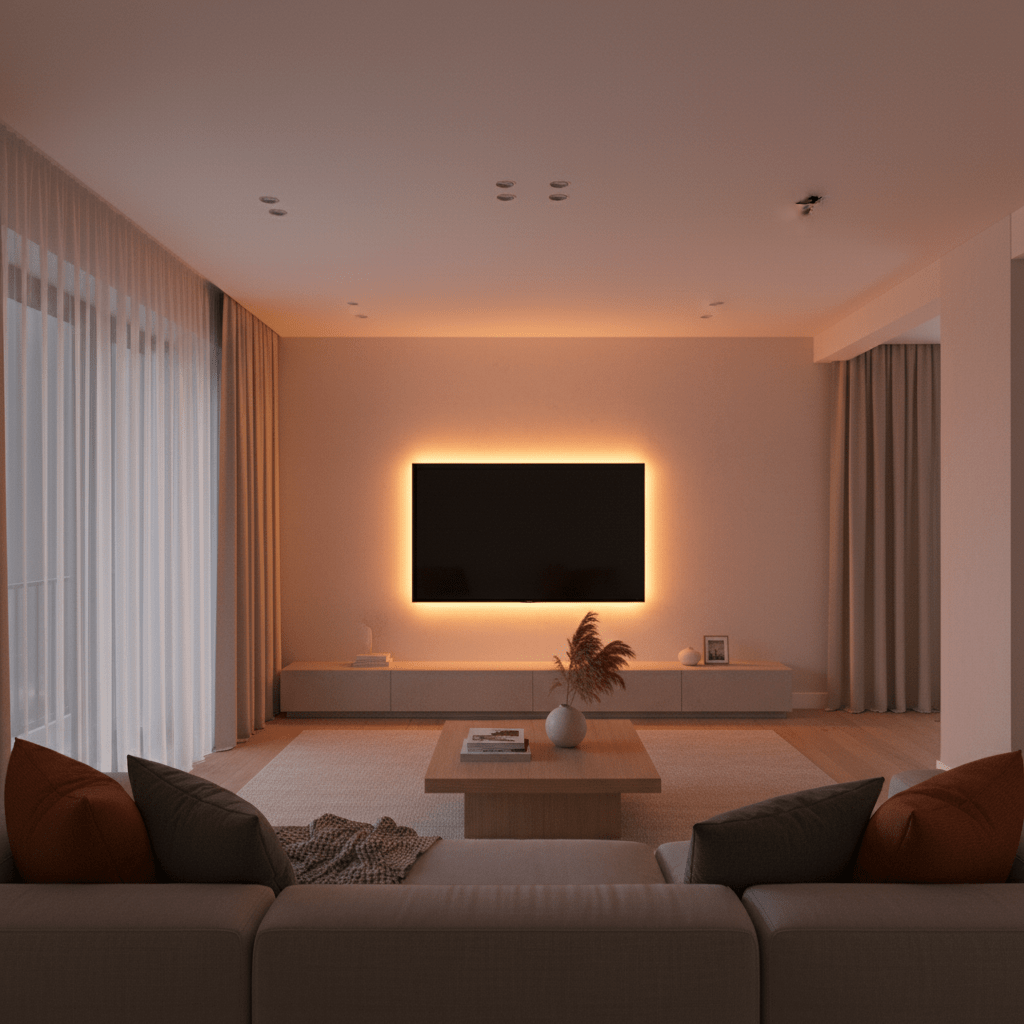
The practical benefits beyond aesthetics are real too. Bias lighting behind a TV reduces eye strain significantly by reducing the contrast between the bright screen and dark wall behind it. Studies by display manufacturers show that ambient lighting behind screens reduces viewing fatigue by up to 30% during extended watching sessions.
From a smart home perspective, light strips integrated into routines unlock genuinely useful daily automations: strips that gradually brighten to simulate sunrise in the morning, that dim to movie mode when you start Netflix, or that pulse to music during a party.
Key Insight: TV bias lighting is not just aesthetic. Reducing the contrast between a bright TV screen and a dark wall behind it measurably reduces eye fatigue during evening viewing. It is a genuine health benefit with an aesthetic bonus.
2. What to Look for Before You Buy
RGBIC vs RGB: The Most Important Distinction
RGBIC (Red Green Blue Independent Control) strips have individual LED segments that can each show a different colour simultaneously. This is what creates the smooth gradient and multi-colour effects you see in marketing images. RGB strips can only show one colour across the entire strip at once — they cannot create gradients or multi-segment effects.
Always buy RGBIC if you want the ambient gradient lighting effect. RGB strips are significantly cheaper but cannot replicate the look. Most premium strips on this list are RGBIC.
Lumens and Brightness
For living room ambient use, 800-1200 lumens per 5-metre strip is the practical range. Below 600 lumens the strip will look underwhelming in a lit room. Above 1500 lumens can be too harsh for ambient use. Check the lumen specification, not just the wattage.
Music Sync Method
There are two types of music sync: microphone-based (the strip has a built-in mic that listens to room audio) and app-based (syncs to your phone music app). Microphone sync works with any audio source including TV and speakers. App-based sync only works with music playing directly from your phone. For TV and cinema use, microphone sync is significantly more useful.
Voice Assistant and App Compatibility
Confirm the strip works with your existing voice assistant before buying. Most strips support Alexa and Google Home. Apple HomeKit support is much rarer in the budget category — only Philips Hue has reliable HomeKit support at this price range.
Strip Length and Cuttability
Measure your installation space before buying. Most strips come in 5-metre lengths. The best strips can be cut at marked intervals and rejoined with connectors, allowing custom lengths without waste. Strips that cannot be cut create problems for non-standard furniture dimensions.
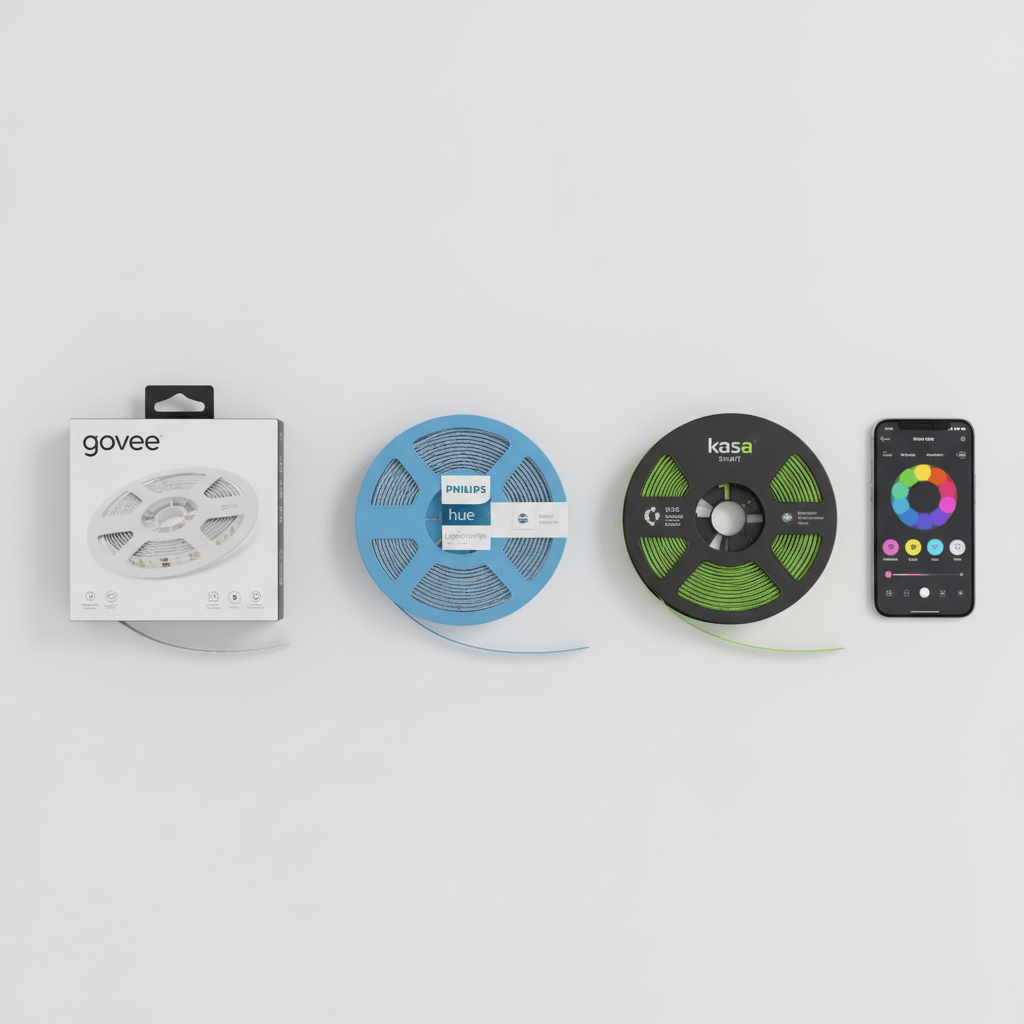
3. The 5 Best Smart Light Strips for Living Room in 2026
#1 — Govee Envisual TV Backlight T2
Best for TV Backlighting | Rating: 4.8/5
Check Amazon for current prices
The Govee Envisual T2 is purpose-built for TV bias lighting and executes it better than anything else at this price point. It uses a camera-based colour capture system rather than a basic microphone or IR sensor — a small camera clips to the top of your TV and reads the colours on screen in real time, then the strip replicates those colours on the wall behind. The result is genuinely cinematic ambient lighting that shifts with every scene change.

Installation is straightforward: strips attach to the back edges of your TV with 3M adhesive, the camera clips to the top bezel, and a small control box connects to your TV USB port for power. Setup through the Govee Home app takes approximately 15 minutes including colour calibration. The app allows fine-tuning of how aggressively the strip follows screen colours versus maintaining a preset scene.
The Govee Home app is one of the best in the smart lighting category — stable, fast, and packed with scene presets, music modes, and scheduling features. Works with both Alexa and Google Home for voice control.
What We Like
- Camera-based colour capture creates genuinely immersive TV bias lighting that shifts with every scene
- No input lag — camera reads screen at 30fps for real-time colour matching
- RGBIC segments create smooth gradients rather than harsh colour blocks
- Powers from TV USB port — no separate power outlet needed at the TV
- Works with Alexa and Google Home
- Govee app is consistently rated among the best smart lighting apps available
- Compatible with Govee broader ecosystem for whole-room lighting scenes
Honest Drawbacks
- Camera setup requires precise positioning and calibration — takes patience to get right
- Camera is visible at the top of the TV — not invisible from the front
- No Apple HomeKit support
- Best results require the TV to be in a fairly dark room — less effective in brightly lit rooms
- The control box is visible and adds cable clutter behind the TV
Best For: Anyone who primarily wants TV bias lighting that genuinely changes with on-screen content. This is the most immersive TV backlighting experience available under $100 by a significant margin.
#2 — Philips Hue Gradient Lightstrip
Best Premium Living Room Strip | Rating: 4.7/5
Check Amazon for current prices
The Philips Hue Gradient Lightstrip is the premium choice for living room ambient lighting — and it earns its premium price through genuinely superior colour quality and ecosystem integration. Each individual LED segment produces a full colour-accurate spectrum, and the gradient effect across the strip is smoother and more natural than any competing product. It is simply the best-looking smart light strip you can buy.

What makes Hue genuinely different is the ecosystem depth. The Hue app has over 1,000 pre-built scenes, the Hue Sync app creates real-time colour matching with any content on your computer screen, and the Entertainment Zones feature allows the strip to be synchronised with other Hue bulbs in the room for a whole-room ambient experience. Apple HomeKit support is native and reliable.
The significant caveat: Philips Hue requires the Hue Bridge hub (approximately $60) if you do not already own one. And the Gradient Lightstrip itself is priced per metre, making a full 2-metre TV installation cost $180-260 before the bridge. This is a serious investment.
What We Like
- Best colour quality and gradient smoothness of any strip on this list — noticeably better than competitors
- Native Apple HomeKit, Alexa, Google Home, and Samsung SmartThings support simultaneously
- Hue Sync for real-time PC screen colour matching
- Entertainment Zones for whole-room coordinated ambient lighting
- Over 1,000 pre-built scenes in the Hue app
- Matter certified — maximum future ecosystem compatibility
- Industry-leading reliability — very few connectivity complaints in user reviews
Honest Drawbacks
- Requires Philips Hue Bridge hub ($60) — adds significant upfront cost
- Most expensive strip on this list at $90-130 per metre
- A full TV installation (2 metres) plus bridge costs $240-320 total
- Overkill for users who just want basic colour and do not need the full ecosystem
Best For: Existing Philips Hue users building out a whole-room lighting setup. If you already have the bridge and Hue bulbs, the Gradient Lightstrip integrates seamlessly and the combined whole-room experience is genuinely stunning. For first-time buyers, the cost is hard to justify versus Govee.
#3 — Govee Smart LED Strip Lights M1
Best Budget All-Rounder | Rating: 4.6/5
The Govee M1 is the strip that makes you wonder why you would spend more. At $25-40 for a 5-metre RGBIC strip with music sync, app control, Alexa and Google Home support, and a wide range of pre-built scenes, it delivers the core smart strip experience at a price that makes buying two or three for different rooms genuinely accessible.
The M1 uses microphone-based music sync — the built-in mic listens to room audio and pulses the strip to the beat. It is not as precise as camera-based systems but works well for music and reasonably well for TV audio. The 64 RGBIC segments create genuine gradient effects across the 5-metre length. The Govee app is the same excellent interface as the premium Govee products.

The honest limitation is build quality. At this price point, the adhesive backing is weaker than premium strips and may require supplementary mounting clips on surfaces where heat is a factor (near electronics, close to hot lighting). The connector between segments can also develop intermittent faults after 12-18 months of use.
What We Like
- Exceptional value — RGBIC with music sync and app control for $25-40
- 64 RGBIC segments for genuine multi-colour gradient effects
- Microphone music sync responds to any audio source in the room
- Govee app gives access to hundreds of pre-built scenes and effects
- Works with Alexa and Google Home
- 5-metre length covers a standard sofa or large TV unit
Honest Drawbacks
- Adhesive backing weaker than premium strips — may need additional clips in warm environments
- Microphone sync has more lag than camera-based systems
- No Apple HomeKit support
- Segment connectors can develop faults over time — not as durable as premium options
- Music sync microphone picks up conversation and background noise — can trigger unexpectedly
Check Amazon for current prices
Best For: First-time smart strip buyers and anyone wanting to try ambient lighting before committing to a premium system. At this price you can afford to buy one for the TV and one for the back of a sofa to see which placement you prefer before investing in premium hardware.
#4 — TP-Link Kasa Smart LED Strip KL430
Best for Reliability and Kasa Ecosystem | Price: $35-$50 | Rating: 4.6/5
The Kasa KL430 sits in the sweet spot between budget and premium — better build quality and more reliable Wi-Fi connectivity than budget Govee strips, at a fraction of the Philips Hue price. TP-Link built the same network reliability into the KL430 as its excellent Kasa smart bulbs, meaning the strip stays connected without the dropouts that plague some budget alternatives.
RGBIC segments provide multi-colour capability and the Kasa app — already proven across millions of smart bulb installations — handles scheduling, scenes, and Alexa and Google Home integration with the same reliability as its bulb counterparts. For households already in the Kasa ecosystem, the KL430 integrates into existing rooms and schedules seamlessly.
What We Like
- More reliable Wi-Fi connectivity than budget strips — same chipset as trusted Kasa bulbs
- RGBIC multi-colour gradient capability
- Kasa app is one of the most stable and user-friendly smart lighting apps available
- Works with Alexa, Google Home, and Samsung SmartThings
- Energy monitoring in the app shows real power consumption
- Cuttable at 10cm intervals with connector kit for custom lengths
Honest Drawbacks
- No camera-based TV sync — music sync only via microphone
- Fewer pre-built scene presets than Govee
- No Apple HomeKit support
- Less vibrant colour saturation than Govee or Philips Hue at maximum brightness
Best For: Kasa ecosystem households and users who prioritise connection reliability over maximum colour effects. If your existing Kasa bulbs have never dropped offline, the KL430 will behave the same way.
#5 — Nanoleaf Lines Squared
Best Modular Wall Art Alternative | Price: $100-$200 | Rating: 4.5/5
The Nanoleaf Lines Squared is a different category of product — not a traditional flexible strip, but a modular system of rigid light lines that mount directly to the wall and can be arranged in custom geometric patterns. For a living room feature wall, the visual impact is dramatically different from a strip behind a TV — this is wearable-art-level living room lighting.
Each line segment connects magnetically and can be repositioned without re-mounting. The Nanoleaf app offers rhythm music sync, thousands of community-created scenes, and Matter certification for maximum ecosystem compatibility. Pairs exceptionally well with a Philips Hue setup for whole-room coordinated scenes.
What We Like
- Completely different visual impact from standard strips — genuine living room art
- Magnetic segments can be rearranged without damage to the wall
- Matter certified for Apple HomeKit, Alexa, Google Home, SmartThings simultaneously
- Nanoleaf rhythm music sync is highly regarded for accuracy and visual appeal
- Thousands of community-created scenes available in the Nanoleaf app
Honest Drawbacks
- Significantly more expensive than traditional strips at $100-200 for a starter set
- Not a flexible strip — cannot be used for traditional TV backlighting or under-shelf installation
- Mounting requires wall drilling for the bracket — not suitable for renters
- Setup and arrangement takes longer than a simple peel-and-stick strip
Best For: Living room feature walls where you want statement lighting that doubles as wall art. Not suitable for traditional strip applications like TV backlighting or shelf underlighting.
4. Head-to-Head Comparison Table
| Strip | Price | RGBIC | Music Sync | HomeKit | Length | Best For |
| Govee T2 | $60-80 | Yes | Camera | No | 2.9m | TV backlighting |
| Philips Hue Grad. | $90-130/m | Yes | Hue Sync | Yes | Custom | Premium whole room |
| Govee M1 | $25-40 | Yes | Mic | No | 5m | Budget all-rounder |
| Kasa KL430 | $35-50 | Yes | Mic | No | 5m | Reliability + ecosystem |
| Nanoleaf Lines | $100-200 | Yes | Rhythm | Yes | Modular | Feature wall art |
5. Where and How to Install Light Strips in Your Living Room
Placement makes the difference between amateur and professional-looking results. These are the four most impactful living room positions:
Behind the TV (Bias Lighting)
Attach the strip to the back edges of the TV frame, running it as a continuous border around three or four sides. Aim to cover at least the left and right sides and the bottom edge — this provides the most effective bias lighting for evening viewing. Leave a 2-3cm gap between the strip and the edge of the TV frame so the light spreads onto the wall rather than shining directly backward.
Under and Behind Floating Shelves
Mounting strips along the underside of wall shelves creates indirect ambient light that makes the shelf appear to float and adds significant depth to the room. Keep strips at the very back of the shelf underside so the LED dots themselves are not visible from normal viewing positions — only the glow should be visible.
Along the Ceiling Perimeter (Cove Lighting)
Running strips along the top of walls where they meet the ceiling, facing upward, bounces indirect light off the ceiling and creates a soft ambient glow across the entire room. This requires longer strip lengths and a power source near the ceiling — plan cable routing before installation.
Behind Sofas and Large Furniture
Attaching strips to the back legs or frame of a sofa or media console, facing the wall behind, creates a halo effect that makes the furniture appear to float. Particularly effective with RGBIC strips running in dynamic colour scenes.
Installation Tip: Always clean the surface with isopropyl alcohol before applying the adhesive backing. Dust and skin oils on walls and furniture surfaces dramatically reduce adhesive strength. Allow the surface to dry completely for 30 minutes before pressing the strip into position.
6. TV Backlighting vs Ambient Lighting: Which Mode Is Best?
| Mode | TV Backlighting | Ambient Scene Mode |
| Best for | Evening TV and film watching | Music, parties, daily ambience |
| Colour behaviour | Follows screen colours in real time | Set preset or dynamic scene |
| Eye strain benefit | Yes — reduces screen/wall contrast | Partial — depends on brightness |
| Strip requirement | Camera-based sync (Govee T2) | Any RGBIC strip |
| Setup complexity | Moderate — camera calibration needed | Simple — pick scene and go |
| Power source | USB from TV | Wall outlet required |
Most users end up using both modes — TV sync for watching content in the evening and ambient scenes for daily background lighting and social occasions. If you can only choose one, the Govee T2 camera system is the more impressive and more practically useful of the two.
7. Common Mistakes With LED Light Strips
Not Cleaning the Surface Before Applying
The most common installation mistake. Adhesive backing requires a clean, dry, dust-free surface. Isopropyl alcohol wipe, 30 minutes drying time, then apply. Strips installed on uncleaned surfaces will begin peeling within weeks.
Buying RGB Instead of RGBIC
RGB strips at a similar price point look similar in packaging but cannot produce the multi-colour gradient effect. The distinction between RGB and RGBIC is not prominently marked on all packaging. Check the specifications carefully — if it does not explicitly say RGBIC or IC, it is single-colour only.
Installing Too Close to a Heat Source
LED strips should not be installed within 20cm of heat sources including halogen bulbs, oven vents, or direct sunlight-facing surfaces. Heat degrades the LED segments and adhesive, reducing lifespan and causing colour inconsistency over time.
Connecting to the 5GHz Wi-Fi Band
All smart strips connect to 2.4GHz only. Attempting to connect during setup to a 5GHz network will fail. Separate your router bands or connect your phone to 2.4GHz during setup.
Expecting Music Sync to Be Perfect
Microphone-based music sync is impressive but not frame-perfect. It has a 50-150ms lag between audio and visual response and will respond to conversation and background noise as well as music. For critical music listening, accept it as an enhancement rather than a precision tool. Camera-based TV sync (Govee T2) is significantly more accurate.
8. Frequently Asked Questions
How long do smart LED strips last?
Quality LED strips have a rated lifespan of 25,000-50,000 hours of operation. At 6 hours of use per day, this equates to 11-22 years of operation. In practice, the adhesive backing and connector joints typically need attention before the LEDs themselves fail. Premium strips with soldered connections last significantly longer than budget strips with push-in connectors.
Can smart light strips be cut to fit?
Most strips can be cut at marked intervals — typically every 10cm on quality strips. Once cut, the cut end needs to be capped or connected to an extension. Never cut strips at unmarked positions as this can damage the circuit. Check the product specifications for cut-point intervals before purchasing if you need a non-standard length.
Do LED strips use a lot of electricity?
LED strips are extremely energy efficient. A typical 5-metre strip running at full brightness draws 15-25 watts — roughly the same as a single traditional light bulb. Running 6 hours per day at full brightness costs approximately $0.30-$0.50 per month in electricity. At typical ambient brightness levels (40-60%) the cost is half that.
Will smart LED strips work without internet?
The physical LED hardware continues to function without internet, but smart features — app control, voice assistant commands, schedules, and music sync on app-dependent systems — require an active internet connection. The strip can be controlled locally via Bluetooth on most models when internet is unavailable.
Can I install strips on curved surfaces?
Flexible LED strips can accommodate gentle curves but have a minimum bend radius — typically 3-5cm. Tighter curves will damage the circuit. For curved surfaces like pillars or rounded furniture, look for strips specifically marketed as flexible or with silicone-encased LEDs which have greater flexibility.
How do I stop my light strip from falling off?
If your strip starts peeling, add supplementary mounting clips designed for LED strips — available for under $5 for a 50-pack. Clean the surface again with isopropyl alcohol, allow to dry completely, and apply clips at 30cm intervals. Do not rely solely on adhesive backing for ceiling or overhead installations — use clips throughout for any overhead position.
9. Our Final Recommendation
For the majority of living rooms in 2026, the Govee M1 is the place to start. It costs $25-40, delivers genuine RGBIC multi-colour gradient capability, has an excellent app, and works with both Alexa and Google Home. If you love it — and most people do — you have a clear upgrade path to the Govee T2 camera system for TV backlighting or the Philips Hue Gradient Lightstrip for whole-room premium lighting.
If TV bias lighting is your primary goal and you want the most immersive experience available under $100, buy the Govee Envisual T2 directly. The camera colour-capture system is genuinely impressive and creates an experience that budget strip music sync cannot replicate.
Avoid RGB (non-RGBIC) strips at any price. The gradient multi-colour effect is what makes smart strips visually compelling. Without it, you are buying an expensive single-colour strip that can change colour via an app — useful but not impressive.
The bottom line: smart light strips are the highest-impact, lowest-cost living room upgrade in smart home technology. At $25-80, they transform how a room feels every evening. Start with one and you will have two or three installed within a month.
You Might Also Like

James is the voice behind our beginner-friendly setup guides. As a self-taught smart home enthusiast, he understands exactly what first-time buyers need to know.
All articles by James →