
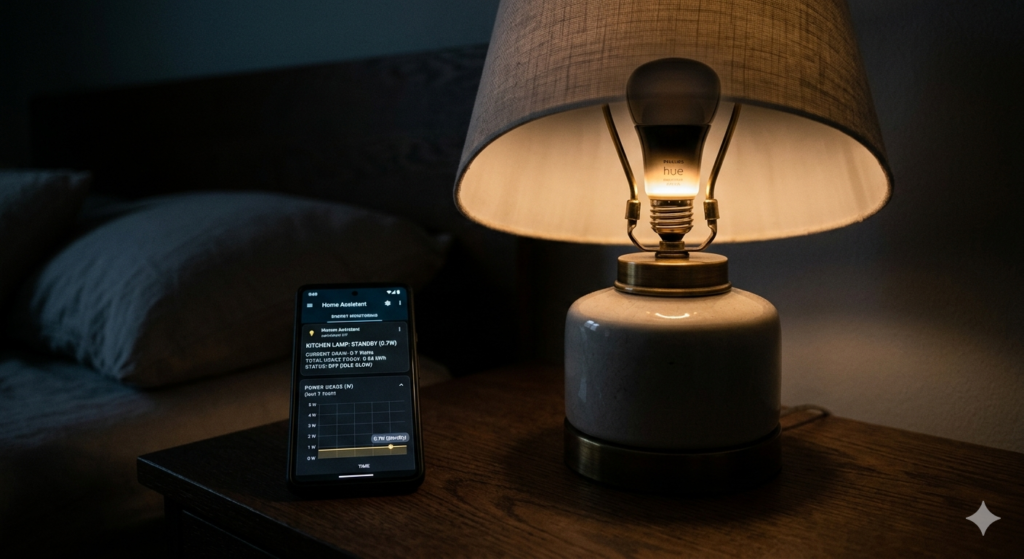
Quick Answer: Yes. A smart bulb draws 0.3 to 0.5 watts continuously when switched off via the app but with wall switch left on. This is standby power to maintain Wi-Fi connectivity. For one bulb: approximately $0.03-0.05 per month or $0.40-0.60 per year. For 10 bulbs: $4-6 per year total.
1. The Short Answer With Real Numbers
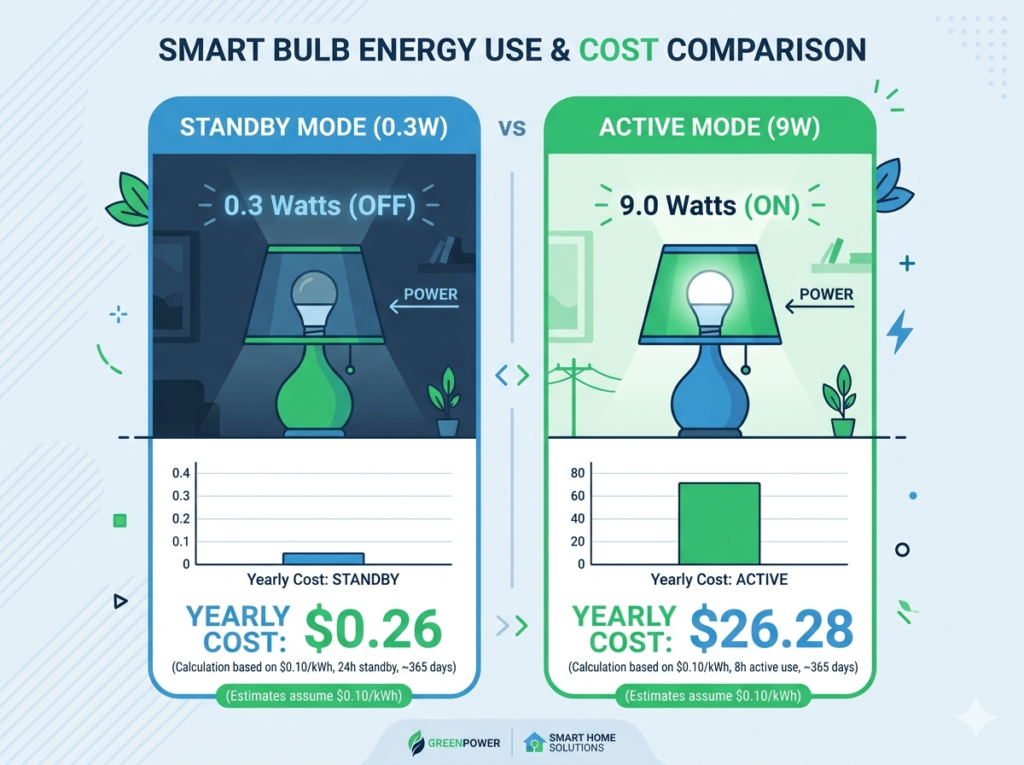
Smart bulbs in standby (switched off via app, wall switch left on) draw 0.3-0.5 watts depending on brand. For context: a standard 60W incandescent uses 200 times more electricity in one second of operation than a smart bulb uses in one minute of standby. The standby consumption is genuinely negligible.
| Comparison | Watts | Monthly Cost | Annual Cost | Perspective |
| Smart bulb standby (1 bulb) | 0.3-0.5W | $0.03-0.05 | $0.40-0.60 | Less than a coin |
| Smart bulb ON (1 bulb) | 8-10W | $0.70-0.90 | $8.40-10.80 | Normal use |
| 10 smart bulbs standby | 3-5W | $0.30-0.50 | $3.60-6.00 | Less than one coffee |
| Standard 60W bulb (ON) | 60W | $5.20 | $62.40 | 100x more than standby |
| Wi-Fi router (always on) | 6-10W | $0.52-0.87 | $6.24-10.44 | 10x smart bulb standby |
2. Why Smart Bulbs Use Power When Off
When you turn off a smart bulb via app, the LED stops illuminating but the electronics remain powered. These include: Wi-Fi radio chip (maintains router connection and listens for incoming commands), microcontroller (processes commands and manages the LED driver), and rectifier circuit (converts mains AC to DC for electronics).
Key Distinction: App-off = LED off, electronics on (0.3-0.5W). Wall switch off = everything off (0W). The 0.3-0.5W standby only applies when the bulb appears off in the app but the wall switch is on.
3. Exact Standby Power by Brand
| Brand / Model | Standby Watts | Monthly (1 bulb) | Annual (1 bulb) | Notes |
| Kasa KL135 | 0.3W | $0.032 | $0.39 | Lowest standby in class |
| Wyze Bulb Color | 0.5W | $0.054 | $0.65 | Slightly higher chipset |
| Govee H6008 | 0.5W | $0.054 | $0.65 | Average for budget brands |
| LIFX A19 | 0.4W | $0.043 | $0.52 | Good efficiency |
| Philips Hue (Zigbee) | 0.3W | $0.032 | $0.39 | Hub handles connectivity |
| Nanoleaf Matter | 0.3W | $0.032 | $0.39 | Thread-based, efficient |
4. What This Costs Per Year
| Setup | Standby Cost/Year | Active Use Cost/Year | Total Annual |
| 4 bulbs (1 room) | $1.60-2.60 | $18-25 | $20-28 |
| 8 bulbs (3 rooms) | $3.20-5.20 | $36-50 | $39-55 |
| 12 bulbs (5 rooms) | $4.80-7.80 | $54-76 | $59-84 |
| 20 bulbs (whole home) | $8-13 | $90-126 | $98-139 |
The Savings Context: A smart thermostat saves $150-300 per year. The entire annual standby cost of 20 smart bulbs ($8-13) is erased in less than one week of thermostat savings. The standby cost is genuinely trivial.
5. Does Standby Power Actually Matter?
For a typical household: no. What uses more electricity than 10 smart bulbs in standby combined:
- Your refrigerator: uses 20-50x more electricity running continuously
- Your Wi-Fi router: uses 6-10W continuously — more than 10 smart bulbs in standby
- A desktop computer in sleep mode: 0.5-5W — similar to smart bulb
- Your television in standby: 0.5-3W per TV
Kasa EP25 Smart Plug with Energy Monitoring — identify real energy waste — ~$15-20 each
6. How to Reduce Smart Bulb Standby Power
Option 1: Use Smart Plugs on Lamp Circuits
Plug a floor lamp into a smart plug. Configure it to cut power at midnight and restore at sunset. When the plug cuts power the smart bulb draws zero. Net saving: significant for multi-bulb lamps.
Option 2: Use Zigbee System (Philips Hue)
Zigbee-based smart bulbs use a mesh protocol that is inherently more power-efficient than Wi-Fi. Each bulb draws 0.3W or less. Trade-off: additional hub cost of $60-80.
Option 3: Accept the Cost
At $0.04-0.06 per bulb per month, the annual standby cost of a 10-bulb setup is $4-6. The convenience of smart lighting is worth significantly more than this.
Kasa KL135 Smart Bulbs 4-Pack — lowest standby power in class — ~$55-65
7. Frequently Asked Questions
Does turning smart bulbs off at the wall save electricity?
Yes — wall switch off cuts all power including standby. Saving is 0.3-0.5W per bulb per hour. However this disconnects from Wi-Fi so the bulb cannot respond to app or voice commands until switched back on.
Do Philips Hue bulbs use electricity when off?
Yes, approximately 0.3W in standby — same as efficient Wi-Fi bulbs. The Hue Bridge itself draws 2W continuously, so total system standby for a Hue setup is higher than an equivalent Wi-Fi setup.
Does it cost more to leave smart bulbs on or turn them off?
Turn them off always. An illuminated bulb draws 8-10W. Standby is 0.3-0.5W. Leaving on to avoid standby is like idling your car to save starter fuel — the logic runs backwards.
Are Matter smart bulbs more efficient in standby?
Yes — Thread-based Matter bulbs typically draw 0.3W or less. Thread architecture means bulbs spend less time searching for connections, reducing power consumption further.
Can I measure my smart bulb standby power?
Yes — plug your lamp into an energy monitoring smart plug, turn the bulb off via app, and read the wattage in the smart plug app. Kasa EP25 provides real-time watt readings.
Do smart bulbs use more electricity than regular bulbs overall?
No — smart LED bulbs are as efficient as standard LEDs when illuminated. The small additional standby cost is more than offset by automated schedule savings. The net effect is typically lower total electricity consumption.
Should I worry about smart bulb standby power?
No. Annual standby cost of 10 bulbs is $4-6 — less than one cup of coffee per year. Energy savings from smart scheduling are 30-60 times larger than standby cost. Focus on high-draw appliances for real savings.
The Bottom Line
Smart bulbs do use electricity when off via app — 0.3 to 0.5 watts per bulb. For a 10-bulb home: $4-6 per year. Real but genuinely trivial. Your Wi-Fi router draws more electricity than 20 smart bulbs in standby. Nobody worries about the router.
You Might Also Like

Marcus spent 8 years as a residential technology consultant before founding Smart Home Advisor Hub in 2024. He has personally tested over 200 smart home devices.
All articles by Marcus →