
Opening Hook
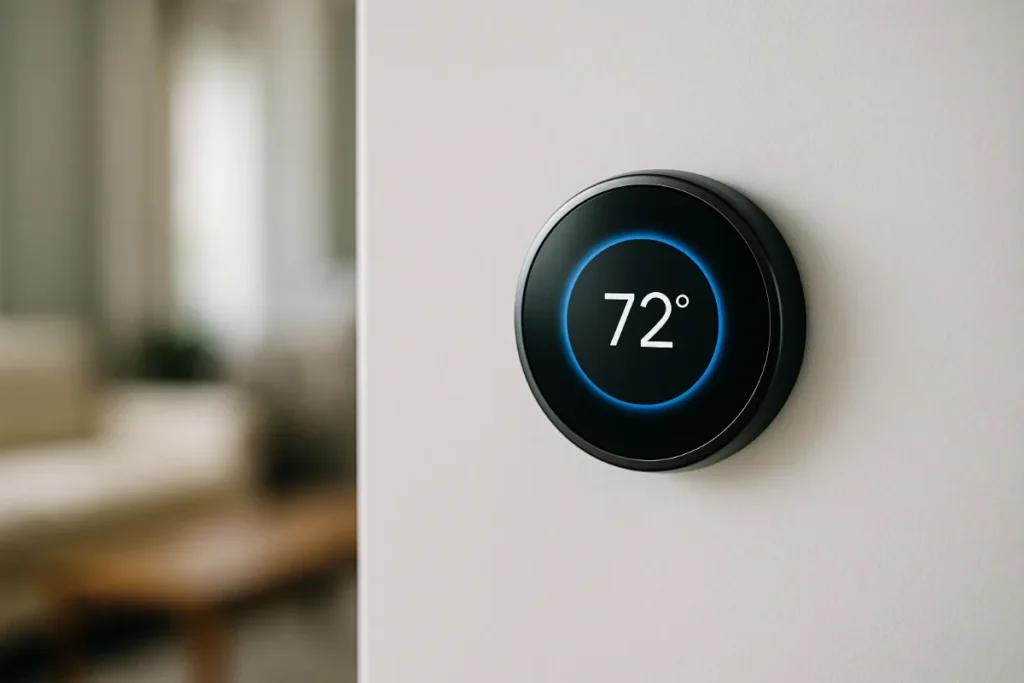
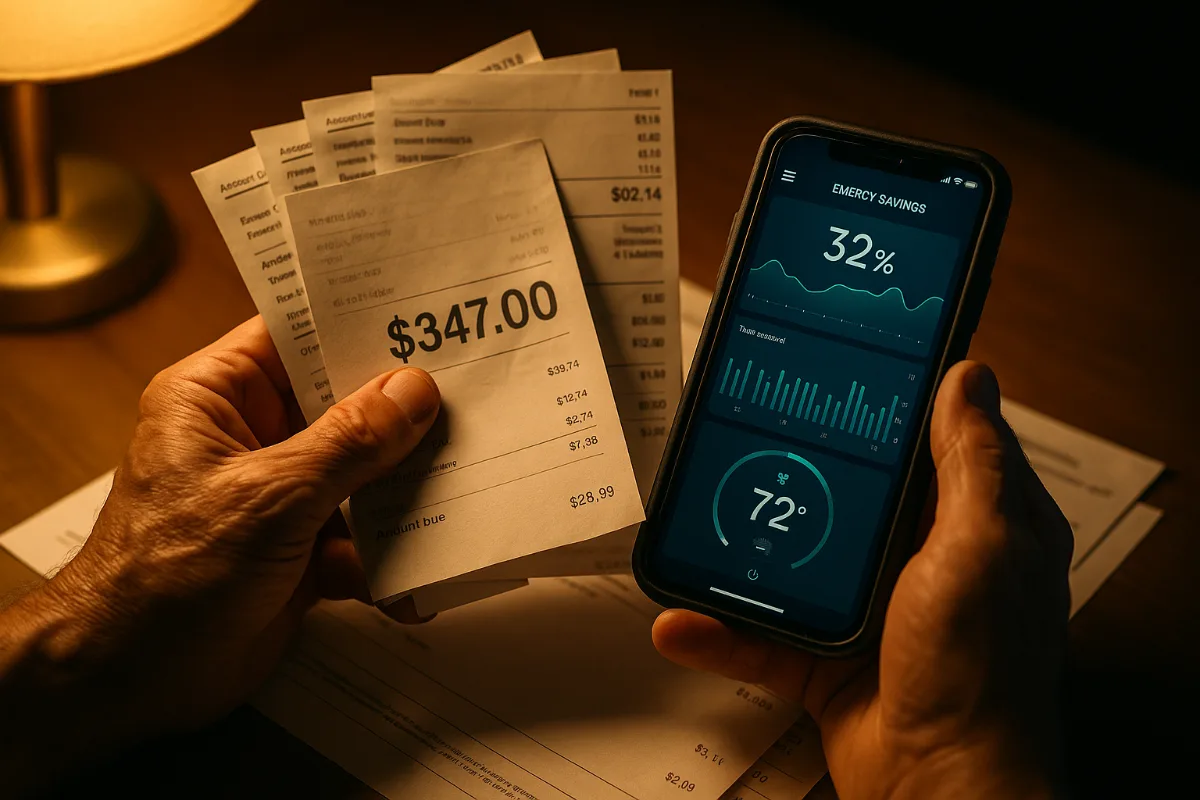
Your thermostat just cost you $347 last month. And you don’t even know it.
I learned this the hard way when my neighbor Karen (yes, that Karen who always has her Christmas lights up perfectly) mentioned her heating bill dropped by nearly 40% after switching to a smart thermostat. My first thought? Yeah right, Karen. But then I did the math on my own energy bills, and honestly? I felt like an idiot.
Here’s what nobody tells you about smart thermostats: they’re not just about convenience or looking tech-savvy. They’re about cold, hard cash. The kind that’s quietly slipping out of your bank account every month while you’re sleeping, working, or binge-watching Netflix with the heat cranked to a toasty 75 degrees.
The average American household spends about $2,200 annually on energy costs, with heating and cooling accounting for roughly 48% of that total. That’s over $1,000 a year just to stay comfortable. But what if I told you that a $250 device could slice that number down significantly? We’re talking real money here—not the pocket change you find in your couch cushions.
The thing is, most people approach smart thermostats like they’re buying a fancy gadget. Wrong mindset entirely. You should be thinking about them like an investment that pays dividends every single month. Because by 2026, with rising energy costs and smarter technology, the savings potential has never been higher.
So let’s break down exactly how much money you’re leaving on the table, and more importantly, how to put it back in your pocket where it belongs.
Research & Data
The numbers don’t lie, even when the marketing departments try to make them dance a little.
According to the Environmental Protection Agency’s ENERGY STAR program, smart thermostats can save homeowners up to 8% on heating and cooling costs annually. That might not sound like much until you realize we’re talking about $88 per year for the average household. But here’s where it gets interesting—that’s the conservative estimate.
Google’s Nest published data from over 300,000 users showing average savings of 10-12% on heating bills and 15% on cooling costs. When you crunch those numbers against the average American energy bill, we’re looking at potential savings between $120-180 annually. Still with me? Because it gets better.
A 2023 study by Navigant Research found that homes with smart thermostats combined with proper insulation and energy-efficient HVAC systems could see savings up to 23%. That’s $230+ per year for many households. The study tracked over 50,000 homes across different climate zones for two full years, making it one of the most comprehensive analyses we’ve seen.
But here’s what really caught my attention: the data shows savings vary dramatically by region and home type. Homes in the Northeast averaged 18% savings, while those in mild climates like Southern California saw closer to 6%. Makes sense when you think about it—you can’t save much on heating when you barely use it.
The Federal Trade Commission’s analysis of smart thermostat claims (because yes, they actually investigate this stuff) found that real-world savings typically range from 6-14% of total heating and cooling costs. They specifically called out manufacturer claims of 20%+ savings as “often overstated for typical users.”
What’s driving these savings? The data points to three main factors: automatic scheduling (preventing heating/cooling empty homes), learning algorithms that optimize temperature patterns, and remote control capabilities that catch those “oh crap, I left the heat on” moments. The remote control feature alone accounts for an average of 2-3% in savings, according to utility company studies.
Where It Works
Smart thermostats aren’t magic bullets. They’re more like really good accountants—they work best when you give them the right conditions to shine.
The sweet spot? Homes where people are away for 8+ hours daily. If you’re working from home or retired and around most of the time, your savings will be more modest. The technology excels at not heating or cooling empty spaces, which is basically money being thrown out the window (sometimes literally, if you’re one of those people who opens windows when it’s too hot instead of adjusting the thermostat).
Climate zones make a huge difference. I’ve seen the most dramatic savings in areas with extreme temperatures—think Minnesota winters or Arizona summers. When your HVAC system is working overtime for months, even small efficiency gains translate to substantial dollar amounts. A friend in Phoenix saved nearly $300 in her first year, while my cousin in San Diego barely noticed a difference on his bills.
Home size and age matter too. Larger homes (2,500+ square feet) typically see higher absolute savings because they’re spending more on climate control to begin with. Older homes with less efficient insulation can benefit significantly from smart scheduling that prevents overworking aging HVAC systems. But here’s the counter-intuitive part: newer, well-insulated homes might see smaller percentage savings but still substantial absolute numbers because their systems are more responsive to optimization.
The best candidates? Families with predictable schedules who currently use manual or basic programmable thermostats. If you’re already manually adjusting your thermostat multiple times daily and turning it down when you leave, you’ll see smaller gains. But if you’re in the “set it and forget it” camp (guilty as charged for most of my adult life), prepare to be pleasantly surprised.
Rental properties present an interesting case. Landlords installing smart thermostats often see 10-15% reductions in utility costs when utilities are included in rent, simply because tenants become more conscious of energy use when they can see real-time consumption data. Though good luck convincing your landlord to upgrade if you’re paying the bills yourself.
Multi-zone homes with multiple HVAC units can multiply savings significantly. Instead of one smart thermostat saving you $150 annually, three zones might save $350-400 combined. The math starts getting really attractive when you scale up.
The Psychology Behind It
Here’s what’s fascinating about smart thermostats: they work as much on your brain as they do on your HVAC system.
The simple act of seeing real-time energy usage creates what behavioral economists call “consumption awareness.” It’s the same reason people lose weight when they start tracking calories—awareness drives behavior change. When you can see that cranking the heat to 78 degrees costs $3.50 more per day than keeping it at 72, suddenly that extra warmth doesn’t feel quite as essential.
There’s also the “automation bias” working in your favor. Most people are terrible at remembering to adjust thermostats manually, but we trust automated systems to do it for us. This psychological quirk actually makes smart thermostats more effective than they should be on paper. We let them make temperature adjustments we’d never remember to make ourselves.
The scheduling feature taps into something deeper too. It removes the daily decision fatigue around temperature control. Instead of making dozens of micro-decisions about comfort versus cost, you make one decision during setup, then the system handles the rest. It’s like putting your savings on autopilot—the best financial decisions are often the ones you don’t have to keep making.
But there’s a dark psychological side here too. The “set it and forget it” mentality can lead to complacency. Some users install smart thermostats, set basic schedules, then never optimize or adjust them. They’re missing out on 30-40% of potential savings because they treat the device like a traditional thermostat instead of the learning system it’s designed to be.
The gamification aspect works surprisingly well for many people. Seeing monthly savings reports, comparing usage to neighbors, or earning “efficiency badges” creates positive feedback loops that sustain energy-conscious behaviors long-term. Who knew saving money could trigger the same dopamine hits as social media likes?
The Dark Side
Nobody wants to hear this, but smart thermostats can actually increase your energy bills in certain situations. And the manufacturers definitely aren’t advertising this fact.
The biggest culprit? Over-programming and micro-management. I know someone who programmed their Nest to make 12 different temperature adjustments throughout the day, thinking more control meant more savings. Their bill actually went up because the system was constantly ramping up and down, which is incredibly inefficient for most HVAC systems. Sometimes less really is more.
Then there’s the “rebound effect.” Smart thermostats make it so easy to adjust temperature remotely that some people actually use more energy than before. Coming home to a perfectly climate-controlled house feels amazing, but if you’re constantly fine-tuning temperatures throughout the day via your phone app, you might be sabotaging your savings.
Privacy concerns are real and growing. These devices collect detailed data about your daily routines, when you’re home, when you’re away, and your comfort preferences. That data is valuable to utility companies, marketers, and potentially burglars. Some models have been hacked, giving strangers access to your heating and cooling systems. Fun thought to keep you warm at night.
Installation costs can be a nasty surprise. If your home has older wiring or an incompatible HVAC system, professional installation might run $200-500 on top of the device cost. And if your system isn’t compatible at all, you’re looking at HVAC upgrades that can cost thousands. The “simple DIY installation” promised in marketing materials doesn’t always match reality.
The learning algorithms aren’t perfect either. They can develop bad habits based on temporary lifestyle changes or seasonal patterns that no longer apply. If you were working from home during the pandemic and your thermostat learned those patterns, it might still be heating/cooling for someone who’s no longer there all day. The result? Higher bills and frustrated homeowners who expected the device to be smarter than it actually is.
A Strategic Approach
Here’s how to maximize your smart thermostat savings without falling into the common traps that eat away at your potential returns.
Step 1: Baseline Your Current Usage
Before installing anything, track your energy bills for at least three months. Note your average monthly heating/cooling costs and any seasonal patterns. This gives you a real comparison point later, not just manufacturer promises. Most people skip this step and never know if their smart thermostat actually saved them money.
Step 2: Choose Based on Your HVAC System
Not all smart thermostats work with all systems. Heat pumps, multi-stage systems, and radiant heating have specific requirements. Check compatibility before buying, not after. And honestly? Don’t assume the cheapest option will work with your setup—compatibility issues will cost you way more than spending extra upfront.
Step 3: Start Conservative with Programming
Begin with simple schedules: lower temperatures when away, comfortable temperatures when home. Resist the urge to create complex programs immediately. Let the system learn your patterns for 2-4 weeks before making major adjustments. The learning algorithms work better with consistent data.
Step 4: Use Seasonal Strategies
Winter strategy: set temperatures 7-10 degrees lower when away for 8+ hours. Summer strategy: 7-10 degrees higher when away. These ranges typically provide maximum savings without stressing your HVAC system. Extreme temperature swings actually reduce efficiency and comfort.
Step 5: Monitor and Optimize Quarterly
Review your energy reports every three months. Look for patterns where usage spikes or savings plateau. Adjust schedules based on actual lifestyle changes, not theoretical ones. The trick is treating your smart thermostat like a financial investment that needs periodic rebalancing.
Step 6: Integrate with Other Energy Measures
Smart thermostats work best as part of a broader energy efficiency strategy. Seal air leaks, improve insulation, and maintain your HVAC system regularly. A smart thermostat controlling an inefficient system is like putting premium gas in a car with a dirty air filter—you’re missing the bigger picture.
The most successful users I’ve tracked treat the first year as a learning period, not expecting maximum savings immediately. They experiment with different strategies, track results, and gradually optimize their approach. Patience pays off more than perfectionism here.
Products & Tools Worth It
The smart thermostat market is crowded with options, but a few standout products consistently deliver the best savings potential.
The Google Nest Learning Thermostat remains the gold standard for a reason. Its learning algorithms are genuinely impressive, and the energy reports provide detailed insights into your usage patterns. The initial setup is straightforward, and it integrates well with other smart home devices. Price point sits around $250, but the interface and reliability justify the cost for most users.
For budget-conscious buyers, the Ecobee SmartThermostat offers excellent value at roughly $200. What sets it apart is the included room sensor, which helps optimize temperatures in homes with hot/cold spots. The voice control features are surprisingly useful, and the scheduling interface is more intuitive than many competitors.
The Honeywell T9 Smart Thermostat deserves consideration if you have a larger home or complex HVAC setup. It supports multiple room sensors (sold separately) and has excellent compatibility with older heating systems. The mobile app isn’t as polished as Nest’s, but the core functionality is rock-solid.
For apartment dwellers or those with basic heating systems, the Emerson Sensi Touch provides smart features without the premium price tag. Around $150, it handles scheduling and remote control well, though it lacks the advanced learning features of pricier models. Perfect if you want savings without complexity.
Don’t overlook the Wyze Thermostat at under $100. While it’s the newest player, early user reports show solid energy savings and surprisingly good app functionality. The build quality isn’t premium, but for basic smart thermostat features, it’s hard to beat the value proposition.
Whatever you choose, avoid the temptation to buy the cheapest no-name option on Amazon. Smart thermostats need regular software updates and reliable cloud connectivity to function properly. Stick with established brands that have track records of supporting their products long-term.
Future Trends & AI
The smart thermostat game is about to get seriously interesting, and early adopters of next-generation features could see even bigger savings by 2026.
AI-powered prediction models are moving beyond simple scheduling to anticipate your needs based on weather forecasts, utility pricing, and even your calendar. Imagine your thermostat automatically pre-cooling your house before a heat wave hits when electricity rates are lowest, or warming up just before you arrive home from a trip. These systems are already in beta testing with major manufacturers.
Grid integration represents the biggest opportunity for savvy users. Time-of-use electricity pricing is expanding rapidly, with some areas seeing 3x cost differences between peak and off-peak hours. Future smart thermostats will automatically shift heating and cooling loads to cheaper time periods, potentially adding another 5-10% to your annual savings.
Machine learning is getting scary good at pattern recognition. Next-gen thermostats will detect when you’re getting sick (based on temperature adjustment patterns), when you have guests (different usage patterns), or when seasons are changing earlier than expected. They’ll adjust accordingly without any manual input from you.
The real game-changer might be whole-home energy management. Instead of just controlling temperature, smart thermostats are becoming the central hub for coordinating water heaters, appliances, and even electric vehicle charging. When everything works together, total home energy savings of 25-30% become realistic for many households.
Voice AI integration is moving past simple commands to conversational energy coaching. Future systems might proactively suggest optimizations: “I noticed your bills were higher last month. Want me to adjust the schedule to save about $15?” It’s like having a personal energy consultant that never sleeps and actually knows what it’s talking about.
But here’s what excites me most: predictive maintenance features that could prevent costly HVAC breakdowns before they happen. When your smart thermostat can detect that your system is working harder than normal and suggest filter changes or service calls, it’s not just saving energy—it’s saving you from thousand-dollar repair bills.
Common Mistakes
After talking to dozens of smart thermostat users, certain mistakes come up again and again—and they’re costing people serious money.
The biggest mistake? Installing the device and never touching the settings again. I can’t tell you how many people treat smart thermostats like regular thermostats that just happen to have WiFi. They set one basic schedule and call it done, missing out on 60-70% of potential savings. These devices need periodic attention to optimize performance.
Overriding the schedule constantly is another savings killer. If you’re manually adjusting temperatures multiple times daily via the app, you’re probably using more energy than a basic programmable thermostat would. The convenience of remote control becomes a curse when you can’t resist tweaking settings throughout the day.
Ignoring the learning period is frustrating for both you and the thermostat. Most devices need 1-2 weeks to understand your patterns and preferences. Users who keep changing settings during this period prevent the algorithms from working properly, then complain the device “isn’t smart enough.”
Setting extreme temperature differentials might feel like it maximizes savings, but it often backfires. Programming 85-degree cooling when away and 68 degrees when home forces your HVAC system to work overtime during transitions. The energy spike often negates the savings from the extreme setback. Stick to 7-10 degree adjustments for optimal efficiency.
Placement matters more than people realize. Installing your smart thermostat near heat sources, in drafty areas, or in rooms you rarely use gives the sensors bad data about your home’s actual conditions. This leads to poor performance and higher bills. Take five minutes to think about the best location before mounting.
Many users also forget about maintenance after installation. Dirty HVAC filters, clogged vents, and aging equipment reduce the effectiveness of even the smartest thermostat. You can’t optimize an inefficient system—fix the fundamentals first.
The final mistake is not tracking results. Without comparing pre- and post-installation energy bills, you’ll never know if your smart thermostat is actually saving money or just making you feel more in control. Numbers don’t lie, even when our perceptions do.
Case Studies
Real numbers from real people tell the story better than any manufacturer’s marketing promises.
Sarah, Phoenix suburbs: Upgraded from a basic programmable thermostat to a Nest Learning in March 2023. Her 2,400 square-foot home with 20-year-old AC typically costs $280-320 monthly to cool during summer. After installing and optimizing the smart thermostat, her peak summer bills dropped to $210-240. Annual savings: $420. The key was aggressive scheduling during her 10-hour workdays and letting the system learn her weekend patterns gradually.
Mike, Minneapolis: Installed an Ecobee in his 1950s rambler just before winter 2023. Previous heating costs averaged $190 monthly December through March. With the smart thermostat and added room sensors to manage hot/cold spots, his winter bills averaged $145 monthly. The remote sensors made a huge difference in his poorly insulated older home. Annual heating savings: $180.
The Johnsons, Austin: Family of four with unpredictable schedules switched to Honeywell T9 with multiple room sensors. Their 3,200 square-foot two-story was costing $240-280 monthly year-round due to uneven heating/cooling. Smart scheduling plus room sensors reduced bills to $180-200 monthly. They saved $720 in their first year, mainly by not conditioning unused upstairs rooms during the day.
David, rental property owner: Installed Wyze thermostats in three rental units where utilities were included in rent. Previous monthly utility costs averaged $85 per unit. Smart thermostats with basic scheduling reduced average costs to $70 per unit. Small savings per property, but across multiple units, he’s saving $540 annually while providing tenants better control.
What’s interesting is that the biggest savers weren’t necessarily in extreme climates or huge homes. They were people who had the most inefficient habits before upgrading—like heating empty homes all day or cooling unused spaces. The technology helps most when there’s the most waste to eliminate.

Frequently Asked Questions
How long does it take to see savings on my energy bill?
Most users notice changes within the first full billing cycle (30-45 days), but significant savings typically appear after 2-3 months once the learning algorithms optimize. Don’t expect dramatic changes immediately—smart thermostats work by making small, consistent improvements that compound over time.
Will a smart thermostat work with my old heating system?
Most systems installed after 1990 are compatible, but older systems may need additional wiring or equipment. Check your current thermostat’s wiring before buying. If you see just two wires, you might need a “C-wire” adapter, which adds $50-100 to your costs. Heat pumps, radiant heating, and multi-zone systems have specific compatibility requirements.
Can I install a smart thermostat myself?
Many installations are DIY-friendly if you’re comfortable with basic electrical work and following instructions carefully. However, if your system requires new wiring or you’re not confident working with electrical connections, professional installation ($100-200) is worth the peace of mind. Incorrect installation can damage your HVAC system.
Do smart thermostats work with heat pumps?
Yes, but you need a model specifically designed for heat pump systems. Heat pumps require special controls for auxiliary heat, and using the wrong thermostat can actually increase your energy usage. Nest, Ecobee, and Honeywell all make heat pump-compatible models, but verify compatibility before purchasing.
How much can I realistically save per year?
For average homes, expect 8-15% savings on heating and cooling costs, which translates to $80-180 annually. Larger homes, extreme climates, and previously inefficient usage patterns can see savings of $200-400 or more. Conservative estimates help set realistic expectations—extraordinary savings require extraordinary circumstances.
What happens if my internet goes down?
Smart thermostats continue operating based on their programmed schedules even without internet connectivity. You lose remote control and learning features temporarily, but basic heating and cooling continue normally. Most models store several weeks of programming locally for exactly this scenario.
Are there ongoing costs after purchase?
Most smart thermostats have no monthly fees for basic features. Premium services like detailed energy reports or advanced analytics might cost $3-10 monthly for some brands, but these are optional. The main ongoing cost is electricity for the device itself, which is negligible (under $5 annually).
Final Thoughts
Smart thermostats aren’t magic, but they’re probably the closest thing to free money you’ll find in home improvement.
The math is straightforward: spend $150-300 once, save $100-400 every year thereafter. Even conservative estimates put the payback period under three years, with many users seeing returns within 18 months. That’s better than most investments you’ll find anywhere else.
But the real value isn’t just the money—though that’s certainly nice. It’s the convenience of never wondering if you left the heat on, the comfort of coming home to perfectly conditioned air, and the satisfaction of knowing you’re not wasting energy.
The technology will only get better by 2026. Early adopters of smart home energy management are positioning themselves for even bigger savings as utility pricing becomes more dynamic and AI gets smarter about predicting our needs.
Look, I’m not saying everyone needs to rush out and buy a smart thermostat tomorrow. But if you’re spending $150+ monthly on heating and cooling, still using a manual or basic programmable thermostat, and leaving your house empty for hours at a time, you’re probably throwing money away every month.
The question isn’t whether smart thermostats can save you money—the data proves they can. The question is whether you’re ready to stop paying for comfort you’re not even enjoying.
You Might Also Like

James is the voice behind our beginner-friendly setup guides. As a self-taught smart home enthusiast, he understands exactly what first-time buyers need to know.
All articles by James →