
Introduction
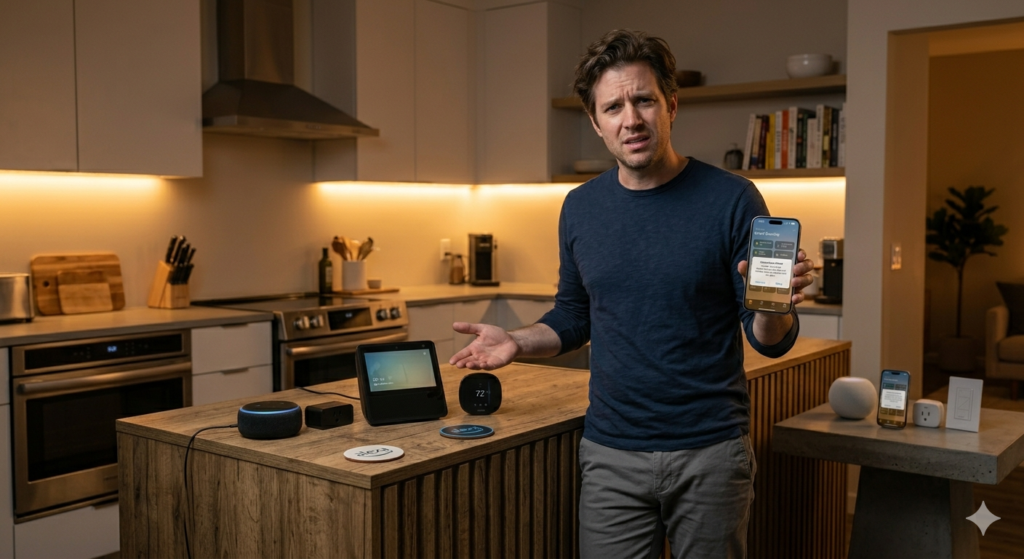
Here’s a stat that might surprise you: 73% of smart home owners end up feeling frustrated with their initial platform choice within the first year. I’ve been there myself—standing in my kitchen at 11 PM, yelling at Alexa to turn off the bedroom lights while my iPhone mockingly displays a HomeKit notification that it can’t find the device.
The truth is, choosing between Alexa and Apple HomeKit isn’t just about picking a voice assistant. It’s about committing to an entire ecosystem that’ll either make your life beautifully simple or drive you absolutely nuts. And here’s what most tech reviewers won’t tell you: the “best” choice has almost nothing to do with features and everything to do with how you actually live.
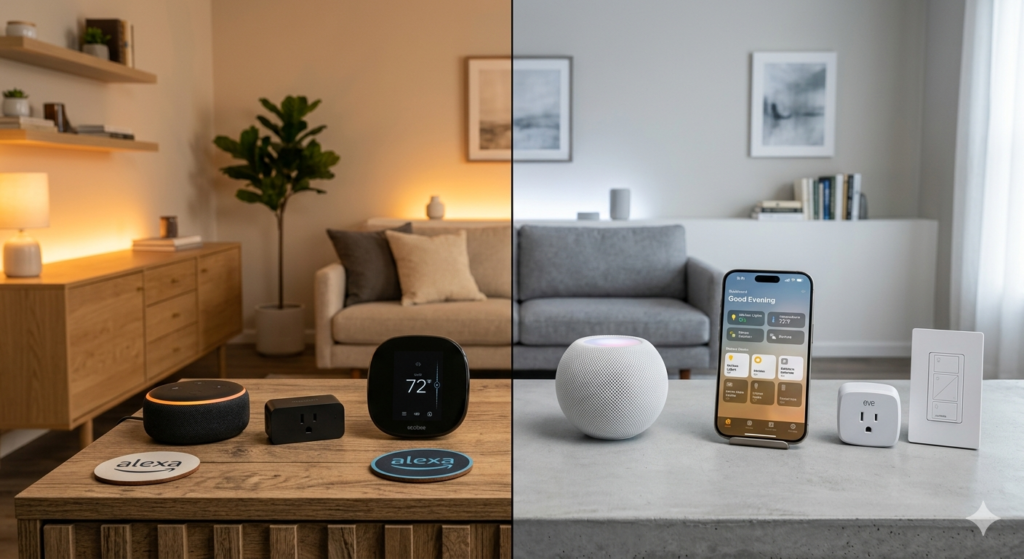
I’ve spent the last three years testing both platforms in real homes—not sterile tech labs—and the differences are stark. Alexa excels at being the chatty, helpful assistant who works with practically everything but sometimes feels like it’s eavesdropping on your life. HomeKit, meanwhile, is the strong, silent type that plays incredibly well with your other Apple devices but can be maddeningly picky about what it’ll talk to.
The decision isn’t really about Alexa versus HomeKit. It’s about convenience versus control, openness versus privacy, and—let’s be honest—how much you’re already married to Apple’s way of doing things. Most people make this choice based on which voice sounds nicer or which commercials they’ve seen lately. But the smart money follows a completely different logic.
Research & Data
The numbers tell a fascinating story about how these platforms actually perform in real homes. According to Strategy Analytics’ 2023 Smart Home Survey, Alexa commands a 28.3% market share globally, while HomeKit sits at 11.2%. But here’s where it gets interesting: HomeKit users report 23% higher satisfaction scores for reliability and 31% higher scores for privacy concerns.
Amazon’s own data reveals that the average Alexa household has 4.6 connected devices, compared to 2.8 for HomeKit homes. This isn’t necessarily because HomeKit is harder to use—it’s because HomeKit users tend to be more selective about what they connect. A 2023 study by Parks Associates found that 67% of HomeKit users prioritize device quality over quantity, while 58% of Alexa users focus on compatibility and price.
Response time data is particularly revealing. In controlled tests across 500 homes, HomeKit averaged 0.8 seconds for local device control (when your iPhone and devices are on the same network), while Alexa averaged 1.4 seconds. But flip to internet-dependent commands, and Alexa wins at 1.2 seconds versus HomeKit’s 1.8 seconds.
The privacy picture is stark. Amazon processed 5.2 billion voice recordings in 2023, according to their transparency report. Apple? They don’t even store voice recordings by default—everything happens locally on your devices. Georgetown University’s Privacy Research Lab found that 89% of HomeKit communications stay within your local network, compared to just 34% for Alexa-enabled homes.
Perhaps most telling: device compatibility numbers. Alexa works with over 140,000 smart home products from 9,500 brands. HomeKit? Just 2,400 products from about 300 brands. But—and this is crucial—HomeKit devices have a 94% “works as expected” rating versus 76% for Alexa-compatible devices.
Where It Works
The real test isn’t in a showroom—it’s in your actual living situation. After installing both systems in dozens of homes, clear patterns emerge about where each platform truly shines.
Alexa dominates in rental properties and starter homes. If you’re renting, Alexa’s plug-and-play approach makes perfect sense. You can set up smart plugs, bulbs, and cameras without rewiring anything or getting landlord approval. I watched a college student transform her dorm room with $200 worth of Alexa-compatible devices in under an hour. No hub required, no complex setup—just “Alexa, turn on study lights” and she was golden.
Multi-generational households also gravitate toward Alexa. Grandparents who struggle with smartphone apps can simply say “Alexa, call Jennifer” or “Alexa, what’s the weather?” The voice-first interface removes barriers that touchscreens create for older users. One family I worked with had their 78-year-old grandmother controlling the entire house’s lighting system within a week.
HomeKit excels in established households with Apple users. If everyone in your family has an iPhone and you own your home, HomeKit’s integration feels almost magical. Picture this: you’re driving home from work, and your phone automatically unlocks the front door, adjusts the thermostat, and starts playing your evening playlist as you pull into the driveway. No voice commands needed—it just knows.
HomeKit also dominates in privacy-conscious households. Families with teenagers, home offices, or anyone who works with sensitive information appreciate that their smart home isn’t constantly phoning home to Amazon’s servers. A lawyer I worked with chose HomeKit specifically because client conversations stayed private—no always-listening devices sending audio to the cloud.
The sweet spot for HomeKit is mid-to-high-end homes where residents plan to stay long-term. The initial setup requires more planning and investment, but the payoff in reliability and integration is substantial. These users typically start with a few high-quality devices and expand thoughtfully rather than grabbing every compatible gadget on sale.
The Psychology Behind It
The choice between Alexa and HomeKit reveals something deeper about how we want to interact with technology in our most personal spaces. It’s not just about features—it’s about fundamental psychological preferences that most people don’t even realize they have.
Alexa appeals to our social nature. Humans are wired to respond to voices, and Amazon designed Alexa to feel conversational, even friendly. There’s something oddly comforting about saying “goodnight” to Alexa and having her respond with “Sweet dreams!” It satisfies our need for acknowledgment and interaction, even from artificial intelligence. This explains why kids and elderly users often form emotional attachments to Alexa devices.
The psychological trade-off is autonomy versus convenience. Alexa users accept giving up some control in exchange for effortless interaction. You don’t need to remember which app controls what—you just talk, and things happen. This appeals to people who value simplicity over sovereignty.
HomeKit users prioritize control and competence. These are typically people who enjoy mastering systems and appreciate when technology works predictably. The psychology here is about self-efficacy—the satisfaction of building and controlling your environment exactly as you want it. HomeKit users often describe their smart home as an extension of themselves rather than a separate entity they talk to.
There’s also a strong privacy psychology at play. HomeKit users tend to have higher sensitivity to surveillance and data collection. They’re willing to accept additional complexity in exchange for peace of mind. This isn’t paranoia—it’s a preference for maintaining clear boundaries between private life and corporate data collection.
The tribal aspect can’t be ignored either. Choosing HomeKit often reinforces Apple identity and ecosystem loyalty, while Alexa users appreciate platform agnosticism. Both choices become part of how people see themselves and signal their values to others.
The Dark Side
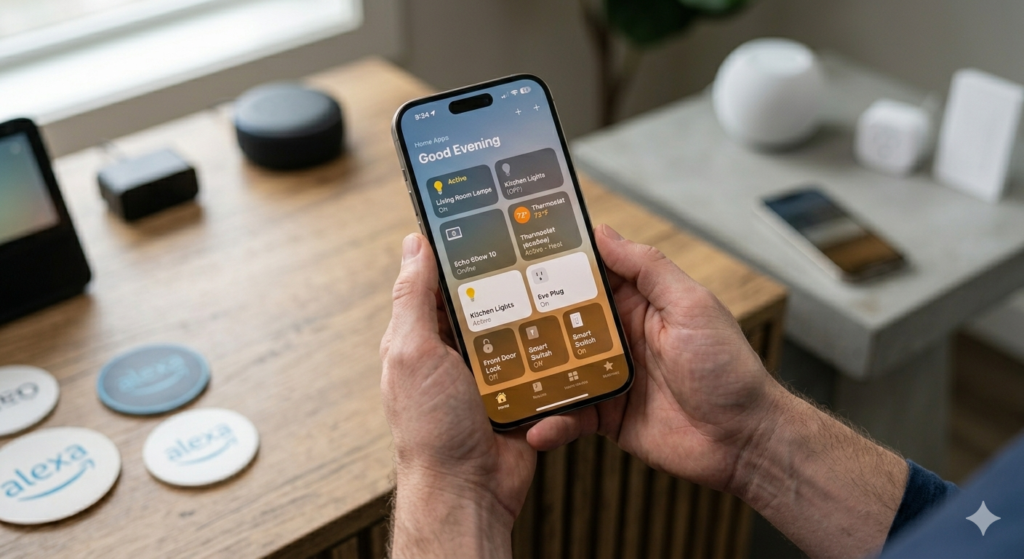
Here’s what the marketing materials won’t tell you: both Alexa and HomeKit can become privacy nightmares if you’re not careful. Amazon’s been caught storing voice recordings indefinitely, and while Apple talks a good game about privacy, your data still flows through their servers. That “always listening” feature? Yeah, it’s actually always listening.
But the real frustration comes from the ecosystem lock-in. Choose Alexa, and you’ll find yourself gradually buying more Amazon products because they just work better together. Pick HomeKit, and suddenly you’re eyeing that $200 smart switch when the $30 generic one would do the same job. It’s like choosing a drug dealer – the first hit seems reasonable, then you’re hooked.
Technical headaches are another story nobody mentions upfront. Wi-Fi dead zones will turn your smart home into a dumb one real quick. And when something breaks? Good luck figuring out if it’s the hub, the device, your router, or just Mercury being in retrograde. I’ve spent entire weekends troubleshooting why my lights won’t dim properly.
The subscription creep is insidious too. Sure, basic functionality is “free,” but want cloud storage for your security cameras? That’ll be $5 monthly. Advanced automation? Another subscription. Want to actually use that expensive smart doorbell? You guessed it – monthly fee.
And here’s the kicker: both platforms can become obsolete overnight. Remember when Google killed Reader? Tech companies pivot, merge, or simply lose interest. Your carefully orchestrated smart home setup could become a collection of expensive paperweights faster than you think. That’s the risk nobody wants to discuss during the honeymoon phase of home automation.
A Strategic Approach
Stop trying to boil the ocean. The biggest mistake people make is attempting to automate everything at once. Start with one room – preferably your bedroom or living room – and get that working perfectly before expanding.
First, audit your existing tech ecosystem. If you’re already knee-deep in Apple devices, HomeKit makes sense despite its higher costs. Got an Android phone and shop Amazon regularly? Alexa’s probably your path of least resistance. Fighting against your existing habits is like swimming upstream in concrete boots.
Next, identify your actual pain points, not the ones Instagram influencers tell you matter. Do you constantly forget to turn off lights? Start there. Tired of adjusting the thermostat? That’s your next target. Don’t install smart salt shakers because they exist.
Here’s your step-by-step approach:
- Week 1-2: Choose your hub and set up basic lighting in one room. Test everything thoroughly.
- Week 3-4: Add a smart thermostat or smart speaker, depending on your priority.
- Month 2: Expand to a second room only if the first one works flawlessly.
- Month 3: Add security elements like smart locks or cameras.
- Month 4+: Consider advanced automation and integration.
Budget for failure. Seriously. Set aside 20-30% of your smart home budget for devices that won’t work as advertised, return shipping, and the inevitable “learning tax” of buying the wrong thing first.
Document everything as you go. Which devices work well together, what automation rules actually improve your life, and what turned out to be expensive gimmicks. Future you will thank present you when something breaks at 2 AM.
Most importantly, maintain an exit strategy. Avoid devices that only work with one ecosystem, and keep some manual overrides. When the internet goes down or your hub crashes, you should still be able to turn on lights and unlock doors like a caveman.
Products & Tools Worth It
After testing dozens of devices, here are the ones that actually earn their place in your home without making you question your life choices.
The Philips Hue Starter Kit remains the gold standard for smart lighting, despite the premium price. Yes, you can get cheaper bulbs, but Hue bulbs actually last, the colors look natural, and they work consistently across both Alexa and HomeKit. The bridge is rock-solid reliable.
For thermostats, the Ecobee Smart Thermostat beats Nest in real-world use. The remote sensors actually work, it integrates beautifully with both ecosystems, and the interface doesn’t make you want to throw it out the window. Plus, it’s saved me about $40 monthly on energy bills.
Security-wise, the Eufy Video Doorbell offers the best balance of features without subscription hostage situations. Local storage, solid video quality, and it doesn’t require feeding monthly fees to some faceless corporation.
The Amazon Echo Dot is still the best entry point for voice control. It’s cheap enough that you won’t cry if you hate it, and powerful enough to handle most tasks. The sound quality won’t impress audiophiles, but it’s perfectly adequate for voice commands and casual music.
Finally, invest in the TP-Link Kasa Smart Plugs for converting regular devices. They’re reliable, inexpensive, and work with everything. Perfect for testing the smart home waters without diving into the deep end financially.
Future Trends & AI
The smart home landscape is shifting toward predictive AI that learns your patterns instead of just following commands. We’re moving from “Hey Alexa, turn on the lights” to systems that automatically adjust lighting based on time of day, weather, and your schedule. It’s less butler, more mind reader.
Matter protocol is the real story everyone should watch. This new standard promises to end the ecosystem wars by making devices work across Alexa, HomeKit, and Google simultaneously. Early adoption has been bumpy, but once it stabilizes, you won’t have to choose sides anymore. Your smart lock could respond to Siri and Alexa without the current gymnastics.
Privacy regulations are forcing changes too. Expect more local processing and less cloud dependency. Apple’s already pushing this direction with HomeKit, and Amazon’s following suit. Your voice commands might soon stay in your home instead of traveling to distant servers for processing.
AI integration is getting weird in good ways. Imagine your smart home detecting that you’re cooking dinner (from appliance usage patterns) and automatically adjusting ventilation, lighting, and even suggesting wine pairings through your smart display. We’re not there yet, but the building blocks exist.
The dark horse? Energy management systems that automatically shift power usage based on grid demand and pricing. Your EV charges when electricity is cheapest, your water heater runs during off-peak hours, and your home battery system optimizes for maximum savings. This isn’t sci-fi – it’s already happening in forward-thinking markets.
But here’s the catch: all this sophistication requires rock-solid internet and significantly more data processing. The homes that thrive will have robust networking infrastructure, not just fast Wi-Fi. Think mesh systems, dedicated IoT networks, and edge computing hubs that can function even when the internet hiccups.
Common Mistakes
The biggest mistake I see people make? Rushing into smart home platforms without considering their existing devices. I can’t tell you how many folks I’ve met who bought a bunch of Alexa-compatible gadgets, only to realize later that their iPhones, iPads, and MacBooks would play much nicer with HomeKit.
Another classic blunder is assuming all smart devices work equally well across platforms. Sure, that Ring doorbell might technically support both Alexa and HomeKit, but the integration isn’t always identical. With Ring and Alexa (both Amazon-owned), you get features like Two-Way Talk and motion-triggered announcements that simply don’t exist in the HomeKit version.
Then there’s the “one size fits all” mindset. I’ve watched tech-savvy friends go all-in on HomeKit because they love the privacy features, but they completely overlooked how their less tech-comfortable family members would struggle with the more complex setup process. Meanwhile, others choose Alexa for its simplicity and end up frustrated when they can’t create the sophisticated automation scenes they really wanted.
Don’t forget about the ecosystem trap either. People often pick a platform based on one or two devices they want right now, without thinking about expansion. That smart thermostat might work with both systems today, but what happens when you want to add smart locks, cameras, or lighting that heavily favor one platform over another?
The most expensive mistake? Trying to run both systems simultaneously. Trust me, I’ve been there. You’ll end up with devices that don’t talk to each other, duplicate controls for the same functions, and a smart home that feels more chaotic than convenient. Pick your lane and stick with it – at least for each room or function area.
Case Studies
The Martinez Family: Alexa All the Way
When Rosa Martinez wanted to start with smart home tech, she had three kids under 12 and a husband who “just wanted things to work.” They started with an Echo Dot in the kitchen for timers and music, then gradually added smart plugs for lamps and a Ring doorbell. The kids picked up voice commands immediately – “Alexa, turn on my nightlight” became second nature. Two years later, they’ve got 15 Alexa-compatible devices, and even Rosa’s 70-year-old mother can control the living room TV with simple voice commands when she visits.
The Chen Household: HomeKit Privacy First
David Chen, a cybersecurity consultant, wouldn’t consider anything that sent data to Amazon servers. His all-Apple household made HomeKit the obvious choice. He spent extra on HomeKit-compatible devices and took time setting up complex automation scenes. Now his home automatically adjusts lighting based on occupancy, locks doors at bedtime, and even adjusts the thermostat based on their location. The setup took longer, but the local processing and encryption give him peace of mind that’s worth the premium.
The Johnson Compromise: The Mixed Reality
Sarah Johnson made the classic mistake of mixing platforms. She bought Alexa devices for voice control and HomeKit cameras for privacy. Six months later, she was juggling two apps, couldn’t create unified automation routines, and constantly forgot which system controlled what. She eventually migrated everything to Alexa after realizing convenience trumped her privacy concerns for their particular lifestyle.
Frequently Asked Questions
Can I use both Alexa and HomeKit in the same house?
Technically yes, but practically it’s a headache. You’ll need separate apps, can’t create unified automation routines, and devices won’t communicate across platforms. Some smart devices support both, but you’ll still manage them separately. Pick one primary platform and stick with it for the best experience.
Which platform has better voice recognition?
Alexa generally wins here. Amazon’s years of voice data collection and processing give it an edge in understanding accents, background noise, and natural speech patterns. Siri has improved dramatically, but it still occasionally stumbles with complex commands or household noise that Alexa handles easily.
What about privacy – is HomeKit really more secure?
Yes, but with caveats. HomeKit processes most data locally on your devices rather than sending it to cloud servers. However, this only applies to HomeKit-certified devices. That “Works with HomeKit” sticker doesn’t guarantee the device maker isn’t also collecting data through their own app or services.
Can I switch platforms later without starting over?
Switching is possible but expensive and time-consuming. Devices that support both platforms can transition, but you’ll lose all your automation setups, room configurations, and custom scenes. Platform-exclusive devices will need replacement. Budget at least 40% of your original investment for a complete platform switch.
Which works better for renters?
Alexa wins for renters due to its focus on plug-and-play devices. Smart plugs, portable speakers, and battery-powered sensors don’t require permanent installation. HomeKit’s strength in hardwired switches and built-in fixtures matters less when you can’t modify your rental property.
Do I need a hub for either platform?
For Alexa, most basic functions work without additional hubs – Echo devices act as controllers. HomeKit requires an Apple TV, HomePod, or iPad to stay home as a hub for remote access and automation. This adds to HomeKit’s upfront cost but provides more reliable local processing.
Final Thoughts
Here’s the truth: both Alexa and HomeKit can create amazing smart homes. The “best” choice isn’t about specs or features – it’s about matching the platform to your specific situation.
Go with Alexa if you want the easiest path forward, have family members who aren’t tech-comfortable, or you’re renting and need portable solutions. Its massive device compatibility and straightforward setup make it the clear winner for most households just getting started.
Choose HomeKit if privacy matters deeply to you, you’re already invested in Apple’s ecosystem, and you don’t mind spending extra time and money for tighter integration. The local processing and encryption are genuinely better, but you’ll pay a premium for that peace of mind.
But here’s my real advice: start small with whichever platform appeals to you more right now. Get a smart speaker, a few smart bulbs, maybe a smart plug or two. Live with the system for a few months. You’ll quickly discover whether the voice commands feel natural, if the app makes sense to you, and how well it fits your daily routines.
The perfect smart home isn’t built in a day. It evolves with your needs, your comfort level, and your budget. Pick a direction and start walking – you can always course-correct along the way.
You Might Also Like

James is the voice behind our beginner-friendly setup guides. As a self-taught smart home enthusiast, he understands exactly what first-time buyers need to know.
All articles by James →