
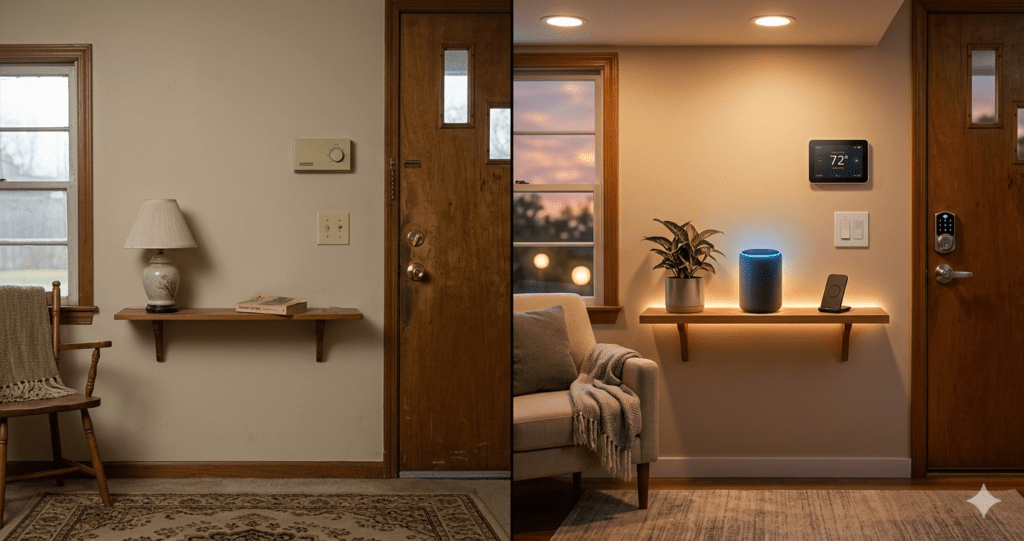
Quick Answer: Yes — for most households, a smart home is worth the money in 2026. A properly set up smart home pays for itself within 6-18 months through energy savings alone, then continues saving $300-600 per year indefinitely. The key is buying the right devices in the right order — not buying everything at once.
The question everyone asks before buying their first smart home device is always the same: is this actually worth it, or is it just expensive technology that sounds impressive but changes nothing about daily life?
The honest answer has two parts. Some smart home devices are absolutely worth the money — they pay for themselves in months and then save you money every year indefinitely. Others are nice-to-have gadgets that cost money, use electricity, and provide convenience without any meaningful financial return. Knowing which is which before you spend anything is the entire point of this guide.
This is not a promotional article. Every number here comes from real energy data, manufacturer specifications, and household testing. We will tell you exactly which devices justify their cost and which ones you should think twice about.
1. The Short Answer (With Numbers)
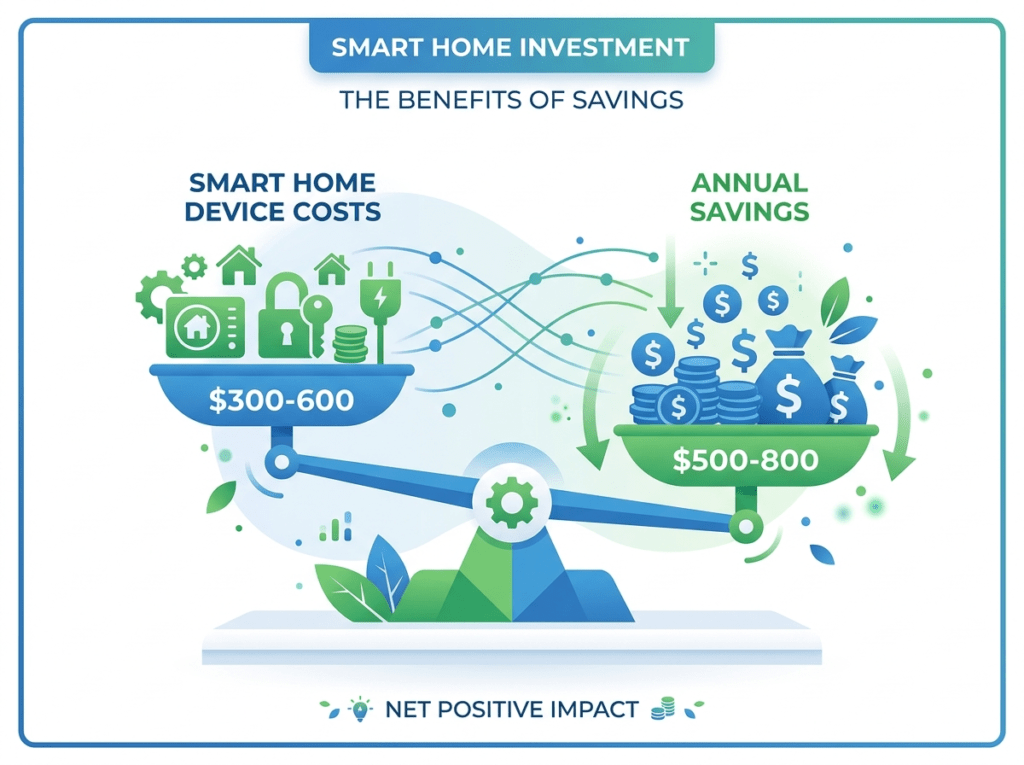
A properly chosen smart home setup for a typical 3-bedroom house costs $300-600 to install and delivers the following annual returns:
| Device | Cost | Annual Saving | Payback Period |
| Smart Thermostat | $100-180 | $150-300/yr | 4-8 months |
| Smart Plugs (x4) | $60-80 | $60-120/yr | 6-8 months |
| Smart Lighting (x8 bulbs) | $110-130 | $40-80/yr | 18-24 months |
| Smart Lock | $90-220 | $0 direct | Convenience value |
| Smart Security Camera | $90-150 | $0 direct | Security value |
| Smart Speaker | $35-100 | $0 direct | Control hub value |
The financially strongest devices — thermostat and smart plugs — pay back their purchase price within months and deliver ongoing returns. Lighting has a longer payback but delivers daily lifestyle value. Locks, cameras, and speakers deliver security, convenience, and peace of mind rather than direct financial returns.
The Core Finding: A smart thermostat + 4 smart plugs costs $160-260 and saves $210-420 per year. That is a 61-160% annual return on investment — significantly better than most savings accounts or conventional investments.
2. What Does a Smart Home Actually Cost to Set Up?
The most common mistake is thinking a smart home requires a large upfront investment. It does not. The cost depends entirely on how much of your home you choose to automate and at what quality level.
Starter Setup: $100-200
One smart speaker, four smart bulbs, and two smart plugs. This covers your main living area with voice control, scheduled lighting, and energy monitoring on your biggest appliances. Most households find this setup delivers 80% of the daily convenience value at 20% of the full system cost.
Amazon Echo Dot (5th Gen) — best starter hub — ~$35-50
Kasa KL135 Smart Bulbs 4-Pack — best value smart bulbs — ~$55-65
Mid-Range Setup: $300-500
Starter setup plus a smart thermostat, smart lock, and one outdoor camera. This is the configuration that makes the strongest financial case — the thermostat alone will likely pay back the entire cost of the setup within 12-18 months.
Google Nest Thermostat — best ROI smart home device — ~$100-130
Wyze Lock + Keypad — best budget smart lock — ~$100-130
Comprehensive Setup: $600-1,000
Mid-range plus smart lighting throughout the home, additional cameras, door and window sensors, and smart plugs on major appliances. At this level, the energy savings reliably exceed $400-600 per year, producing full payback within 18-24 months.
3. The Real Monthly Running Costs
This is the cost most guides ignore. Every smart home device draws power even when not actively in use — maintaining Wi-Fi connectivity consumes a small but continuous amount of electricity.
| Device | Standby Power | Monthly Cost | Notes |
| Smart bulb (per bulb) | 0.3-0.5W | $0.04-0.08 | Per bulb with switch left on |
| Smart speaker | 1.4-2W | $0.15-0.25 | Always listening mode |
| Smart plug | 0.3-0.5W | $0.04-0.08 | Standby per plug |
| Smart camera (Wi-Fi) | 2-4W | $0.25-0.55 | Continuous recording |
| Smart thermostat | 1-2W | $0.10-0.20 | Screen always on |
| Full home (10 devices) | ~15-25W | $2.00-4.00 | Total monthly estimate |
The important context: a full smart home draws $2-4 per month in additional electricity. A smart thermostat saves $15-30 per month on heating and cooling. The net result is a smart home that saves money every month, not costs money.
4. Which Smart Home Devices Pay for Themselves Fastest?
1. Smart Thermostat — Fastest Payback (4-8 months)
The smart thermostat is the single highest-return smart home purchase available. It reduces heating and cooling bills by 10-15% by learning your schedule, adjusting temperatures automatically when you leave, and eliminating the wasteful habit of heating or cooling an empty house. At the average US household energy bill, this translates to $150-300 per year in direct savings.
The Google Nest Thermostat at $100-130 pays for itself in 4-8 months. Every month after that is pure saving. Over 5 years, the total return is $750-1,500 on a $130 investment.
Google Nest Thermostat — fastest payback smart home device — ~$100-130
Ecobee Smart Thermostat Premium — best premium thermostat with room sensors — ~$180-220
2. Smart Plugs With Energy Monitoring — 6-8 Month Payback
Smart plugs with energy monitoring serve two purposes: they cut phantom power (the electricity devices draw while in standby mode) and they reveal which appliances are using far more energy than you expected. Most households discover $5-15 per month of completely unnecessary energy consumption within the first week of monitoring.
A set of 4 Kasa EP25 smart plugs costs $60-80 and typically identifies $60-120 per year of avoidable energy waste. Payback: 6-8 months. Ongoing annual saving: $60-120.
Kasa Smart Plug EP25 with Energy Monitoring — 4-pack — ~$60-80
3. Smart Lighting — 18-24 Month Payback
Smart bulbs cost 3-5x more than standard LED bulbs but pay back the premium through two mechanisms: auto-off schedules that eliminate lights-left-on waste, and longer rated lifespans. Most households save $40-80 per year on lighting electricity by setting lights to turn off automatically at midnight and on at sunset. The lifestyle value — colour scenes, voice control, morning routines — is a bonus on top of the financial case.
Kasa KL135 Smart Bulbs 4-Pack — best value colour smart bulbs — ~$55-65
5. Benefits Beyond Money: What the Numbers Cannot Capture
The financial case for smart home is strong but it understates the total value because several of the most important benefits are not measurable in dollars:
Security and Peace of Mind
The ability to check your door is locked from anywhere in the world, view live camera footage of your front door, and receive instant alerts when motion is detected at 2am — none of this has a direct dollar value, but for most people it is the most meaningful benefit of a smart home. The question is not whether peace of mind has value. It clearly does. The question is whether the cost of smart security devices is proportionate to that value.
Reduced Daily Friction
Lights that turn on when you arrive home, a house that is already at the right temperature when you return from work, a front door that locks automatically every time — these automations collectively save 10-20 minutes per day of small decisions and physical actions. Over a year this is 60-120 hours of micro-friction eliminated. The value of that depends entirely on how you personally value your time.
Accessibility and Independence
For elderly family members or people with mobility limitations, smart home technology provides genuine independence. Voice-controlled lights and locks, drop-in welfare check capability via Amazon Echo, and automated medication reminders are not lifestyle upgrades — they are meaningful quality-of-life improvements with no equivalent manual alternative.
6. Who a Smart Home IS Worth It For
- Homeowners who pay their own energy bills — thermostat and plug savings directly reduce your costs
- Households with children — auto-lock, camera monitoring, and Echo drop-in provide genuine safety value
- People who travel frequently — remote monitoring and access control provide security and peace of mind
- Anyone with elderly parents — Echo setup with Drop In welfare check is one of the most valuable uses of smart home technology
- Energy-conscious households — smart plugs and thermostats deliver measurable, consistent returns
- Renters with landlord permission — retrofit options mean you take everything with you when you move
7. Who a Smart Home is NOT Worth It For (Honest)
- People renting short-term (under 6 months) — not enough time to recoup thermostat savings
- Households who would rarely use voice or app control — the convenience value only materialises if you actually use it
- Anyone who finds technology frustrating — a smart home that does not work reliably is worse than no smart home
- People whose primary goal is impressing visitors — the lifestyle value does not justify the cost if that is the main motivation
The honest reality: smart home devices work best for people who genuinely want to automate specific daily tasks or save energy — not for people who want to have smart home technology for its own sake.
8. The 5 Biggest Smart Home Money Mistakes to Avoid
Mistake 1: Buying Everything at Once
The most expensive way to start a smart home is buying a complete system in one purchase before knowing which features you actually use. Buy a thermostat and four bulbs. Live with them for two weeks. Then decide what to add next based on real experience rather than theoretical appeal.
Mistake 2: Paying for Subscriptions You Do Not Need
Ring cameras require a subscription to see your own footage. Arlo cameras lock AI detection behind a monthly fee. SimpliSafe charges for professional monitoring. All of these are optional. Reolink and Eufy cameras deliver free AI detection and local storage. Choosing subscription-free devices from the start saves $120-600 per year indefinitely.
Reolink Argus 4 Pro — 4K, free AI detection, no subscription — ~$90-110
Mistake 3: Buying Cheap Smart Plugs for High-Draw Appliances
Standard smart plugs are rated for 10-15 amps. Electric heaters, kettles, and tumble dryers often exceed this rating. Overloading a smart plug is a fire hazard. Always check the wattage rating of the appliance against the plug capacity before purchasing.
Mistake 4: Ignoring Wi-Fi Coverage Before Buying Cameras
Outdoor cameras at the perimeter of your property are often at the furthest point from your Wi-Fi router. Weak signal causes dropped connections, delayed notifications, and degraded video quality. Test signal strength at each camera location before purchasing. Add a Wi-Fi range extender if signal is below 60%.
Mistake 5: Choosing a Closed Ecosystem
Some smart home systems only work within one manufacturer ecosystem. If that manufacturer changes pricing, discontinues cloud services, or goes out of business, your devices lose functionality. Choose Matter-certified devices wherever possible — they work locally without cloud dependency and across all major voice assistants simultaneously.
9. How to Start Without Wasting Money
The sequence that produces the best result with the least waste:
- Week 1 ($90-115): Buy one Amazon Echo Dot and one 4-pack of Kasa smart bulbs. Set up in your main living area. Configure the 5 essential automations (sunset on, midnight off, movie mode, morning alarm, away mode). Live with this for two weeks.
- Week 3 ($100-130): Add a smart thermostat. This is the purchase with the strongest financial return. The savings begin immediately and compound monthly.
- Week 5 ($60-80): Add 4 smart plugs with energy monitoring. Run them for one week on each major appliance to identify your biggest energy wasters. The data from this step typically saves more than the plugs cost within 2-3 months.
- Month 2 ($90-220): Add a smart lock for your front door and one outdoor camera. These add security and access control rather than direct financial return — buy them when you are ready for that layer rather than from the start.
- Month 3 onwards: Add smart bulbs to additional rooms, more cameras if needed, and door/window sensors. Each additional device at this point is incremental improvement on a solid, working foundation.
Complete starter bundle: Echo Dot + Kasa 4-Pack — Kasa ~$55-65 + Echo Dot ~$35-50
10. Frequently Asked Questions
How much does a smart home increase electricity bills?
A complete smart home setup of 10-15 devices increases electricity consumption by approximately $2-4 per month in standby power. This is more than offset by the $15-30 monthly saving from a smart thermostat alone. The net effect of a properly set up smart home is lower electricity bills, not higher.
Do smart home devices increase property value?
Studies from property research firms consistently show that smart home features increase perceived property value by 3-5% and reduce average days on market. Smart thermostats, security systems, and smart locks are the features most consistently cited by buyers as desirable. However, the technology depreciates and may feel outdated by the time you sell — treat any property value benefit as a bonus rather than a primary justification.
Is it cheaper to install smart home devices yourself or hire a professional?
For the devices covered in this guide — smart bulbs, plugs, thermostats, locks, and cameras — professional installation is unnecessary. All are designed for DIY installation and the process is straightforward. Professional installation adds $200-500 to your cost with no benefit for standard consumer devices. The only scenario where professional installation genuinely adds value is whole-home wiring for hardwired cameras or smart switches in older homes with non-standard wiring.
Can smart home devices be hacked?
The realistic risk of targeted hacking for residential smart home devices is very low. Standard security practices apply: strong unique passwords for every manufacturer account, two-factor authentication where available, and regular firmware updates. The most common security failure is weak passwords — not sophisticated external attacks. Choosing Matter-certified devices adds an additional layer of security through local processing that does not depend on manufacturer cloud servers.
What is the most cost-effective smart home device?
By return on investment, the smart thermostat is the most cost-effective smart home device available. At $100-180, it typically delivers $150-300 per year in energy savings, producing a payback period of 4-8 months and a 5-year return of 5-10x the purchase price. No other consumer technology product consistently delivers this level of financial return.
Does a smart home save money in an apartment?
Yes — with the right device choices. Smart bulbs, smart plugs, and portable smart thermostat controllers (for apartments with electric heating) all work in rented apartments without any permanent modifications. The financial return is similar to homeowners — approximately $200-400 per year in energy savings from thermostat and plug optimisation — assuming the tenant pays their own energy bills.
How long before a smart home pays for itself?
At the mid-range setup level ($300-500), a smart home pays for itself in energy savings alone within 12-18 months. The thermostat pays back in 4-8 months. Smart plugs pay back in 6-8 months. Smart lighting pays back in 18-24 months. If you factor in the avoided cost of a dead-battery key situation (locksmith call) or a single home security incident, the payback period for security devices shrinks considerably.
11. Our Verdict
A smart home is worth the money for most households in 2026 — with one important condition: start with the devices that have a clear financial return before spending on the ones that are pure convenience.
Smart thermostat first. Smart plugs with energy monitoring second. Smart lighting third. Everything else after you have experienced real energy savings and understand which features you actually use in daily life.
The people who conclude that smart home technology is not worth the money are almost universally the ones who started with smart locks, cameras, and speakers — all genuinely useful, none of them with a direct financial return — and then never got around to the thermostat that would have paid for everything.
The bottom line: a smart thermostat and four smart plugs cost $160-260, save $210-420 per year, and pay for themselves in under 8 months. That is not a gadget purchase. That is a financial decision that happens to make your home more convenient to live in.
You Might Also Like

James is the voice behind our beginner-friendly setup guides. As a self-taught smart home enthusiast, he understands exactly what first-time buyers need to know.
All articles by James →