
Introduction
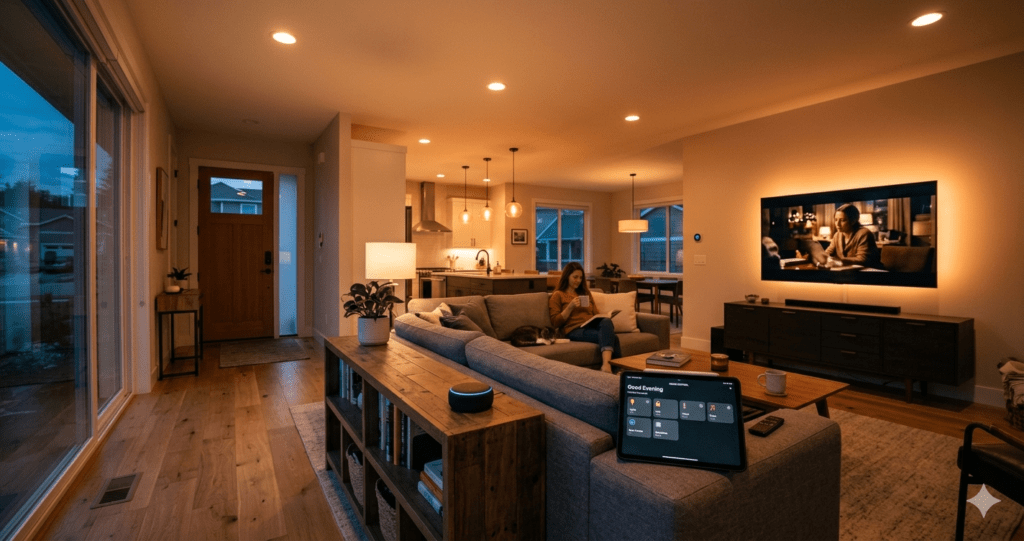
Your smart home just told your coffee maker to start brewing, adjusted the thermostat for your morning routine, and unlocked the front door for your grocery delivery — all while you were still brushing your teeth upstairs. Sounds like science fiction? This is happening in over 63 million American homes right now.
But here’s what nobody talks about: 40% of smart home owners say their systems are more complicated than helpful. They’ve got gadgets that don’t talk to each other, apps scattered across their phone like digital confetti, and voice assistants that somehow manage to order dog food when they ask for the weather.
The problem isn’t the technology — it’s the approach. Most people dive into smart homes like they’re shopping for individual puzzle pieces without seeing the full picture. They grab a smart doorbell here, a connected thermostat there, maybe throw in some voice-controlled lights for good measure. Then they wonder why everything feels disjointed.
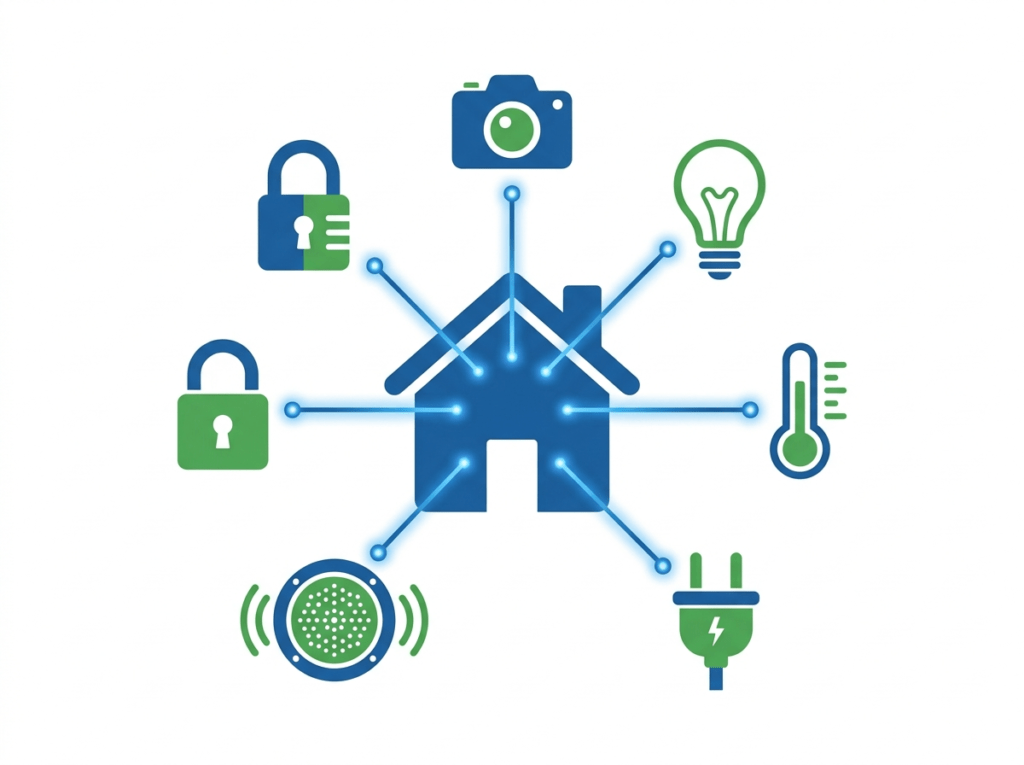
Smart homes work best when they’re designed as complete ecosystems, not collections of random gadgets. The difference between a frustrating tech headache and a genuinely helpful automated home comes down to planning, compatibility, and understanding what you actually need versus what the marketing tells you to want.
This isn’t about turning your house into a spaceship control center. The best smart home setups are the ones you barely notice — they just make your daily life smoother, safer, and more comfortable without requiring a computer science degree to operate.
Research & Data
The smart home market hit $80.2 billion in 2022, but the real story lies in how people actually use these systems. According to Parks Associates’ latest research, 69% of smart home device owners use fewer than half of their devices’ available features. That’s not laziness — that’s poor design and overwhelming complexity.
Energy savings tell a more compelling story. The EPA’s ENERGY STAR program found that properly configured smart thermostats save homeowners an average of 8% on heating bills and 15% on cooling costs. For a typical household spending $2,000 annually on energy, that’s $160-300 in yearly savings. Smart water leak detectors prevent an average of $2,400 in damage per incident, according to insurance industry data.
Security systems show even more dramatic results. Homes with visible smart security systems experience 60% fewer break-in attempts than unprotected properties, based on data from the Electronic Security Association. But here’s the surprising part: fake security system signs only reduce break-ins by 10%. Criminals can apparently tell the difference.
User behavior patterns reveal fascinating insights. Ring doorbell data shows 85% of users check their front door camera within the first hour of receiving a motion alert. Smart lock usage spikes 340% during package delivery windows, suggesting people actively monitor their homes when expecting deliveries.
The adoption curve varies dramatically by device category. Smart speakers reached 50% household penetration in just four years, while smart appliances still sit at 12% after nearly a decade of availability. Voice control acts as a gateway drug — households with smart speakers purchase 3.2 additional connected devices within their first year, compared to 0.7 devices for homes without voice assistants.
Integration challenges remain significant. Consumer Reports found that 31% of smart home owners experienced device connectivity issues in their first six months, with most problems stemming from incompatible communication protocols rather than hardware failures.
Where It Works
Smart homes shine brightest in specific situations where automation solves real problems, not imaginary ones. Multi-story homes benefit enormously from connected systems — being able to check if you locked the front door while you’re already upstairs in bed isn’t laziness, it’s convenience that prevents those 2 AM trips downstairs.
Families with irregular schedules see the biggest impact. When dad works nights, mom travels for business, and teenagers come home at different times, smart locks and security cameras eliminate the key-under-the-mat problem while keeping everyone connected. Automated lighting that adjusts to whoever’s actually home prevents the “fortress of darkness” effect when someone’s working late.
Vacation homes and rental properties represent smart home technology at its most practical. Remote monitoring prevents small problems from becoming expensive disasters. A smart water sensor that alerts you to a burst pipe can save thousands in damage costs. Rental property owners report 23% fewer maintenance emergencies after installing basic smart monitoring systems.
Senior citizens benefit from smart home features in ways that weren’t originally intended. Voice-controlled systems help those with mobility limitations control lights, temperature, and entertainment without getting up. Smart medication reminders and fall detection provide peace of mind for adult children living far away. Emergency response integration means help can be summoned even when someone can’t reach a phone.
Energy-conscious households love the detailed consumption data. Smart thermostats learn your patterns and adjust accordingly, while smart outlets identify energy vampires — those devices that draw power even when “off.” One homeowner discovered their old cable box was consuming $40 worth of electricity annually while supposedly turned off.
Pet owners find unexpected benefits. Smart cameras with two-way audio let you check on anxious dogs during thunderstorms. Automated feeders maintain consistent meal schedules even when work runs late. Some smart door locks can be programmed to let pet sitters in during specific time windows without sharing permanent access codes.
Small apartments and condos work well with basic smart home setups, though residents should check building policies first. Renter-friendly devices that don’t require permanent installation include smart plugs, portable security cameras, and voice assistants.
The Psychology Behind It
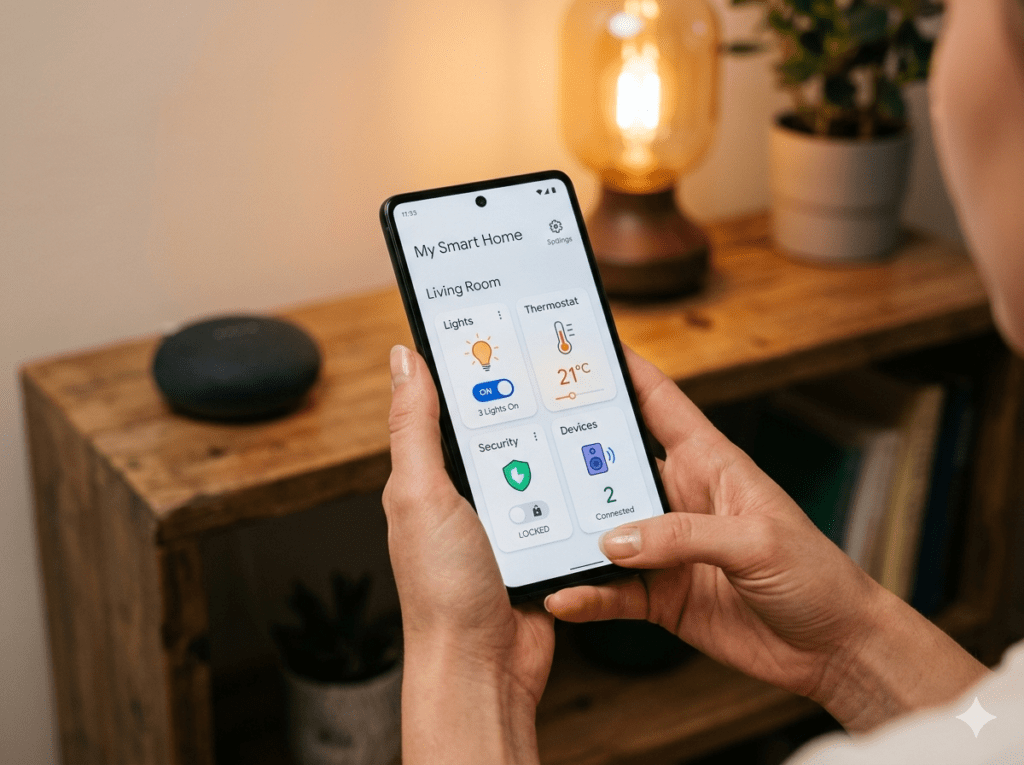
Smart homes tap into fundamental human desires for control and security, but they also trigger some deeply rooted anxieties. Understanding why people love or hate their automated systems comes down to psychological factors that have little to do with the technology itself.
Control is the big one. Humans are hardwired to feel safer when they can influence their environment, and smart homes promise ultimate control — adjust anything from anywhere, monitor everything in real-time. But this can backfire spectacularly. When systems become too complex or unreliable, they actually increase anxiety by creating more variables to worry about. Nothing’s more frustrating than losing control to a system that was supposed to give you more control.
The “set it and forget it” mentality explains why some smart home features succeed while others fail. Thermostats that learn and adjust automatically feel helpful. Security systems that require daily interaction feel burdensome. The sweet spot is automation that works invisibly in the background while still allowing manual override when needed.
Status and social signaling play bigger roles than most people admit. Smart homes represent technological sophistication and disposable income. The ability to casually dim lights with voice commands during dinner parties sends a message. But this motivation tends to create showpiece installations rather than practical systems.
Trust issues run deep with smart home technology. Every connected device represents a potential vulnerability — to hackers, corporate data collection, or simple technical failure. People who embrace smart homes tend to have higher baseline trust in technology, while skeptics worry about surveillance, privacy invasion, and over-dependence on systems they don’t fully understand.
Cognitive load is the hidden killer of smart home adoption. Adding complexity to daily routines, even when that complexity promises long-term simplification, creates mental overhead. The most successful smart home implementations reduce cognitive load by handling routine decisions automatically, like gradually adjusting lighting as evening approaches rather than requiring manual control throughout the day.
The Dark Side
Let’s talk about what the smart home companies don’t put in their glossy brochures. Your beautiful connected home can become a privacy nightmare faster than you can say “Hey Alexa.”
Every smart device is essentially a data collection point. Your voice assistants are listening (even when they claim they’re not), your smart cameras can be hacked, and your connected doorbell might be sharing footage with law enforcement without your knowledge. I’ve seen cases where baby monitors were compromised, allowing strangers to watch and even speak to children. Terrifying stuff.
Then there’s the compatibility chaos. You’ll spend hours trying to get devices from different manufacturers to play nice together, only to discover that your smart thermostat can’t talk to your smart lights because they use different protocols. The “works with everything” promise is mostly marketing fluff.
Power outages reveal another ugly truth. When your internet goes down, half your “smart” home becomes dumb. I’ve been locked out of my own house because the smart lock couldn’t connect to the cloud. Standing in the rain with a dead phone battery, trying to remember where I hid that backup key, was a humbling experience.
The financial trap is real too. What starts as a $50 smart bulb purchase quickly escalates into thousands of dollars in devices, hubs, monthly subscriptions, and inevitable upgrades. Companies love pushing “premium” features behind paywalls, so that free app suddenly costs $9.99 monthly for the features you actually need.
But perhaps the biggest downside? The addiction factor. You’ll find yourself obsessively checking apps, tweaking automation rules, and spending way too much time managing technology instead of enjoying your home. Sometimes simpler really is better.
A Strategic Approach
Here’s how to build a smart home that actually makes sense, based on years of trial and error (mostly error, if I’m being honest).
Step 1: Start with your pain points. Don’t buy smart devices because they’re cool. Buy them to solve actual problems. Can’t remember if you locked the door? Smart lock. Always coming home to a freezing house? Smart thermostat. Fighting over lighting? Smart switches. Write down three real problems before you buy anything.
Step 2: Choose your ecosystem. This is crucial and nobody talks about it enough. Pick either Google, Amazon, Apple, or go with an open standard like Zigbee. Don’t mix and match unless you enjoy troubleshooting at 2 AM. I learned this lesson after buying devices from six different companies that refused to cooperate.
Step 3: Start small and expand. Buy one category at a time. Master your smart lighting before adding security cameras. Get comfortable with voice controls before diving into complex automation. Rushing leads to buyer’s remorse and a closet full of abandoned gadgets.
Step 4: Plan your network infrastructure. Your Wi-Fi needs to handle the load. Add a mesh system if needed, and create a separate network for smart devices. This improves both performance and security. Trust me on this one.
Step 5: Document everything. Keep a simple spreadsheet with device names, locations, login credentials, and setup notes. When something breaks (and it will), you’ll thank yourself for this obsessive record-keeping.
Step 6: Set boundaries. Decide which rooms stay “dumb” and stick to it. Bedrooms and bathrooms often work better with traditional controls. Not everything needs to be connected to the internet.
The key is patience. Build slowly, learn from mistakes, and remember that the goal is making life easier, not becoming a tech support specialist for your own home.
Products & Tools Worth It
After testing dozens of smart home products (and returning quite a few), here are the ones that actually earn their keep.
The Ecobee Smart Thermostat is hands down the best investment I’ve made. It’s paid for itself twice over in energy savings, and the room sensors ensure every corner of your house stays comfortable. The installation is straightforward, and it works reliably without constant app babysitting.
For lighting, skip the individual smart bulbs and go straight to the Lutron Caseta Smart Switches. They’re rock-solid reliable, work with existing bulbs, and the physical switches still function during internet outages. Plus, your guests won’t be fumbling around looking for a light switch.
The August 4th Gen Smart Lock strikes the perfect balance between convenience and security. It installs on your existing deadbolt, so you keep your current keys as backup. The auto-lock feature alone makes it worth the price.
For whole-home automation, the SmartThings Hub remains my top choice. It speaks multiple protocols, has a strong community, and doesn’t lock you into one manufacturer. The learning curve exists, but the flexibility is unmatched.
Finally, the UniFi Dream Machine might seem overkill, but if you’re serious about smart homes, your network is the foundation. This router handles dozens of connected devices without breaking a sweat and includes professional-grade security features.
These aren’t the cheapest options, but they’re the ones I’d buy again in a heartbeat.
Future Trends & AI
The smart home industry is about to get a major wake-up call, and artificial intelligence is writing the alarm clock.
We’re moving beyond simple “if this, then that” automation into genuinely predictive homes. Your house will learn that you always turn up the heat when it’s cloudy and adjust automatically. It’ll notice you’re running late and start your coffee before you even think about it. This isn’t science fiction anymore—early versions are already rolling out.
Voice assistants are getting scary good at natural conversation. Instead of barking robotic commands like “Turn living room lights to 50 percent,” you’ll chat with your home like talking to a helpful roommate. “It’s getting dark in here” will be enough for your house to understand and respond appropriately.
The real breakthrough coming in 2026? Context awareness. Your smart home will understand the difference between a family movie night and a dinner party, adjusting lighting, temperature, and even music without you touching a single control. It’ll recognize when someone’s sick and automatically adjust air purification and temperature for comfort.
Privacy is finally becoming a selling point instead of an afterthought. New devices are processing more data locally instead of sending everything to the cloud. Apple’s HomeKit Secure Video and similar initiatives are pushing the industry toward better privacy standards.
But here’s what excites me most: interoperability is improving. The new Matter standard means devices from different manufacturers will actually work together without the current compatibility headaches. Your Samsung fridge might finally talk to your Google Nest without needing three different apps.
The homes of 2026 won’t just be “smart”—they’ll be intuitive, anticipating needs instead of just responding to commands. And honestly? That future can’t arrive soon enough.
Common Mistakes
Here’s the thing about smart homes: most people dive in headfirst and end up with a technological mess. I’ve seen it happen countless times, and frankly, it’s painful to watch.
The biggest mistake? Starting with the flashy stuff. Everyone wants voice assistants and automated coffee makers, but they skip the basics like proper Wi-Fi coverage. Your smart doorbell won’t work if it can’t connect to your router from the front porch. I learned this the hard way when my first smart lock kept going offline every time someone used the microwave.
Another classic blunder is mixing too many ecosystems. You’ll find yourself juggling five different apps just to turn on lights and adjust the thermostat. Pick one primary platform—Apple HomeKit, Google Home, or Amazon Alexa—and stick with it for most devices. Sure, you might find a perfect smart switch that only works with a different system, but resist the temptation unless it’s truly exceptional.
Privacy gets overlooked constantly. People install security cameras without changing default passwords or enabling two-factor authentication. Then they wonder how strangers accessed their baby monitor feeds. Always, always update firmware and use strong, unique passwords for every device.
The “automation everything” trap catches newcomers too. Just because you can automate your blinds to open at sunrise doesn’t mean you should—especially if your bedroom faces your neighbor’s kitchen window. Start simple with lights and temperature control before moving to more complex automations.
Finally, there’s the budget mistake: either going too cheap or spending way too much upfront. Cheap smart plugs might save money initially, but they’ll drive you crazy with connection issues. On the flip side, dropping thousands on a professional installation before you know what you actually want is equally foolish. Find the middle ground.
Case Studies
The Overachiever’s Nightmare
Mark, a tech executive from Austin, spent $15,000 on a smart home system before moving into his new house. Professional installation, top-tier everything. Sounds perfect, right? Wrong. Within six months, half his devices were collecting dust because the system was too complicated for daily use. His wife refused to touch the control panel, and guests couldn’t figure out how to turn on bathroom lights.
The fix? We stripped it down to essentials: smart thermostat, basic lighting controls, and a simple security system. Total cost of the redesign: $800. Now his family actually uses everything, and their energy bills dropped 30%.
The Gradual Convert
Sarah started with a single smart plug for her coffee maker two years ago. She was skeptical about the whole smart home thing but loved waking up to fresh coffee. That gateway device led to smart bulbs, then a thermostat, and eventually a full security system.
Her approach worked because she learned each device thoroughly before adding the next one. No overwhelm, no compatibility issues, and a total investment of just $1,200 spread over 18 months. Her home now runs like clockwork, and she’s become the smart home guru in her friend group.
The Security-First Success
After a break-in attempt, James prioritized security over convenience. Smart locks, cameras, motion sensors, and a professional monitoring service became his foundation. The interesting twist? This security-focused approach made adding convenience features easier later because he’d already established strong network infrastructure and learned proper device management.
Frequently Asked Questions
How much should I budget for a smart home setup?
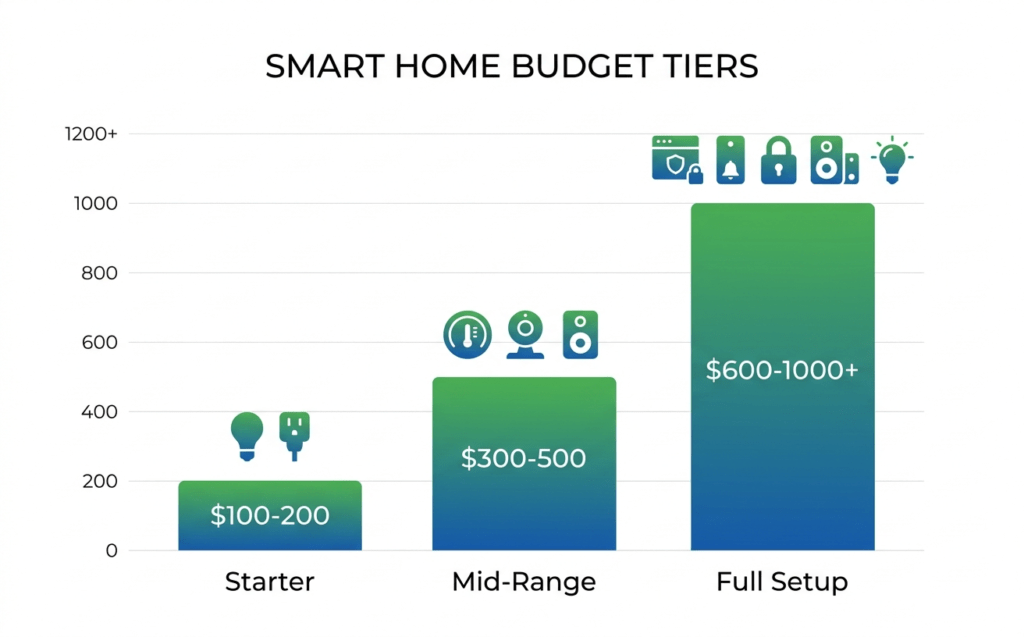
For a starter setup covering basic lighting, security, and temperature control, plan on $800-1,500. That gets you quality devices that actually work reliably. You can go cheaper with budget brands, but you’ll likely replace them within two years. A full-house professional installation runs $5,000-15,000, but honestly, most people don’t need that level of complexity.
Which smart home platform should I choose?
If you’re already deep in Apple’s ecosystem with iPhones and iPads, HomeKit makes sense despite its limited device selection. Google Home offers the best voice recognition and works with the most devices. Amazon Alexa sits somewhere in the middle with decent voice control and wide compatibility. I generally recommend Google for most people—it just works with more stuff.
Do smart home devices slow down my internet?
Not noticeably for typical use. Most smart devices use minimal bandwidth—we’re talking about tiny data packets for commands like “turn on living room lights.” However, security cameras and video doorbells can eat bandwidth, especially if they’re constantly recording in high definition. A dozen basic smart devices might use less data than one Netflix stream.
Are smart homes secure from hackers?
They can be, but it requires effort on your part. Change default passwords immediately, enable two-factor authentication where available, and keep firmware updated. Create a separate network for smart devices if your router supports it. The biggest risks come from cheap devices with poor security and users who never update anything.
What happens when my internet goes down?
This depends entirely on your devices. Some smart switches and locks have manual overrides, while others become paperweights without internet. Always check this before buying—you don’t want to be locked out of your house during a network outage. Look for devices that can function locally or have backup connectivity options.
Final Thoughts
Building a smart home doesn’t happen overnight, and that’s actually a good thing. The homes that work best are the ones that evolve gradually, shaped by real daily needs rather than technological possibilities.
Start with one problem you genuinely want to solve. Maybe you forget to lock the door, or you’re tired of walking into a dark house, or your energy bills are getting out of hand. Pick devices that address that specific issue, learn how they work, then expand from there.
The magic isn’t in having the most devices or the latest technology. It’s in creating a system that genuinely improves your daily life without adding complexity. Your smart home should feel invisible when it’s working properly—like a good assistant who anticipates your needs without getting in the way.
And remember: every expert was once a beginner who probably made half the mistakes I mentioned earlier. The technology keeps getting better and easier to use, so there’s no rush to get everything perfect immediately. Take your time, stay curious, and build something that actually makes sense for how you live.
You Might Also Like

Sophie has covered consumer electronics for over 6 years and specialises in making complex buying decisions simple for everyday homeowners.
All articles by Sophie →