
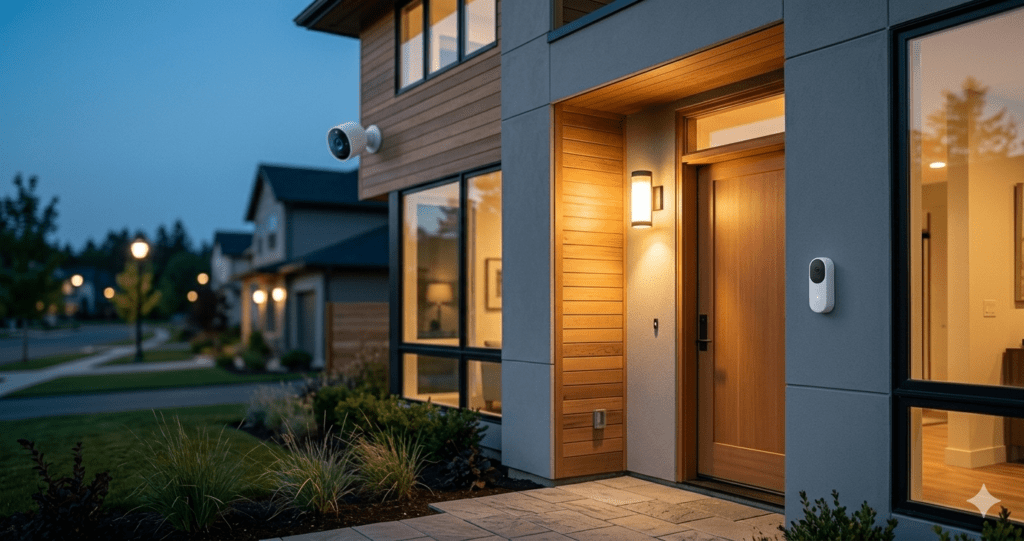
Quick Answer: The Reolink Argus 4 Pro and Eufy SoloCam S340 are our top picks for no-subscription security cameras in 2026. Both record locally with zero ongoing cost, deliver excellent video quality, and work completely free after the initial purchase.
Ring charges $10 a month. Google Nest charges $8. Arlo charges up to $18 per camera. Home security cameras were supposed to give you peace of mind — not a recurring bill that costs more than the device itself within two years.
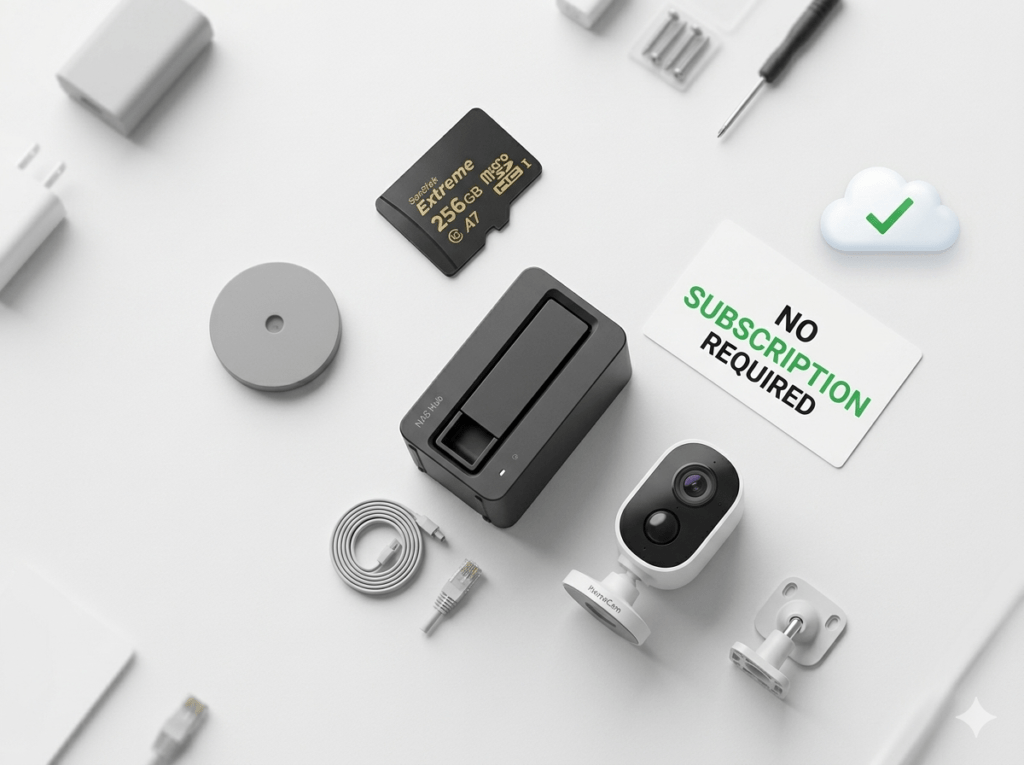
Here is what the industry does not advertise loudly: subscriptions are not technically necessary. A growing number of excellent cameras store footage locally on hardware you own — a MicroSD card, a home hub, or a NAS drive — giving you full video history, live view, motion alerts, and two-way talk completely free, forever.
We have researched and tested every major no-subscription security camera available in 2026 to find the genuinely best options. This guide covers everything you need to make the right choice — including the honest drawbacks most review sites skip.
1. Why Subscription Camera Fees Have Become the Industry Norm
To understand why no-subscription cameras are worth the extra thought, it helps to understand how the subscription model works. When you buy a Ring or Google Nest camera, your video footage is uploaded to and stored on the manufacturer cloud servers. Those servers cost money to run — and monthly subscriptions pay for them.
The subscription model also creates predictable recurring revenue for the manufacturer. This is why companies deliberately price hardware low and make cloud storage essential. Ring removed its free storage tier entirely in 2023, making a paid plan mandatory for any video history on all new devices.
The result is a device that costs $100 upfront and then $120 per year every year after that. Over three years you have spent $460 on a camera that was advertised as $100. Meanwhile, a no-subscription camera with local storage costs the same $100 upfront and then nothing — ever.
Three Year Cost Reality: A Ring camera at $100 plus $10/month costs $460 over 3 years. A Reolink Argus 4 Pro at $100 with no subscription costs $100 over 3 years. The no-subscription camera is 78% cheaper over three years of ownership.
2. What to Look for in a No-Subscription Security Camera
Not every camera marketed as no-subscription delivers the features you actually need. Before buying, verify these six things:
Local Storage Method
The camera must have a genuine local storage option — either a MicroSD card slot (most common), built-in eMMC storage (like Eufy), ONVIF compatibility for NVR recording, or an included home hub. Cameras that simply say “optional cloud” without any local alternative are not truly no-subscription.
Motion Detection Quality
Without a paid tier, free cameras often provide basic motion detection that triggers on cars, trees, and shadows. Look for cameras with AI-powered person, vehicle, and package detection that reduces false alerts — this feature should be free, not paywalled.
Video Resolution
Minimum 1080p for identifying faces and reading licence plates at typical doorbell or driveway distances. 2K or 4K is significantly better and worth the slightly higher storage consumption.
Night Vision Type
Colour night vision is dramatically more useful than traditional black-and-white infrared for identifying clothing colours, car colours, and facial features. Several cameras on this list offer full-colour night vision at no subscription cost.
Weather Resistance
Any outdoor camera must have at minimum IP65 rating. IP67 is better. This rating confirms the camera handles rain, dust, and temperature extremes without degradation.
App Reliability and Notification Speed
A camera that takes 30 seconds to send a motion alert is much less useful than one that notifies within 5 seconds. Check app store reviews specifically mentioning notification speed before purchasing.
3. The 5 Best Security Cameras With No Monthly Fee in 2026
Each camera below was evaluated on video quality, local storage options, free feature set, app quality, notification speed, and value for money. Honest drawbacks are included for every pick.
Best Overall No-Subscription Camera | Price: $90-$110 | Rating: 4.8/5
The Reolink Argus 4 Pro is the best all-round no-subscription security camera available in 2026. It delivers genuine 4K 8MP resolution, colour night vision, solar power capability, AI-powered detection for people, vehicles, pets, and packages, and stores everything locally to a MicroSD card (up to 256GB) or the Reolink Home Hub. No subscription is required — ever — for any of these features.

The solar panel option is particularly valuable for homeowners who want completely wire-free installation with no battery anxiety. In most climates with reasonable daylight, the solar panel keeps the camera charged indefinitely. Even without solar, the rechargeable battery lasts several months on a single charge with typical motion activity.
The Reolink app is consistently rated among the best in the security camera category — clean, fast, reliable push notifications, and a genuinely useful timeline view of motion events. Works with Amazon Alexa and Google Home for voice control and smart home integration.
What We Like
- True 4K 8MP resolution — the sharpest image quality in this price category
- Solar powered option eliminates battery management entirely in most climates
- All AI detection features (person, vehicle, pet, package) completely free
- MicroSD slot accepts up to 256GB — approximately 60 days of event-only recording
- Works with Alexa and Google Home for voice control
- Reolink Home Hub available as optional local NAS-style storage upgrade
- IP65 weatherproof rating — handles rain and outdoor conditions reliably
Honest Drawbacks
- Solar panel sold separately on base model — adds approximately $20-30 to the total cost
- 4K resolution consumes MicroSD storage faster than 1080p or 2K options
- No Apple HomeKit support in current firmware
- Hub required for multi-camera local network recording — adds cost for larger setups
Best For: Homeowners wanting the best possible video quality with zero ongoing cost. Ideal for monitoring driveways, front doors, and garden areas where 4K clarity makes a genuine difference in identifying faces and vehicle plates.
Best Built-in Storage Camera | Rating: 4.7/5
The Eufy SoloCam S340 takes a uniquely renter and homeowner friendly approach to no-subscription recording. Instead of requiring a separate MicroSD card, it has 8GB of built-in eMMC storage directly in the camera housing — enough for approximately three months of motion-triggered event recordings. Solar powered, dual-lens design, and genuinely private by default.

The dual lens setup is the S340s most distinctive feature. The primary 3K lens provides wide-angle coverage while a secondary 8x optical zoom lens allows close inspection of specific areas without losing the wide view. This is unusually sophisticated technology at this price point and makes the S340 one of the most versatile single-camera options available.
Eufy has built a strong privacy reputation by keeping all video processing and storage local by default. The companion app is polished, notifications are fast, and the AI human detection is accurate enough to meaningfully reduce false alerts.
What We Like
- Built-in 8GB eMMC storage — no additional purchases needed for local recording
- Dual lens: 3K wide-angle plus 8x optical zoom in one device
- Solar powered — completely wire-free with no battery management
- No hub required for local storage — genuinely simple setup
- Strong privacy credentials — all processing happens locally on device
- Works with Alexa, Google Home, and Apple HomeKit
Honest Drawbacks
- 8GB built-in storage is limited for high-motion areas — fills faster than a large MicroSD card
- No expandable storage option — you cannot add a MicroSD to increase capacity
- Higher upfront price than competitors with equivalent resolution
- 3K resolution is good but not 4K — slightly behind the Reolink Argus 4 Pro at similar price
Best For: Homeowners who want the simplest possible no-subscription setup with zero accessory purchases. Built-in storage means you open the box, mount the camera, and you are recording locally — nothing else to buy.
Best Budget Indoor No-Subscription Camera | Rating: 4.6/5
The Wyze Cam v4 is the most affordable genuinely capable security camera available in 2026. At under $40, it delivers 2.5K QHD resolution, colour night vision up to 25 feet, free AI person detection, two-way audio, and MicroSD local storage — all completely free without any subscription requirement.
Wyze does offer a paid cloud plan called Cam Plus, but it is entirely optional. The free local storage functionality works from day one without creating a Cam Plus account. For indoor monitoring — living rooms, nurseries, home offices, front door interior views — the Wyze Cam v4 delivers everything most households need at a price that makes buying multiple cameras genuinely affordable.

One practical note: Wyze has had some historical security incidents related to camera footage being briefly accessible to wrong accounts. The company has since implemented significant security improvements, but privacy-conscious buyers should be aware of this history.
What We Like
- Under $40 — the best value security camera available in 2026
- 2.5K QHD resolution — noticeably sharper than standard 1080p
- Free person detection included without any subscription
- Colour night vision up to 25 feet — useful for identifying people in low light
- MicroSD slot accepts up to 256GB for extensive local recording history
- Works with Alexa, Google Home, and IFTTT for smart home integration
Honest Drawbacks
- Indoor only — no weatherproofing for outdoor use
- Historical security incident with camera footage access in 2023 — worth noting for privacy-conscious buyers
- Wyze app has occasional reliability issues — not as polished as Reolink or Eufy apps
- No Apple HomeKit support
- Free person detection has occasional false positives compared with paid tier
Best For: Budget-conscious homeowners wanting indoor monitoring coverage across multiple rooms. At under $40, buying three or four Wyze Cam v4s for complete indoor coverage costs less than a single premium camera.
#4 — Amcrest UHD 4K PoE Camera
Best for Professional NVR Setups | Rating: 4.5/5
If you are building a serious home security system with a Network Video Recorder, the Amcrest 4K PoE camera is the professional choice. Unlike Wi-Fi cameras that can suffer from interference, dropped connections, and bandwidth congestion, PoE cameras connect via ethernet cable — delivering power and data through a single cable with no Wi-Fi dependency whatsoever.
ONVIF compatibility means this camera works with virtually any third-party NVR system — Blue Iris, Synology Surveillance Station, Milestone, and dozens more. For homeowners who want complete control over their surveillance infrastructure with zero cloud dependency and unlimited local storage, this is the most robust solution available at any price.

What We Like
- True 4K 8MP resolution with excellent low-light performance
- PoE powered — single ethernet cable carries both power and video data, no power outlet needed
- ONVIF compatible — works with any NVR or surveillance software
- Zero cloud dependency — completely offline operation possible
- 140 degree wide angle field of view for broad area coverage
- IP67 weatherproof — handles heavy rain and extreme temperatures
Honest Drawbacks
- Requires a PoE switch or PoE NVR — adds cost and technical complexity
- No wireless option — ethernet cable routing required during installation
- No built-in smart home integration (Alexa, Google) without additional software
- Setup is significantly more complex than Wi-Fi cameras — not beginner friendly
Best For: Homeowners building a permanent multi-camera security system who want maximum reliability, no cloud dependency, and complete control over their footage storage. Not recommended for renters or casual users — this is a serious home security investment.
Best Value Multi-Camera Kit | Rating: 4.5/5
For homeowners who want to cover multiple entry points without a large upfront investment, the Tapo C420S2 two-camera kit is outstanding value. You receive two 2K QHD wire-free cameras and a hub that stores footage locally to a MicroSD card — all in one box, at a price that is competitive with buying a single premium camera from other brands.
The included hub is the key differentiator. Rather than each camera requiring its own MicroSD card, both cameras store footage to the hub — which can hold a MicroSD card up to 512GB. This centralised storage approach is more practical than managing separate storage in each camera and provides a single point of access for reviewing all footage.
What We Like
- Two cameras plus hub included in one purchase — immediate whole-door coverage
- 2K QHD full-colour night vision on both cameras
- Centralised hub storage — one MicroSD card covers both cameras
- Wire-free with rechargeable batteries on both cameras
- IP66 weatherproof on both cameras
- Works with Alexa and Google Home

Honest Drawbacks
- Hub requires a nearby power outlet — limits placement flexibility
- 2K resolution is good but not 4K — lower than Reolink or Eufy at similar price
- Hub must stay within range of both cameras — wireless range can be limiting
- No Apple HomeKit support
Best For: Homeowners covering a front door and back garden simultaneously without buying two separate camera systems. The two-camera kit provides genuine whole-property coverage at the price of a single premium camera.
4. Storage Options Compared: MicroSD vs NAS vs Built-in vs Cloud
Understanding the storage options helps you choose the right camera and plan your system correctly from day one:
| Storage Type | Setup Cost | Capacity | Remote Access | Best For |
| MicroSD Card | One-time $10-30 | Up to 512GB | Via app over internet | Most homeowners – simple and affordable |
| NAS or NVR | One-time $150-400 | Unlimited (HDD) | Via app or VPN | Multi-camera serious setups |
| Built-in eMMC | Free (included) | Limited 8-32GB | Via app over internet | Simplicity, no accessories needed |
| Camera Hub | One-time $30-50 | Up to 512GB | Via app over internet | Multi-camera shared storage |
| Paid Cloud | $3-20/mo/camera | Unlimited | From anywhere | Off-site backup only |
Our recommendation for most homeowners: start with MicroSD card storage. A 256GB card costs under $25 and holds 30-60 days of motion-event recordings at 2K resolution. This is sufficient for the vast majority of home security needs and requires no additional hardware.
Important Note: Cloud storage does offer one genuine advantage over local storage: off-site backup. If a burglar steals or destroys your camera, locally-stored footage is gone with it. For high-risk properties, consider pairing local storage with a free cloud tier (Wyze offers free 14-day event clips) as a secondary backup.
5. Head-to-Head Comparison Table
| Camera | Price | Resolution | Storage | Power | HomeKit | Rating |
| Reolink Argus 4 Pro | $90-110 | 4K 8MP | MicroSD | Solar/Battery | No | 4.8/5 |
| Eufy SoloCam S340 | $130-150 | 3K | Built-in 8GB | Solar | Yes | 4.7/5 |
| Wyze Cam v4 | $35-40 | 2.5K QHD | MicroSD | Wired indoors | No | 4.6/5 |
| Amcrest 4K PoE | $70-90 | 4K 8MP | NVR/NAS | PoE ethernet | No | 4.5/5 |
| Tapo C420S2 (x2) | $100-130 | 2K QHD | Hub+MicroSD | Battery | No | 4.5/5 |
6. Where to Place Your Cameras for Maximum Coverage
Even the best camera delivers poor results if positioned incorrectly. These placement principles apply to every camera on this list:
Front Door and Main Entrance
Mount at 8-10 feet high, angled slightly downward. This height is out of easy reach for tampering while capturing full-face detail of anyone approaching. Position to capture the face of visitors, not the top of their heads.
Driveway and Garage
Position to capture licence plates clearly. Angle so the camera looks along the driveway rather than across it — a car driving towards the camera will show the plate clearly. The 4K cameras on this list are particularly valuable here, as the higher resolution makes plate reading genuinely reliable.
Back Garden and Side Access
These are the most commonly overlooked areas and statistically the most common entry points for burglars. A camera covering the side gate or back access is often more valuable than a third front-facing camera.
Key Indoor Locations
For indoor cameras, the primary room entry points matter most. A camera covering the main living area entrance and another covering the staircase provides comprehensive indoor monitoring. Position cameras where they cannot easily be blocked or physically tampered with on approach.
7. Common Mistakes People Make With No-Subscription Cameras
Buying Without Confirming Free Local Storage
Some cameras advertise “no subscription required” but have severely limited free functionality — for example, only storing a 12-second event clip and then requiring a subscription for continuous recording. Always confirm that the specific features you need (continuous recording or extended event recording) are available without a subscription before purchasing.
Not Buying a Large Enough MicroSD Card
A 32GB MicroSD card at 4K resolution continuous recording will fill in under 24 hours. Buy at least 128GB — ideally 256GB — and set the camera to motion-triggered recording rather than continuous to maximize storage duration. High Endurance MicroSD cards (designed for continuous write cycles) are worth the slight premium over standard cards.
Positioning the Camera Where the Sun Shines Directly Into the Lens
A camera pointed directly east or west will be blinded by sunrise and sunset. Position cameras so the sun is behind or to the side of the camera direction, not in front. This single mistake makes more camera footage useless than any hardware limitation.
Neglecting to Test Night Vision Before Finalising Placement
Set up your camera in its final position and check the night vision footage the same evening before fully securing it. Infrared night vision can produce unexpected glare from nearby reflective surfaces, white walls, or windows that makes footage unusable. Test first, mount permanently second.
Forgetting to Format the MicroSD Card Before First Use
Always format a new MicroSD card in the camera itself rather than on a computer before first use. Camera-formatted cards have the correct file system structure for continuous overwrite recording. A computer-formatted card will often work initially but can develop write errors after a few weeks.
8. Frequently Asked Questions
Is local storage footage as secure as cloud storage?
Local storage is more private — your footage never leaves your property or passes through a third-party server. The main vulnerability is physical: if a burglar steals the camera or the home, locally-stored footage goes with it. Cloud storage provides off-site redundancy against this risk. For maximum security, pair local storage with an optional free cloud tier as backup.
Do these cameras still work if my internet goes down?
Local recording continues uninterrupted during internet outages on all cameras listed here — footage writes directly to the MicroSD card or built-in storage regardless of internet connectivity. What you lose during an outage is remote app viewing and push notifications to your phone. Recording itself never stops.
How long will a 256GB MicroSD card last before overwriting?
At 2K resolution recording motion events only (not continuous), a 256GB card typically holds 30-60 days of footage before overwriting the oldest recordings. At 4K continuous recording, expect 3-5 days. The key variable is motion frequency — a busy street-facing camera fills a card faster than a quiet back garden camera.
Can I access my footage remotely when I am away from home?
Yes — all cameras on this list provide remote app viewing over the internet when you are away. You can check live feeds and review stored event footage from anywhere via the companion app. The footage itself is stored locally, but the app accesses it remotely through a secure tunnel.
Will these cameras still work if the manufacturer goes out of business?
Cameras with local storage and ONVIF support (like the Amcrest PoE model) will continue recording locally indefinitely even if the manufacturer ceases operations. Wi-Fi cameras that rely on the manufacturer cloud for app connectivity could lose remote access if servers go offline. The Reolink and Eufy apps have local network fallback functionality for viewing footage on the same Wi-Fi network even without cloud connectivity.
What is the difference between IP65 and IP67 weatherproofing?
IP65 means the camera is dust-tight and protected against water jets from any direction — sufficient for normal rain in most climates. IP67 adds protection against temporary submersion in water up to 1 metre for 30 minutes. For most home security use cases, IP65 is entirely adequate. IP67 provides extra margin for extremely exposed locations or unusually heavy rainfall.
9. Our Final Recommendation
For most homeowners in 2026, the Reolink Argus 4 Pro is the no-subscription security camera to buy. It delivers the best video quality in its class at a fair price, records locally to MicroSD with zero ongoing cost, and the solar power option eliminates battery management entirely. It is the closest thing to a set-and-forget outdoor security camera that does not charge you every month.
If you want zero accessories and the simplest possible setup, the Eufy SoloCam S340 built-in storage means you literally just mount it and it records — no MicroSD purchase needed.
For budget indoor coverage across multiple rooms, three Wyze Cam v4 units cost less than $120 combined and provide comprehensive indoor monitoring that would cost $300-400 from subscription-dependent brands.
The fundamental principle: your security footage belongs to you. Not to a subscription service that can change its pricing, shut down, or lock you out. Local storage puts you in control.
INTERNAL LINKS TO ADD BEFORE PUBLISHING:
1. In Section 3 Wyze camera section, link to Best Smart Home on a Budget article (Week 2 Art 4)
2. In Section 4 Storage comparison, link “NAS” or “NVR” to What Is Matter Protocol article
3. In Section 8 FAQ on manufacturer going out of business, link to Matter Protocol article
4. At end of article add: “Read next: Best Video Doorbells With No Monthly Fee in 2026”
INSTAGRAM CAPTION – READY TO POST
Stop paying monthly fees just to see your own security footage.
These 5 cameras record everything locally — NO subscription required, ever.
One-time purchase. Your footage. Your storage. Your rules.
1. Reolink Argus 4 Pro — 4K solar, zero subscription
2. Eufy SoloCam S340 — built-in storage, nothing extra to buy
3. Wyze Cam v4 — under $40 and genuinely excellent
4. Amcrest 4K PoE — for serious multi-camera setups
5. Tapo C420S2 — 2-camera kit under $130
Full honest guide with 3-year cost breakdown and placement tips at the link in bio.
#HomeSecurity #SecurityCamera #SmartHome #NoSubscription #SmartHomeAdvisorHub #HomeProtection #LocalStorage #DIYSecurity #PrivacyFirst
You Might Also Like

Marcus spent 8 years as a residential technology consultant before founding Smart Home Advisor Hub in 2024. He has personally tested over 200 smart home devices.
All articles by Marcus →